Final Year Uni Project | 15 weeks | 2025-26
Self directed brief
Have you ever struggled to pay for parking using an app?
The 3G switch-off has rendered traditional parking meters obsolete. With many councils not upgrading to 4G, motorists are now forced to navigate over 30 location-specific, non-interoperable parking apps. This frustrates all drivers but disproportionately excludes older motorists, discouraging them from driving to local areas.
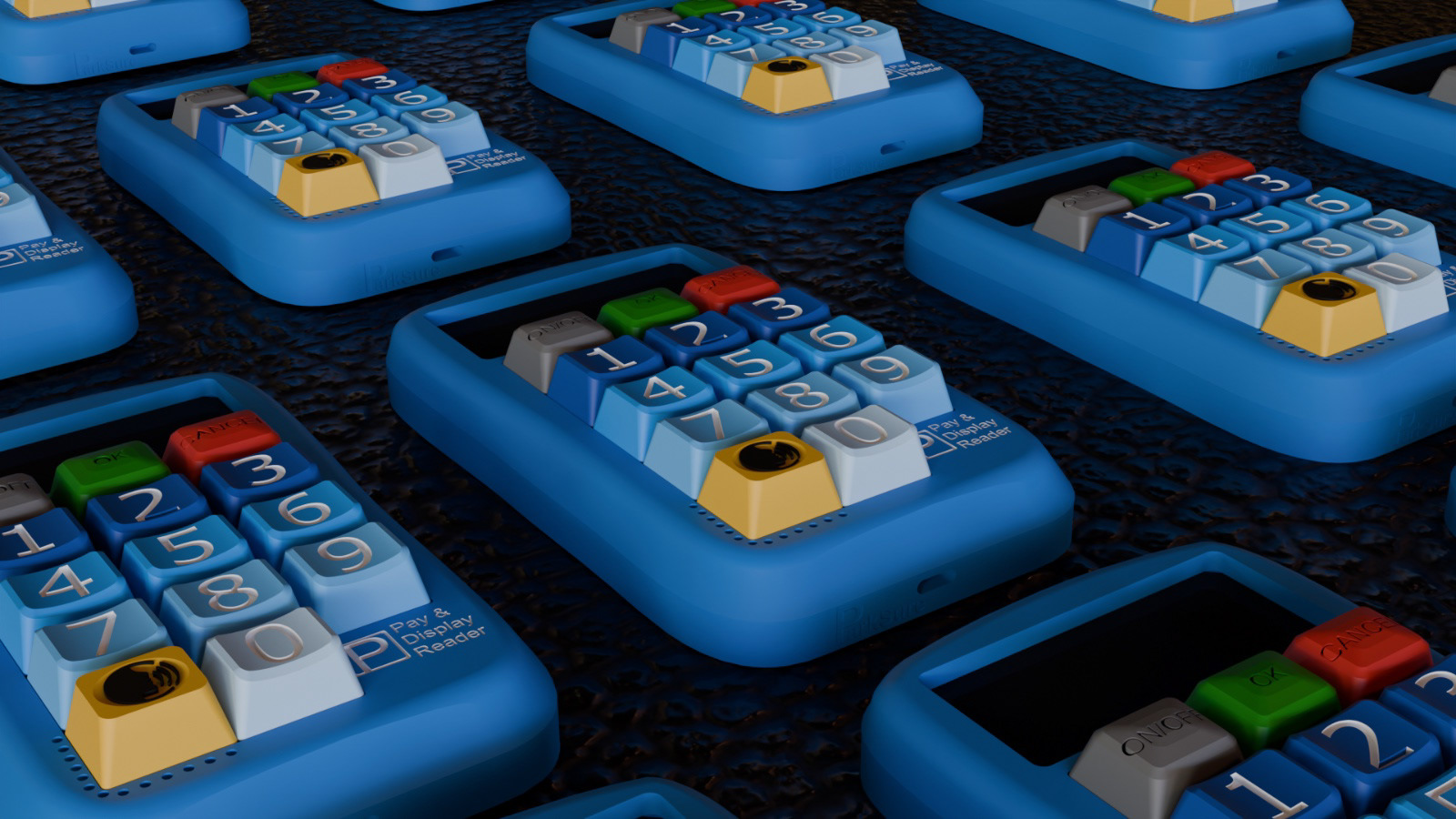
ParkSure Pay & Display readers make parking payments simple and tangible again. The readers allow motorists to set up a parking session by entering their location code and duration of stay. Payment is completed via contactless or chip & PIN, which automatically activates a countdown timer. After payment motorists display their reader on their dashboard for traffic wardens to verify.
The readers, provided by Councils, eliminate the need for account setup, password creation and stored personal details. Developed through an inclusive, co-design approach, the readers are aimed at the needs of older motorists while remaining intuitive for everyone.
Personal brief: To design a personal, physical device for motorists 65+ that enables payment and display of parking without requiring any front-end online or app-based interaction. Aiming to restore a tangible, hands-on experience to parking payments, prioritising clarity, tactility, and ease of use.
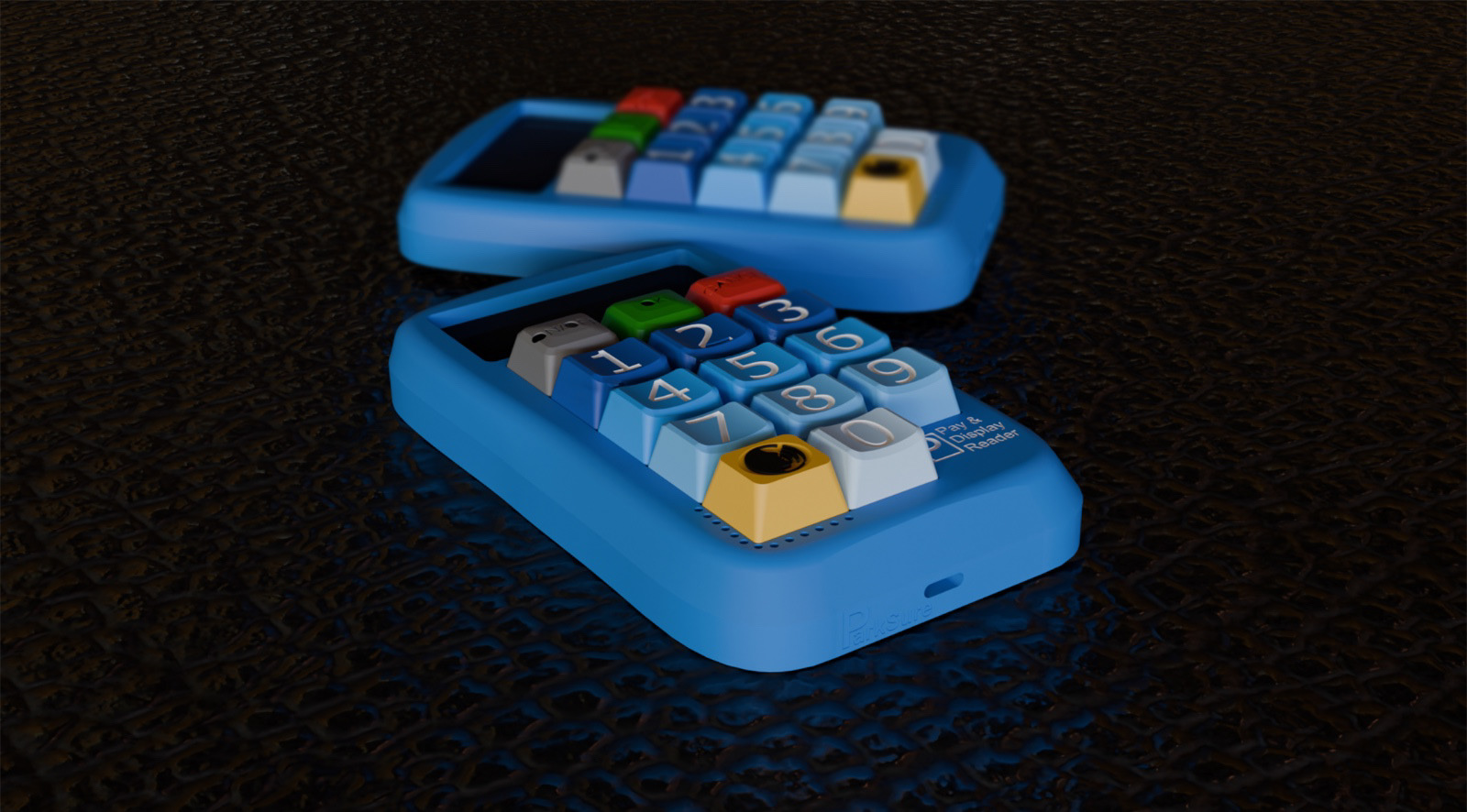
Final product visualsation render | CAD animation showing the stages of setting up a parking session
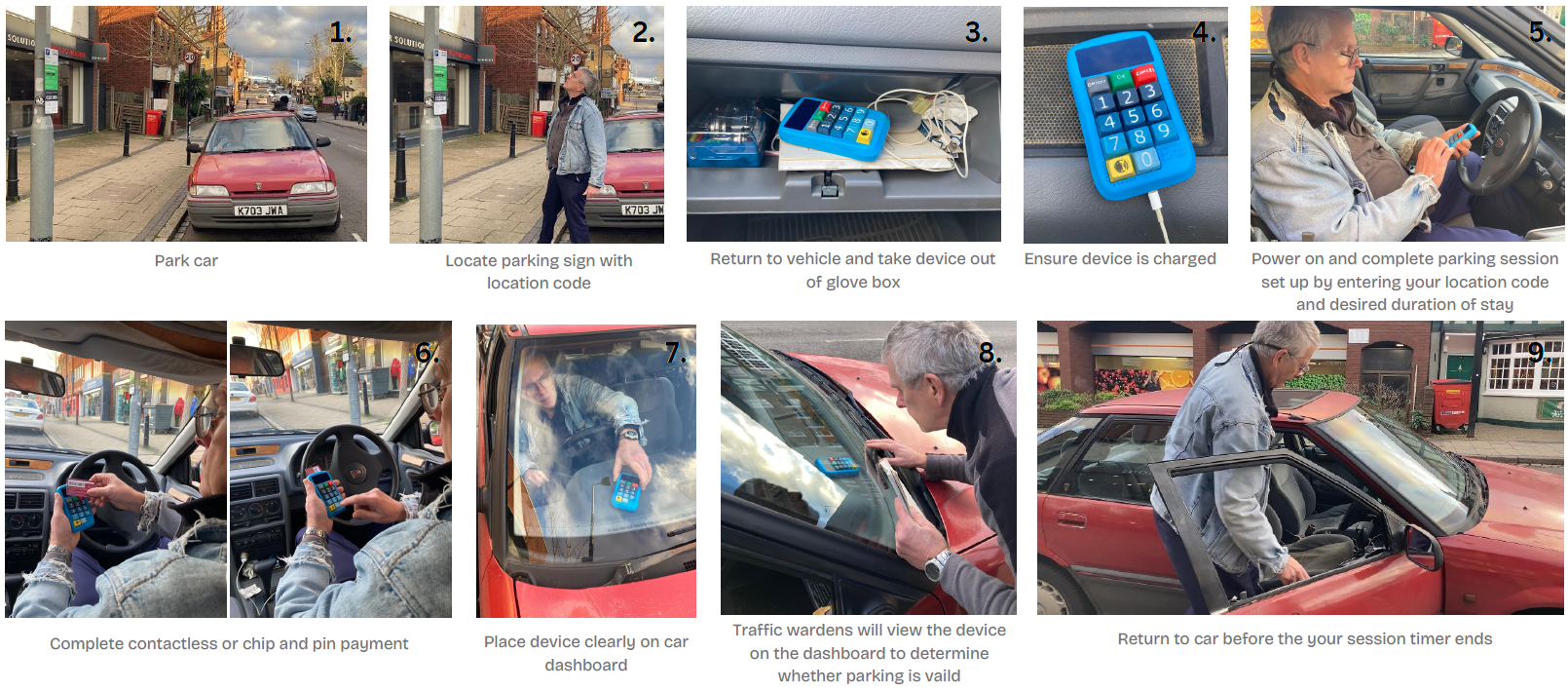
Pay & Display reader user interaction storyboard
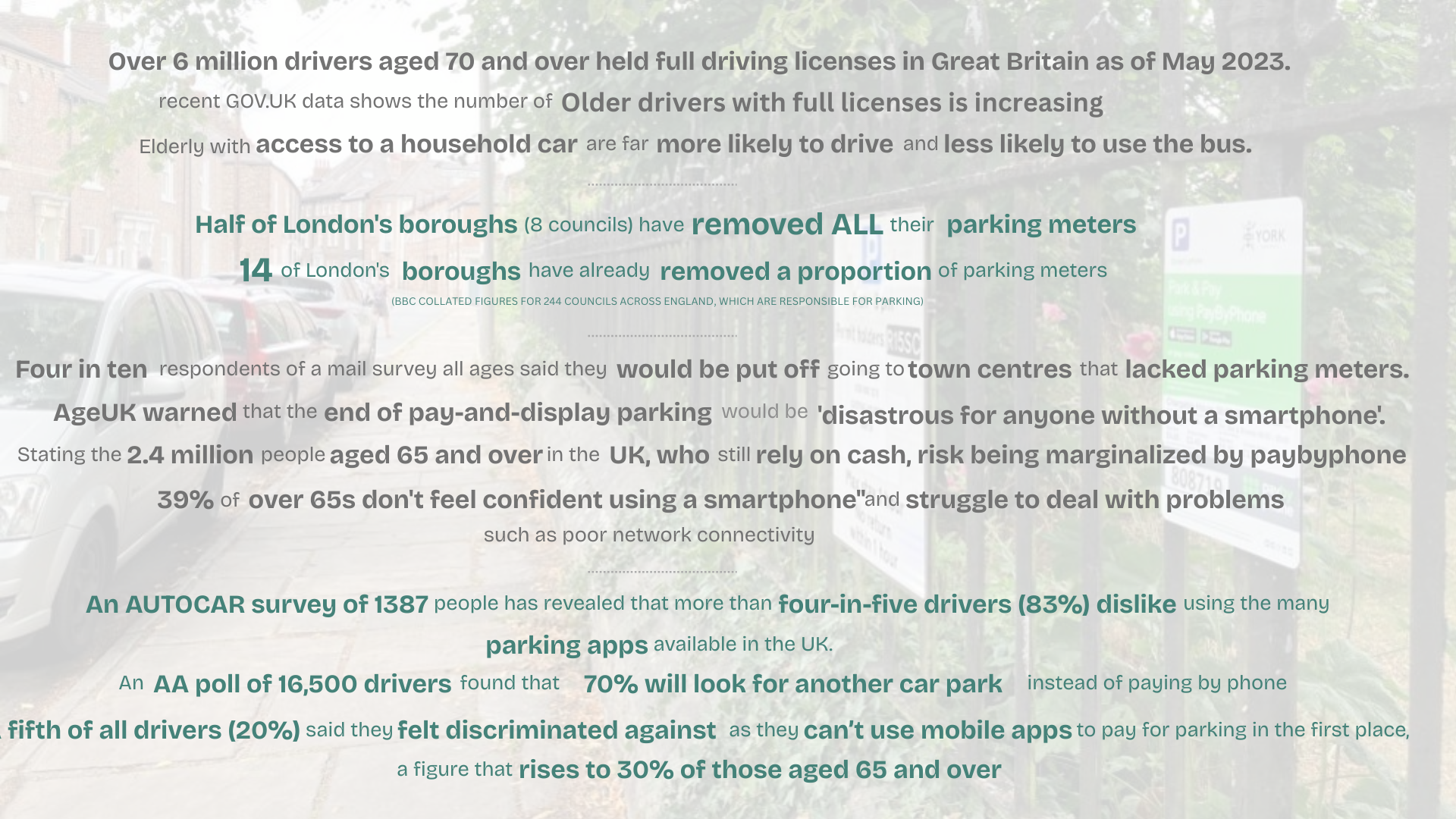
Secondary Research - Key project facts
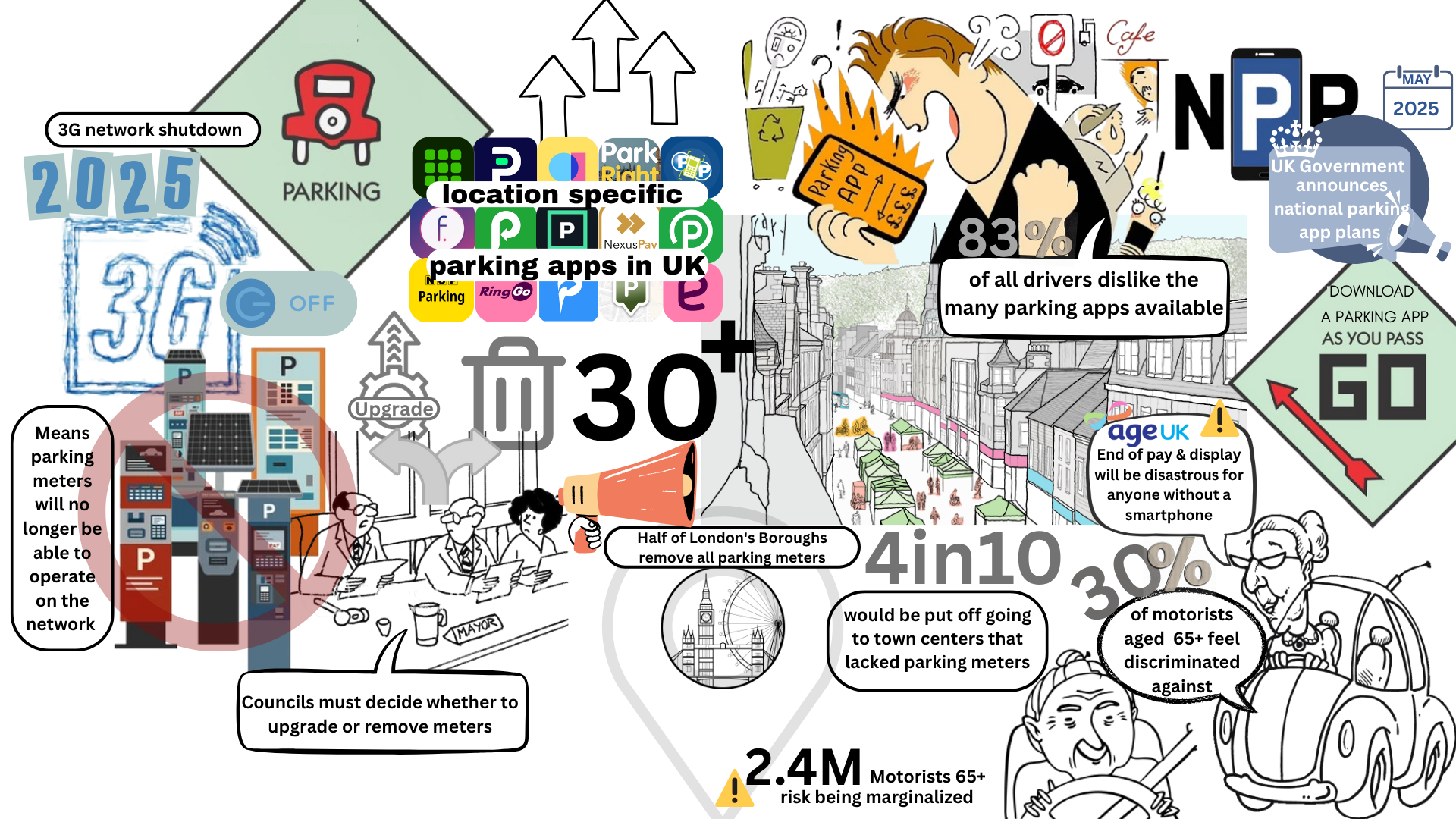
Visualisation of current context - Justification of product need
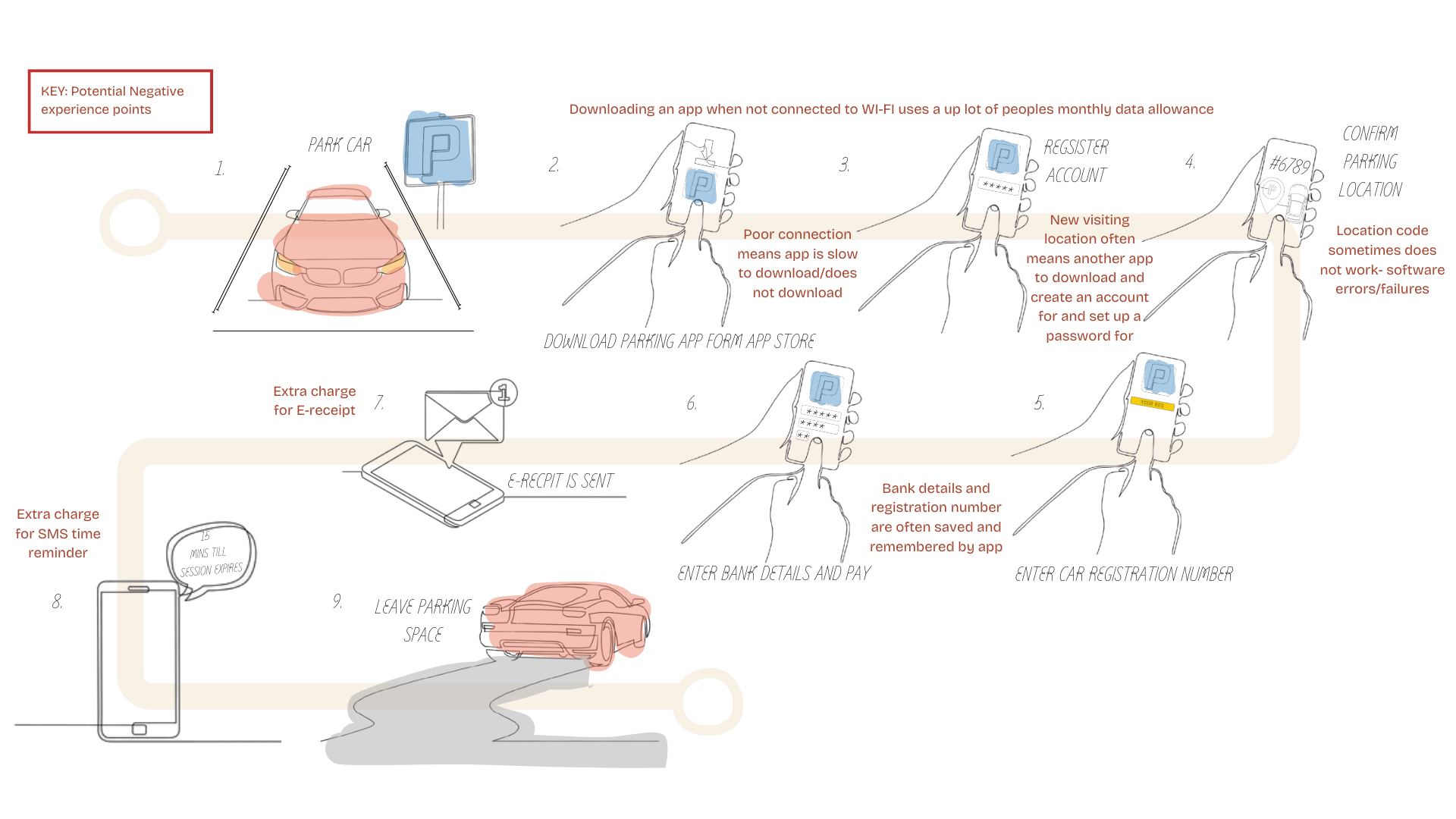
Visualisation of the user experience of parking apps - Highlighting user pain points
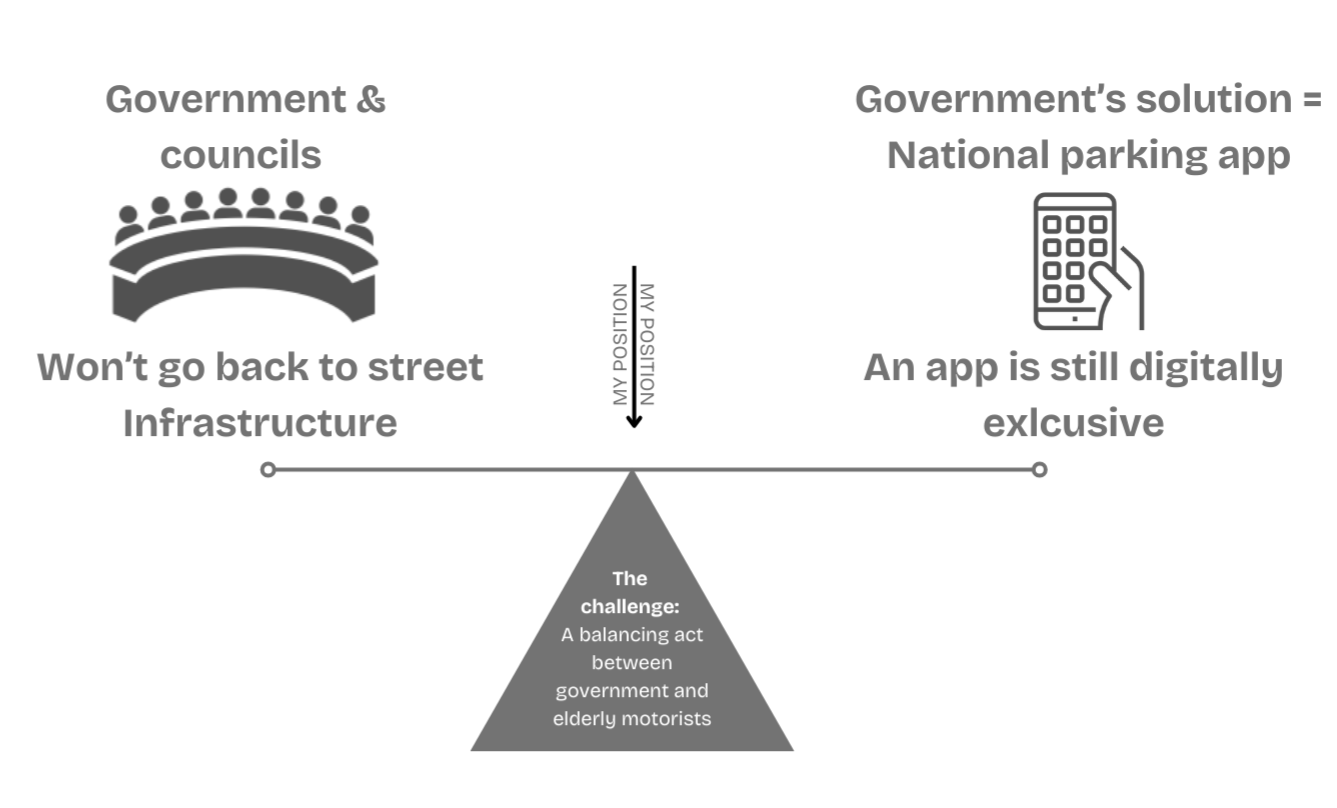
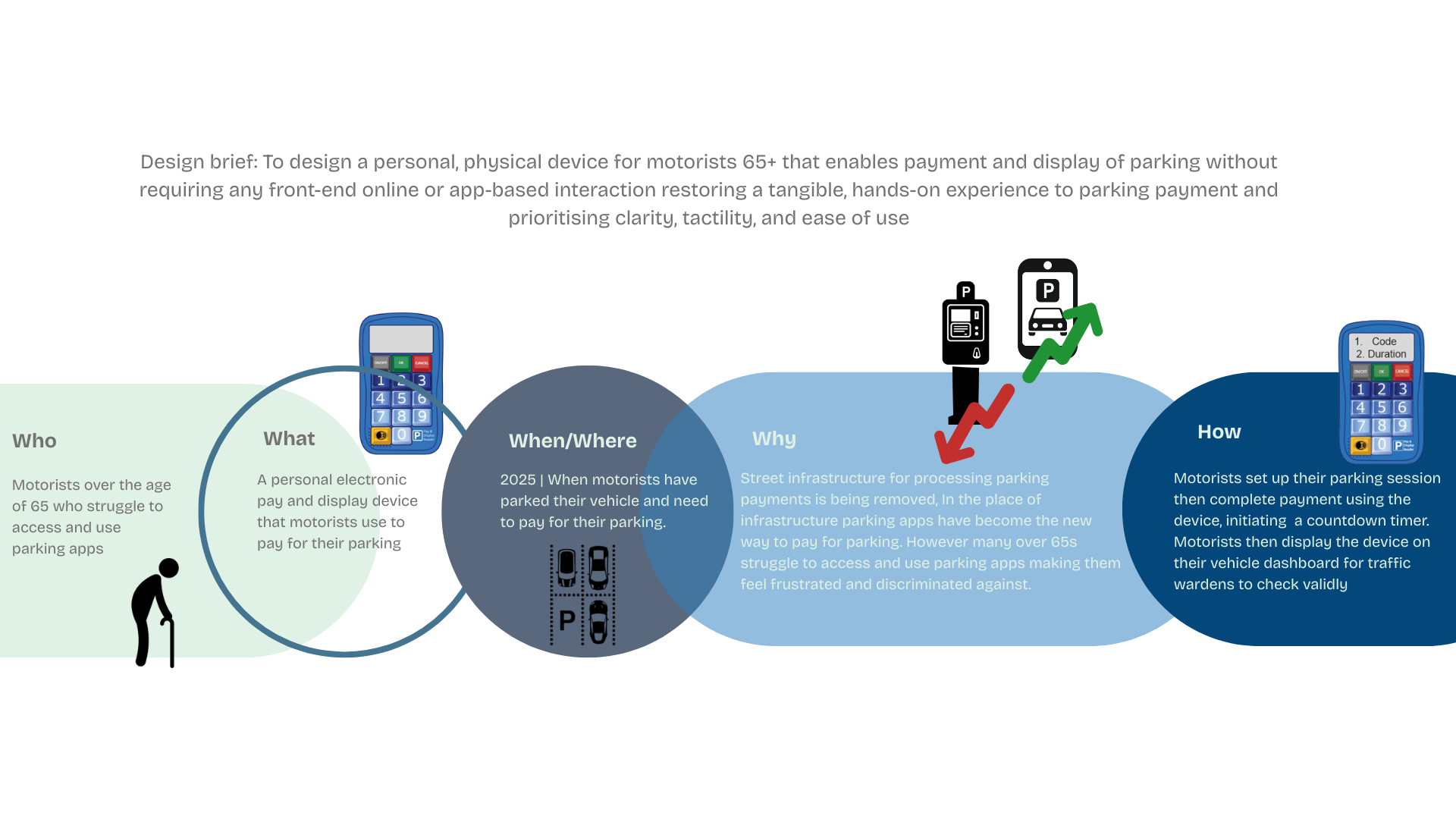
Design challenge highlighting my positioning | WWWWH
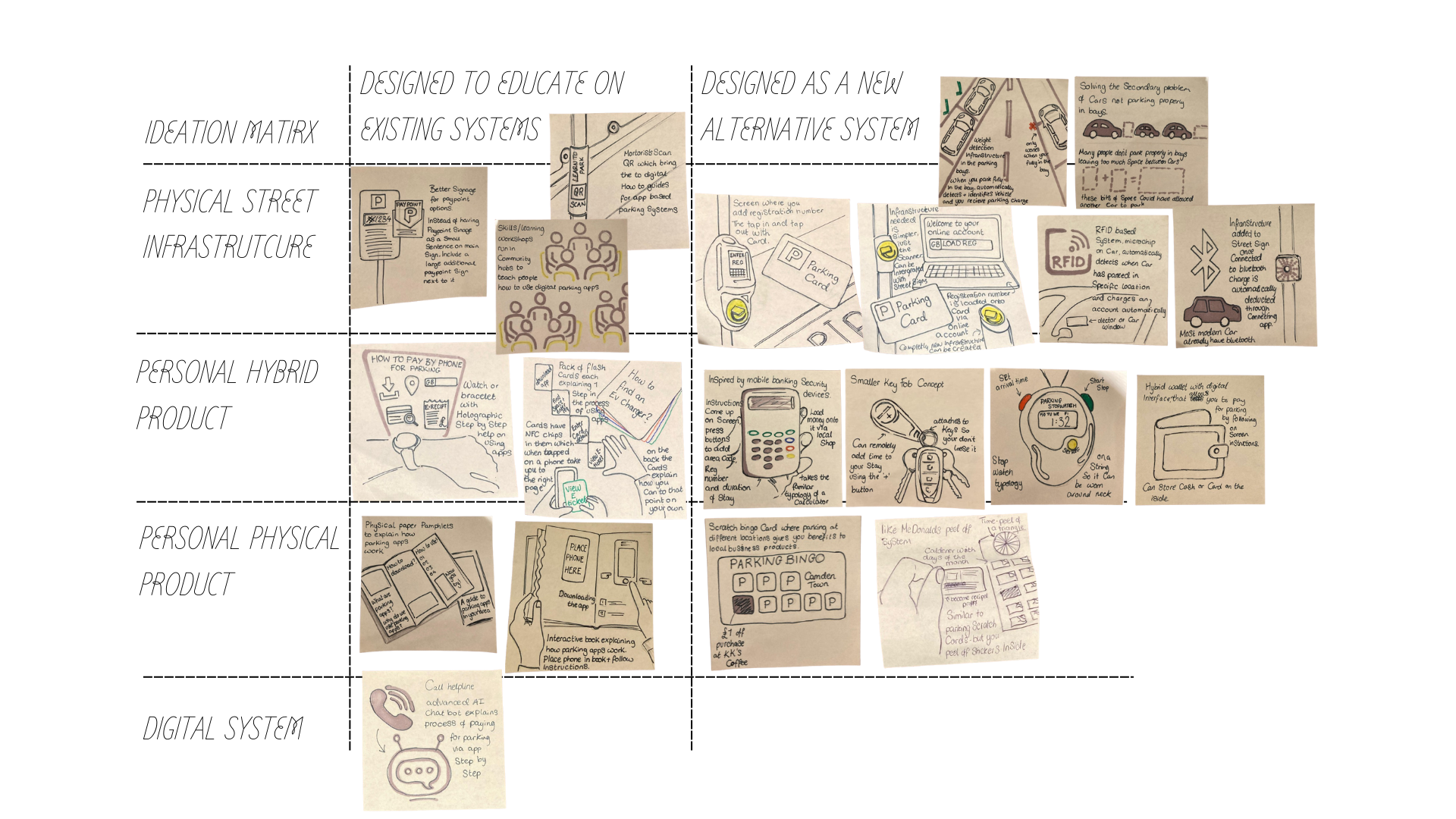
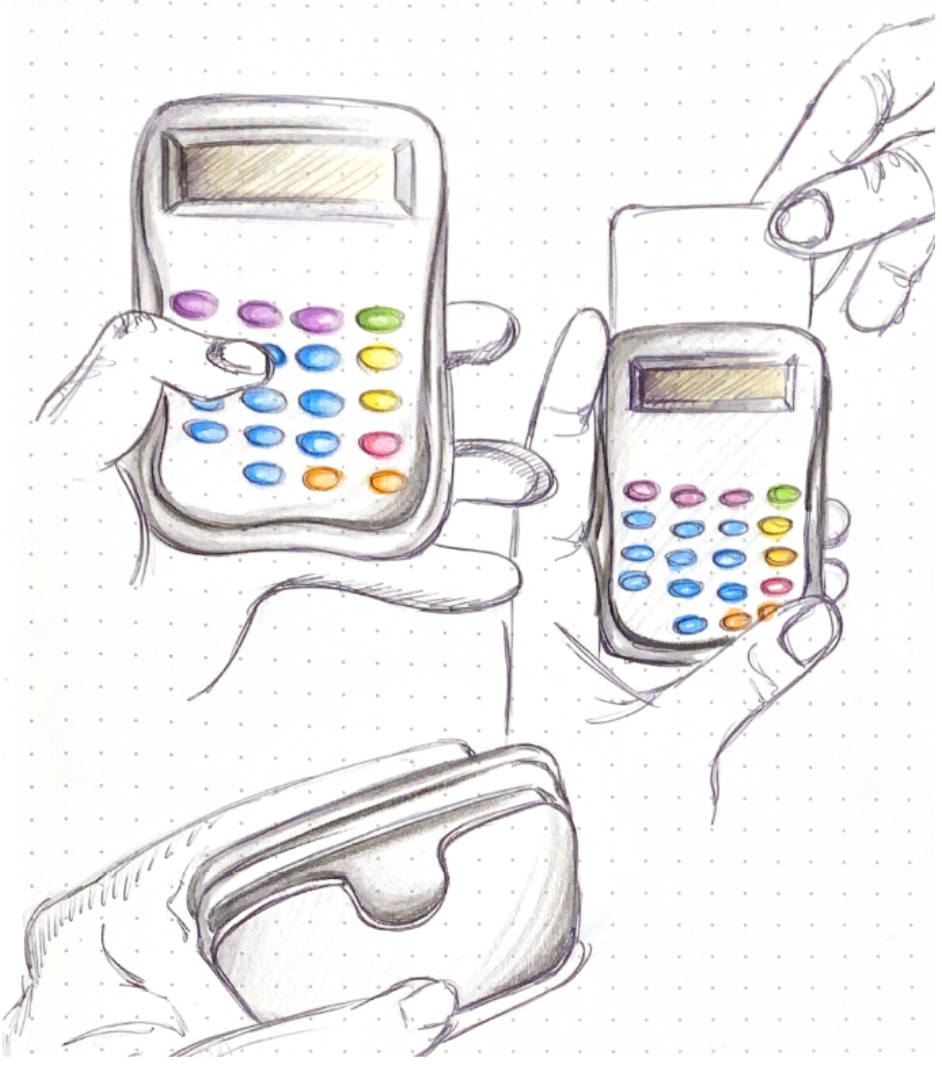
Initial ideation: Sprint 1 - Ideation matrix | Sprint 2 - concept canvas
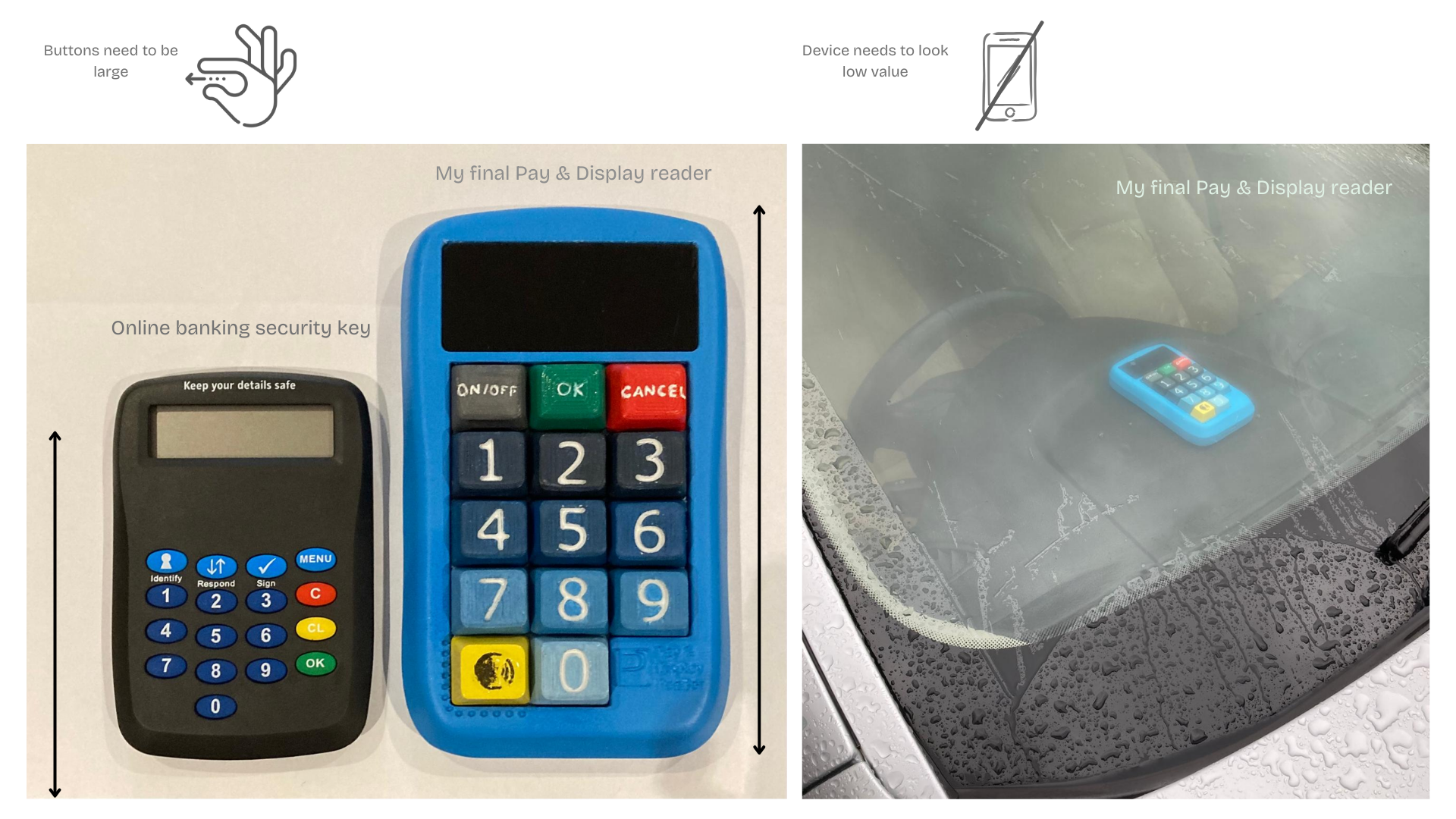
To test my initial concepts I visited Christ Church old peoples group, where I first held discussions around app parking before facilitating a co-design workshop where participants were given post it notes and asked how they would design an easier way to pay for parking before lastly I explained my concepts. In the first two activities it became clear that this user group was so against parking apps, when many participants wrote the same two words on their post it's "NO APPS." Out of my initial concepts members of Christ Church preferred the hand held card reader idea, their only expressed concerns were that the final design would have to be larger then an online banking security key which, they found small and fidgety to use, hence the overall size of the final device and that the device would have to look low value and completely unlike a phone in order to give them confidence to display the device unattended on their dashboard without fear of being broken into, this justifies the toy like aesthetic of the final design.
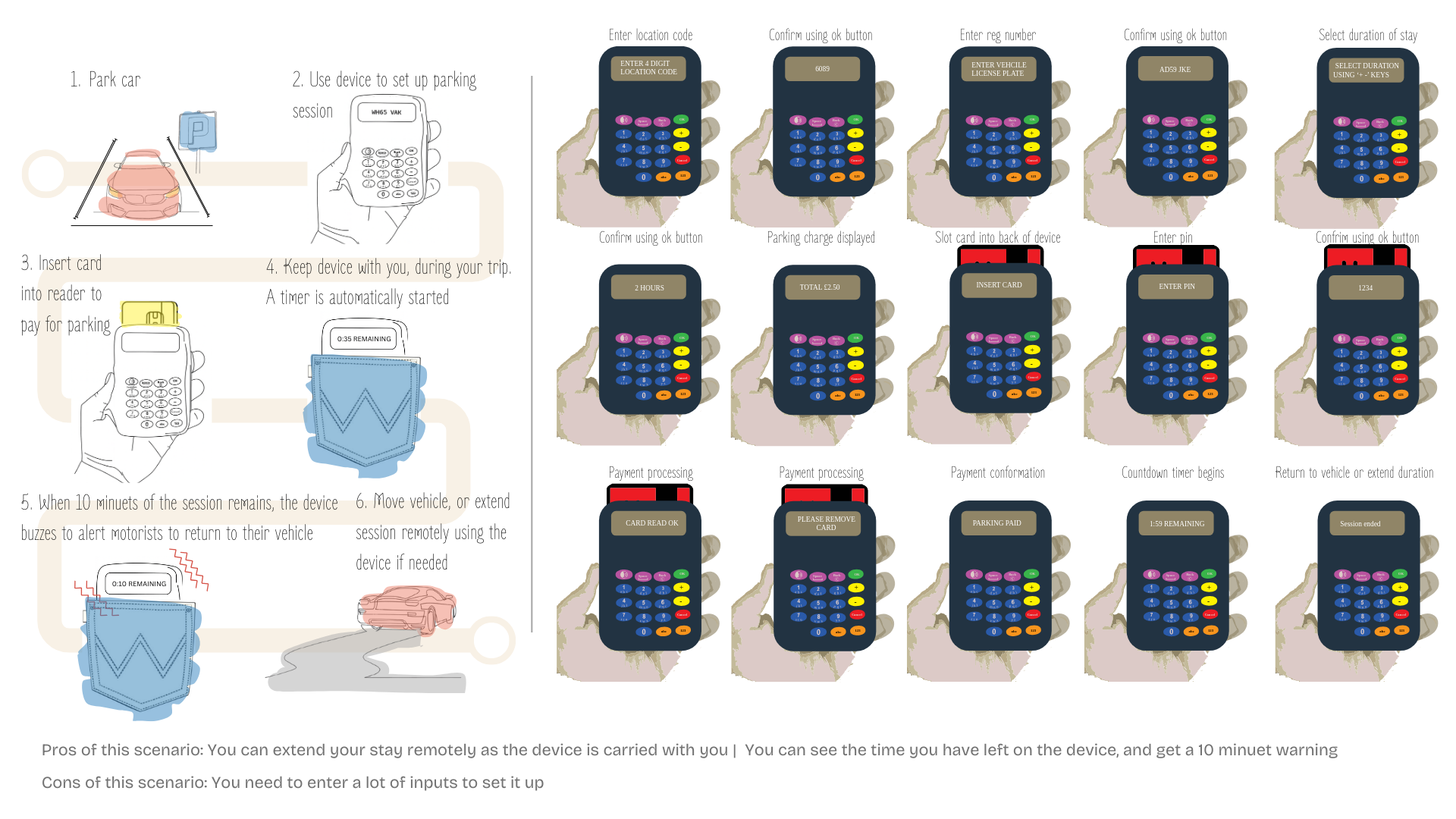
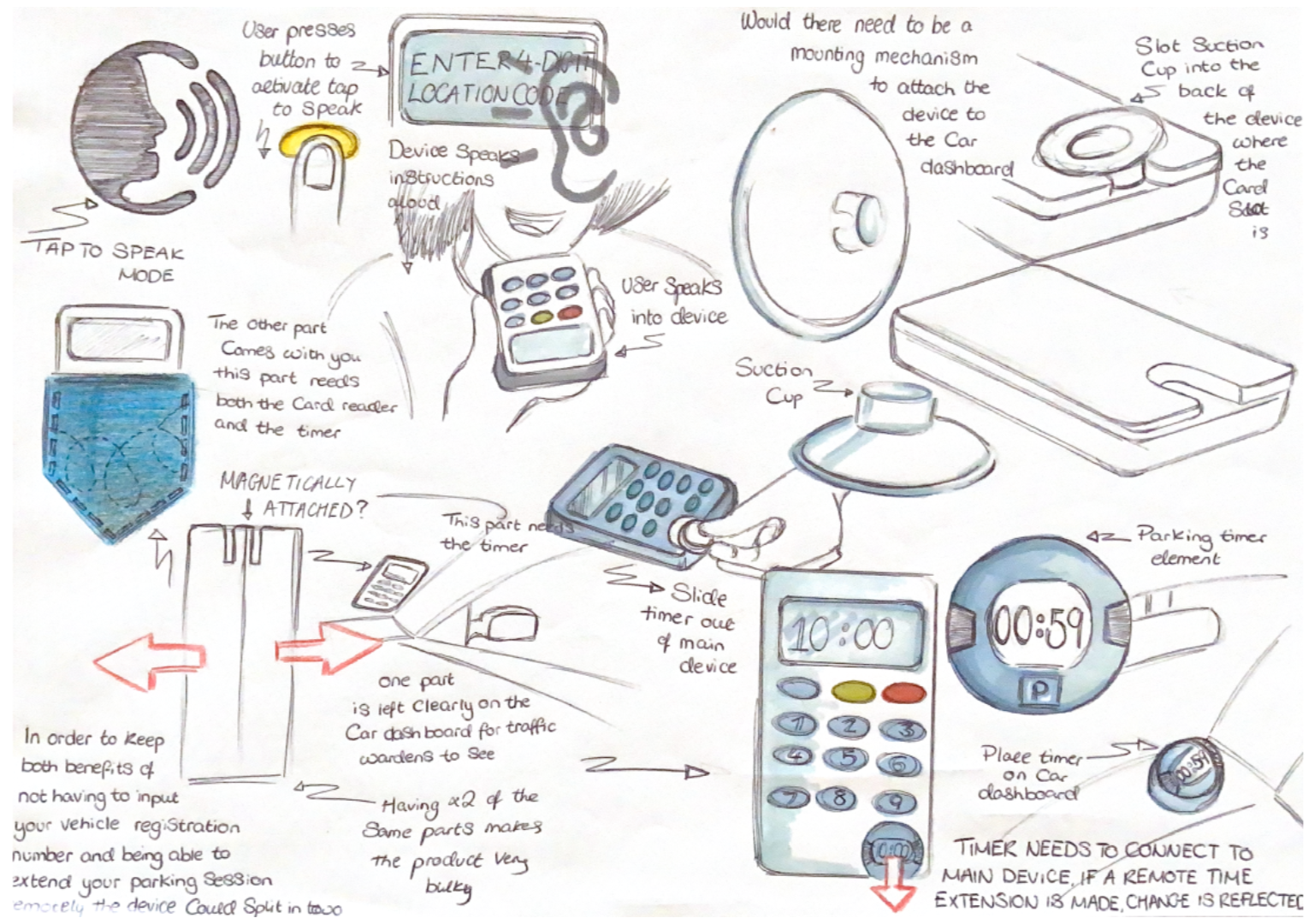
Concept variation 1: There were two ways this concept could have worked. The first would require users to enter three inputs: Location code, parking duration and license plate number. This would allow them to take the device with them after parking so they could keep and eye on the timer and extend their session remotely. A traffic warden would scan the car license plate to see if a corresponding payment had been made.
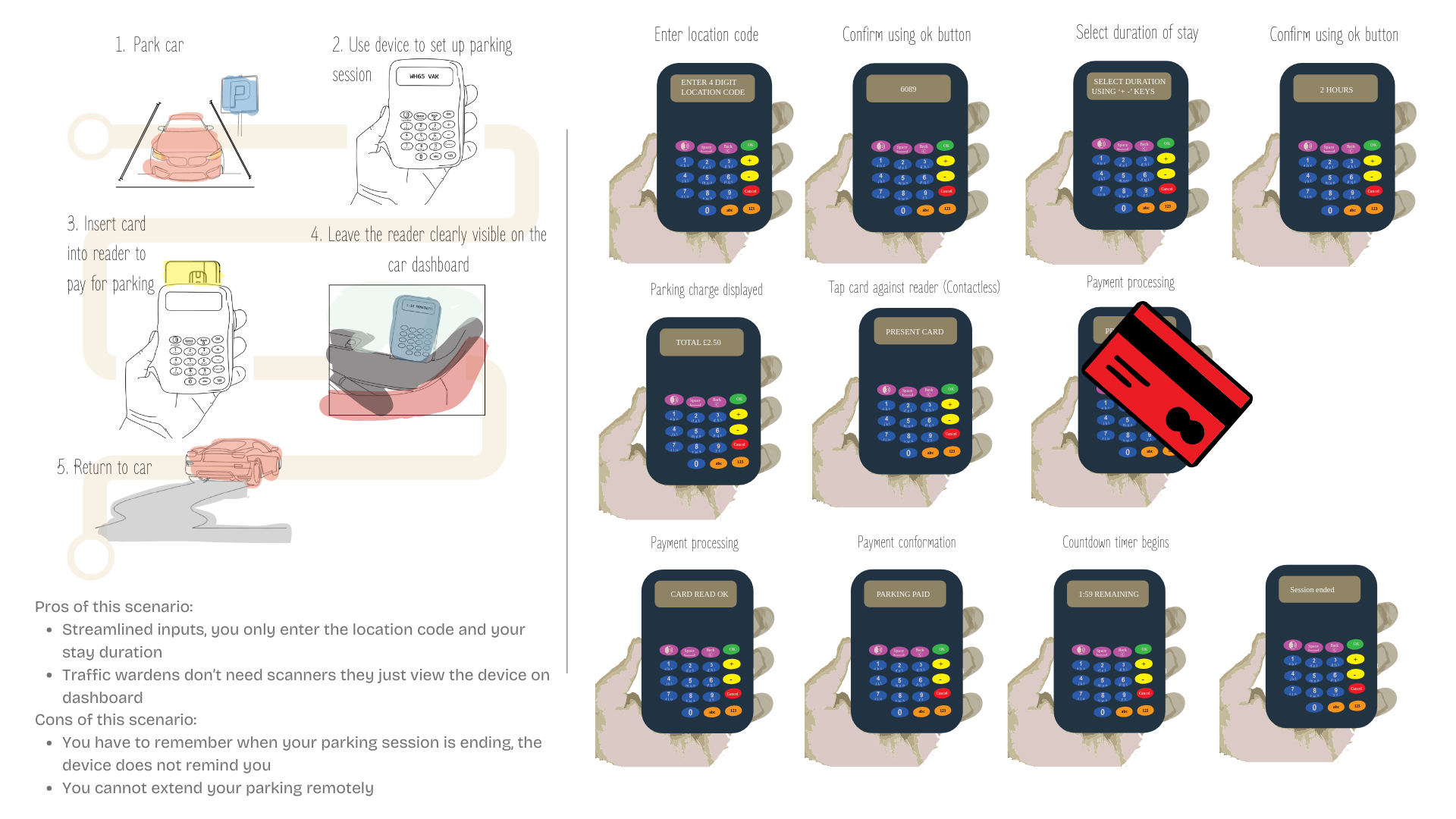
Concept variation 2: The second variation of the concept streamlines the users inputs by eliminating the need for users to enter their license plate, meaning the device would have to be left on the car dashboard for wardens to view and verify. I moved forward with this version of the concept as members of Christ Church told me adding their license plate number would drastically increase the time taken to set up a parking session (As they would need to switch between numeric and alphabetic modes on the keypad.) They also stated they would rather not have another item they need to carry around with them and worry about loosing.
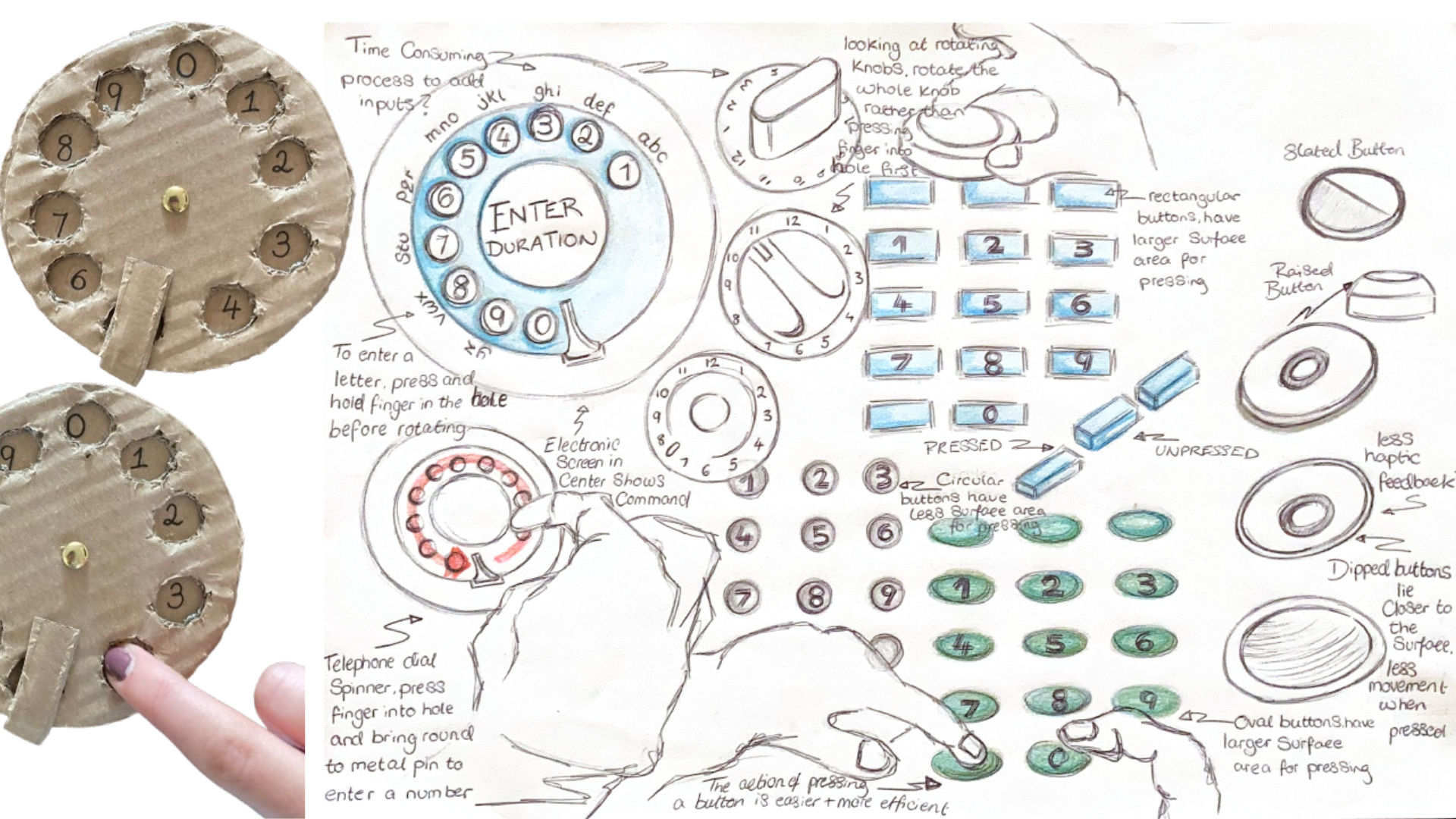
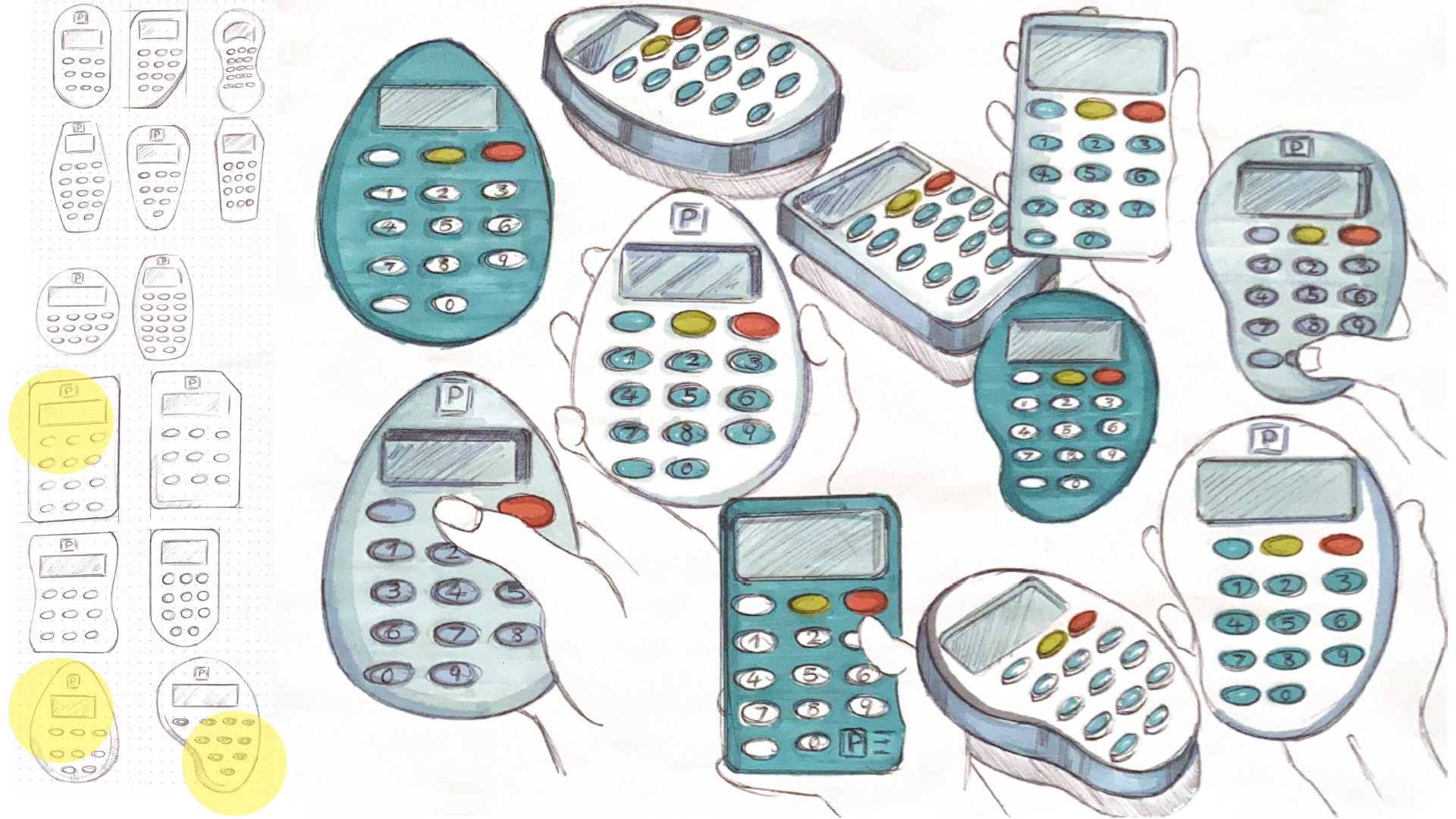
Form sketches
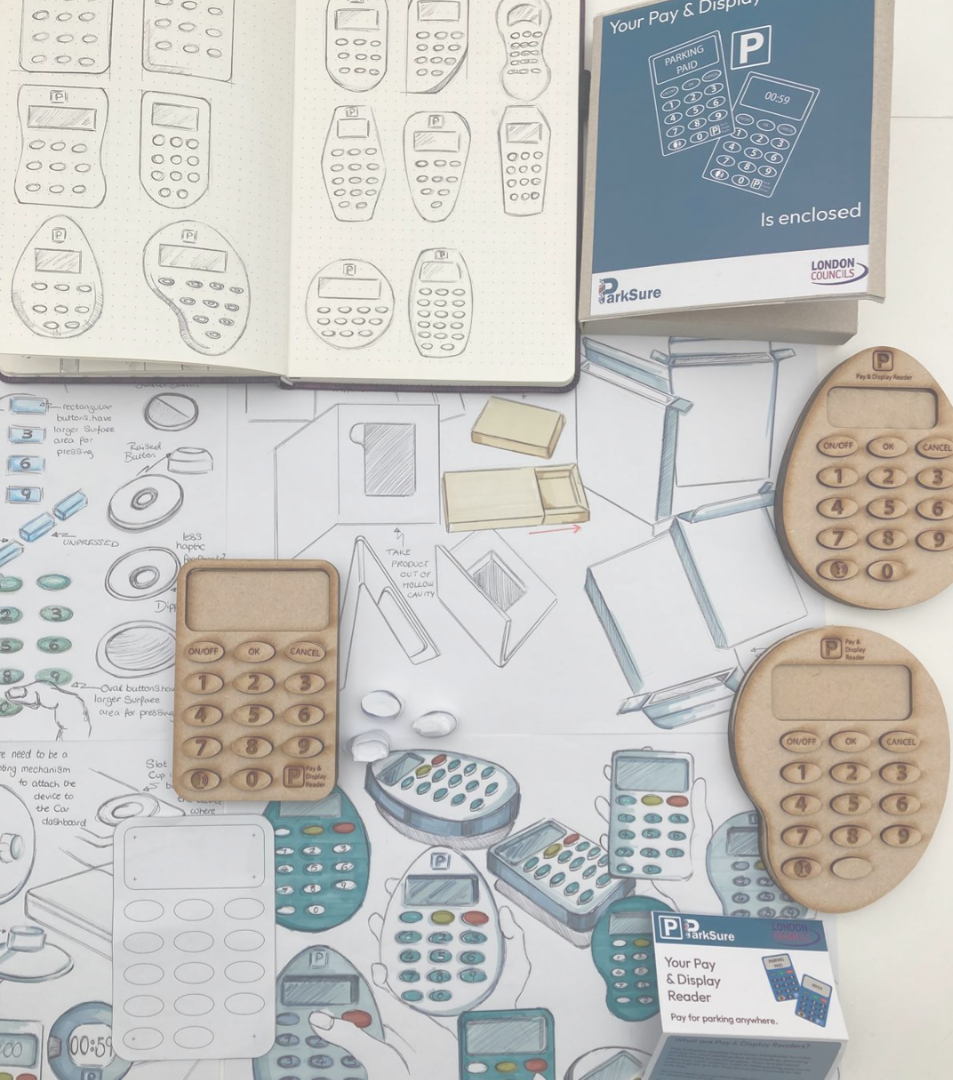
Process overview
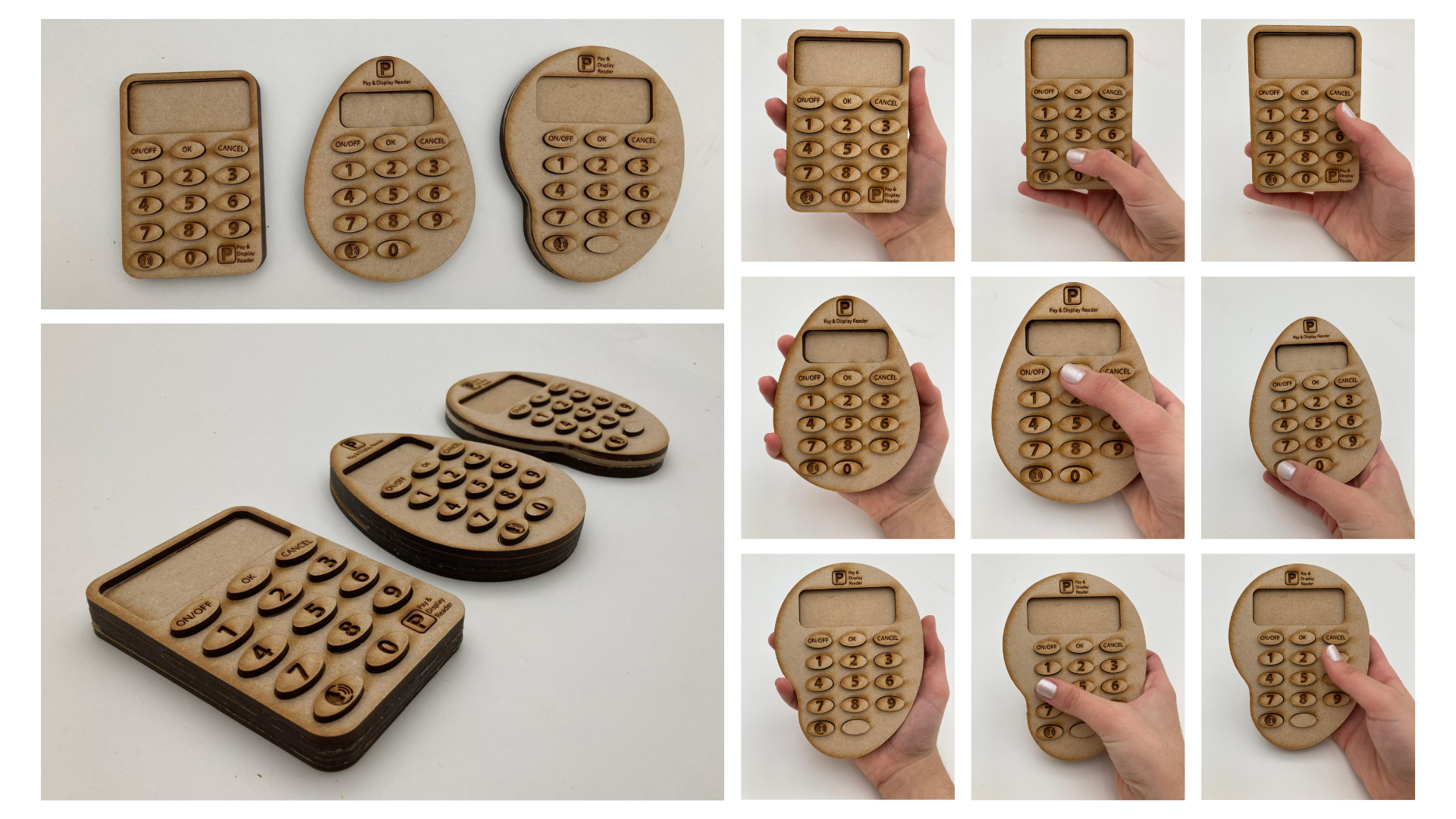
Laser cut models
Development process: Exploring product features, form and ways users can interact with interface controls
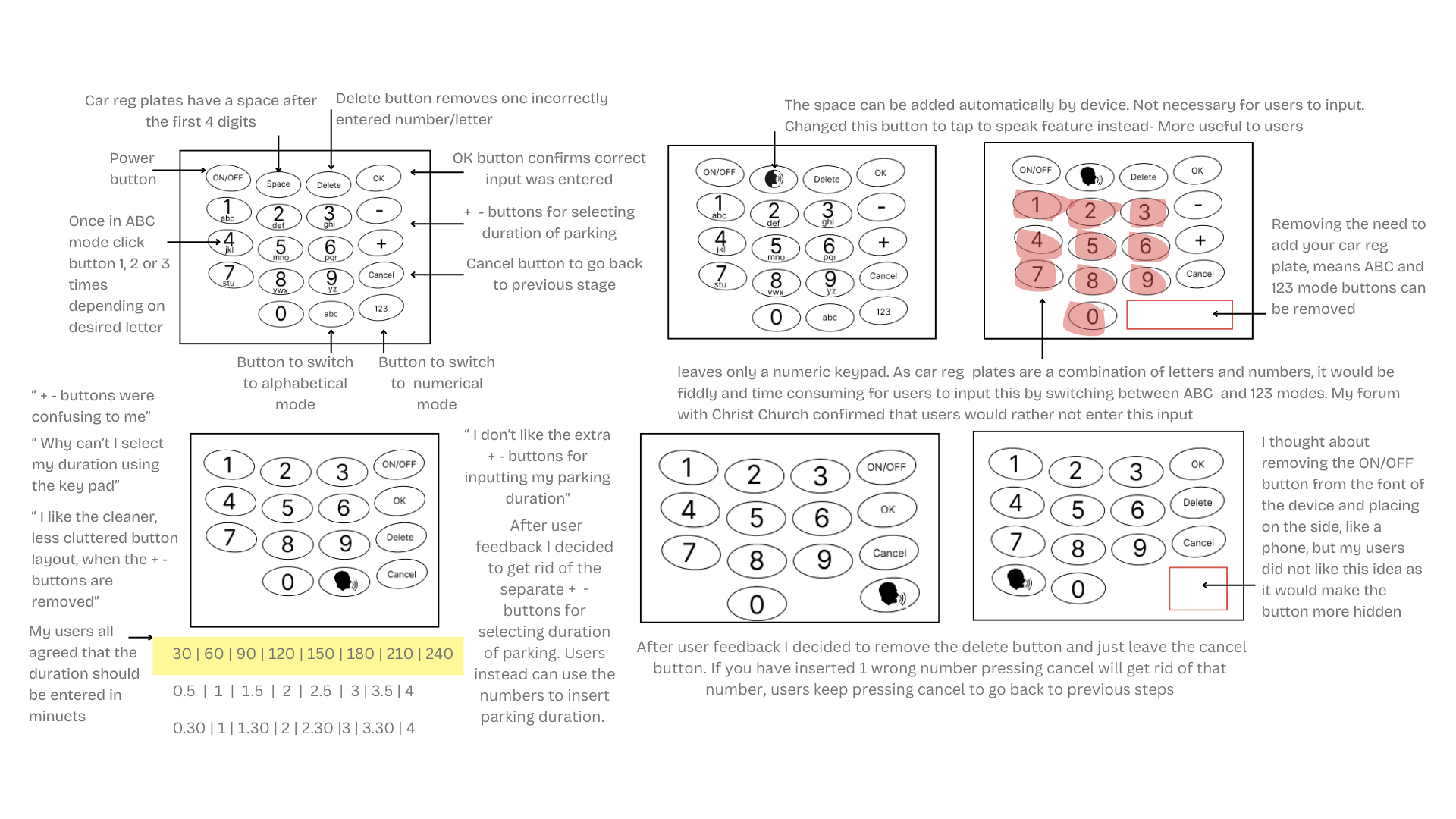
Streamlining button commands
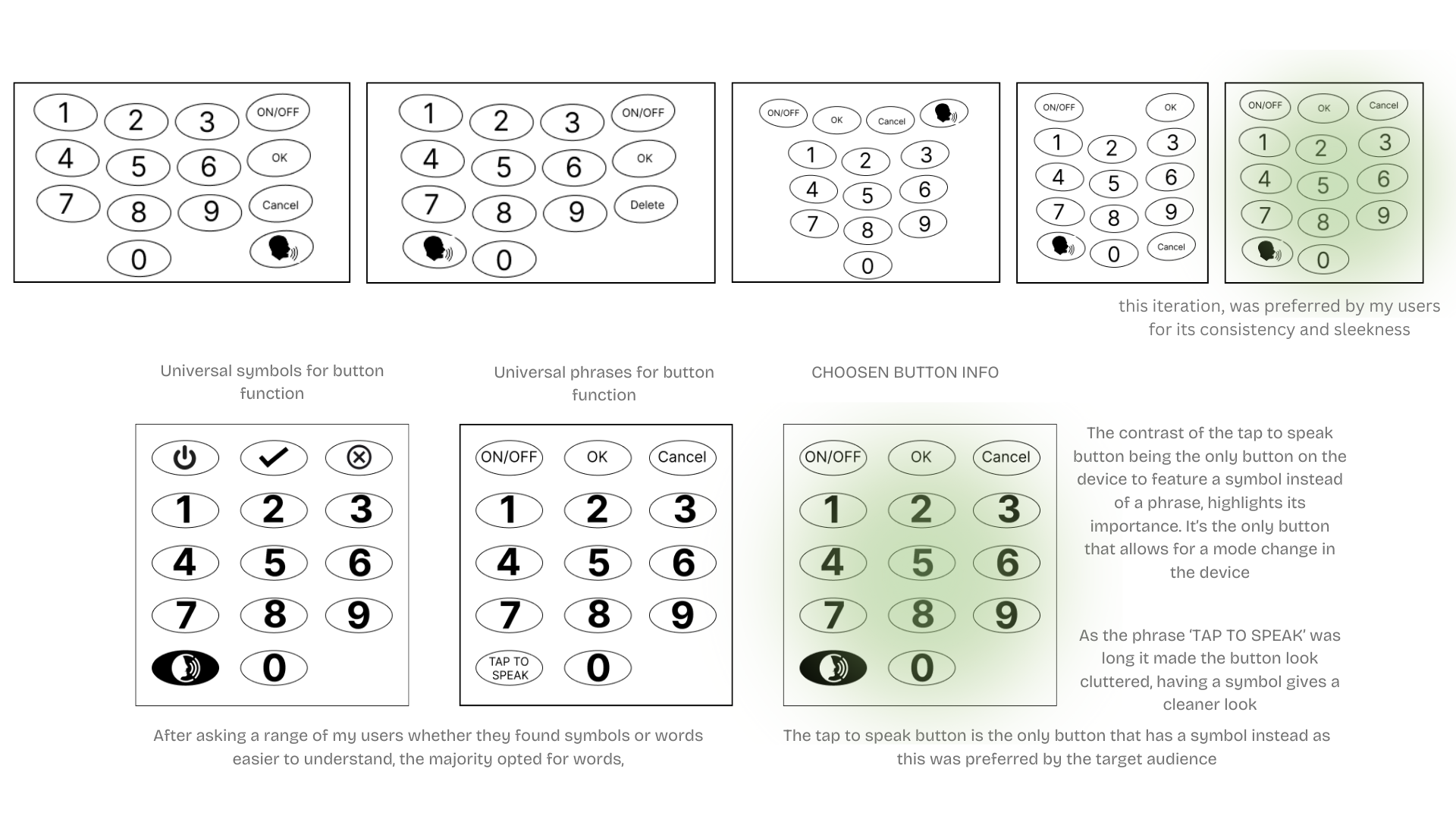
Finalising button layout and communication of function
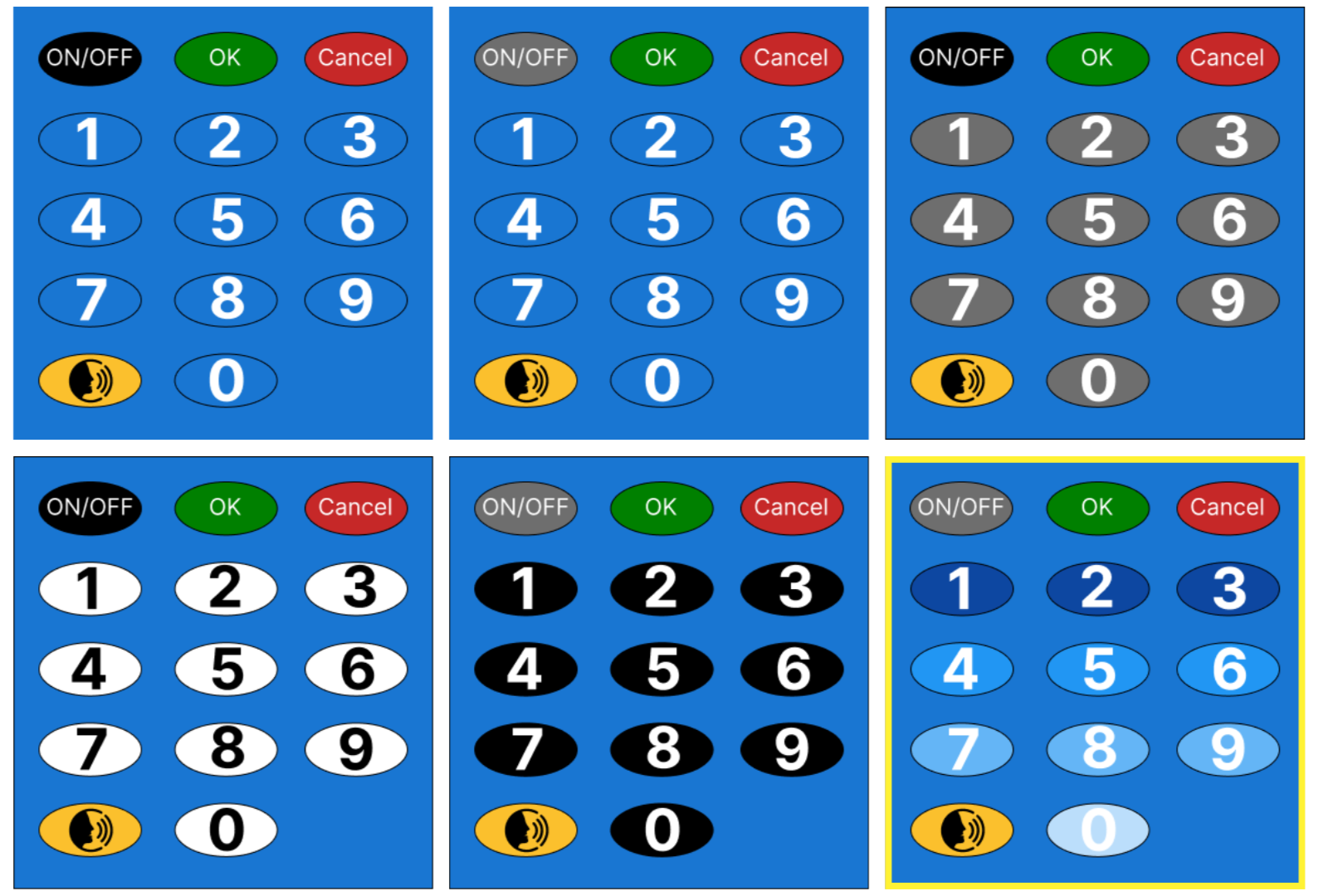
Exploring colour and text contrast
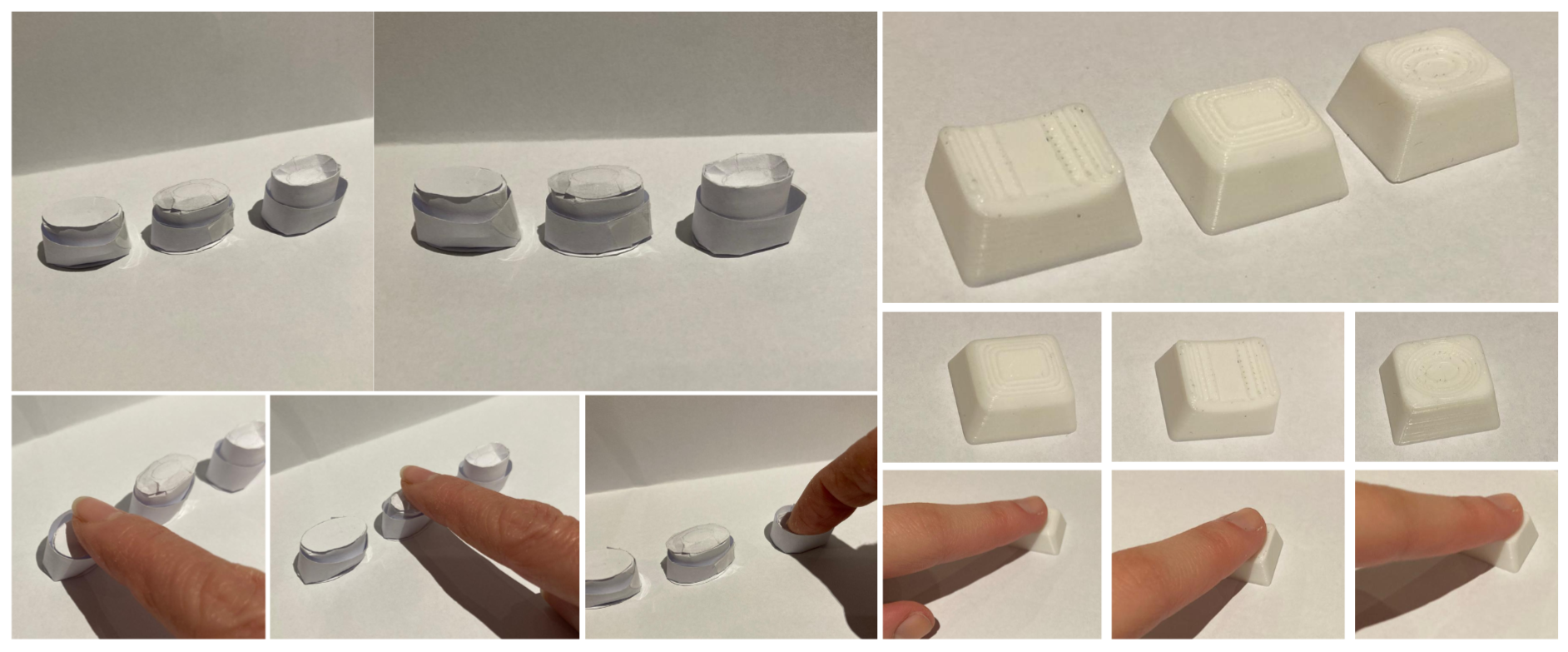
Testing button shapes
Development process: Creating device interface and refining buttons
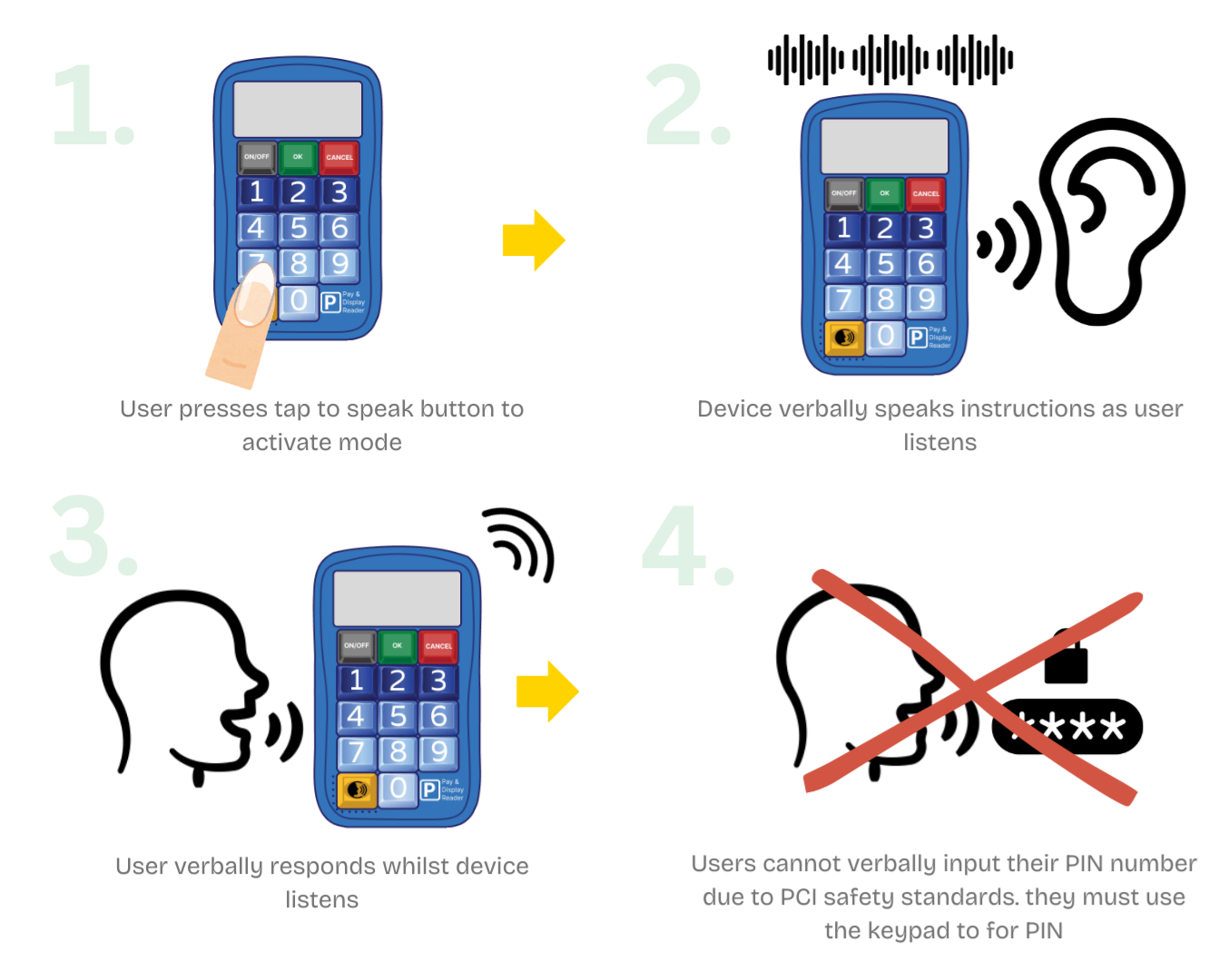
A tap to speak button was integrated after a member at Christ Church told me about suffering with arthritis in her hand and worrying about using the buttons. When pressed the device speaks the instructions and users verbally enter their details. This feature is hearing loop compatible. Watch the video to see how this works in practice.
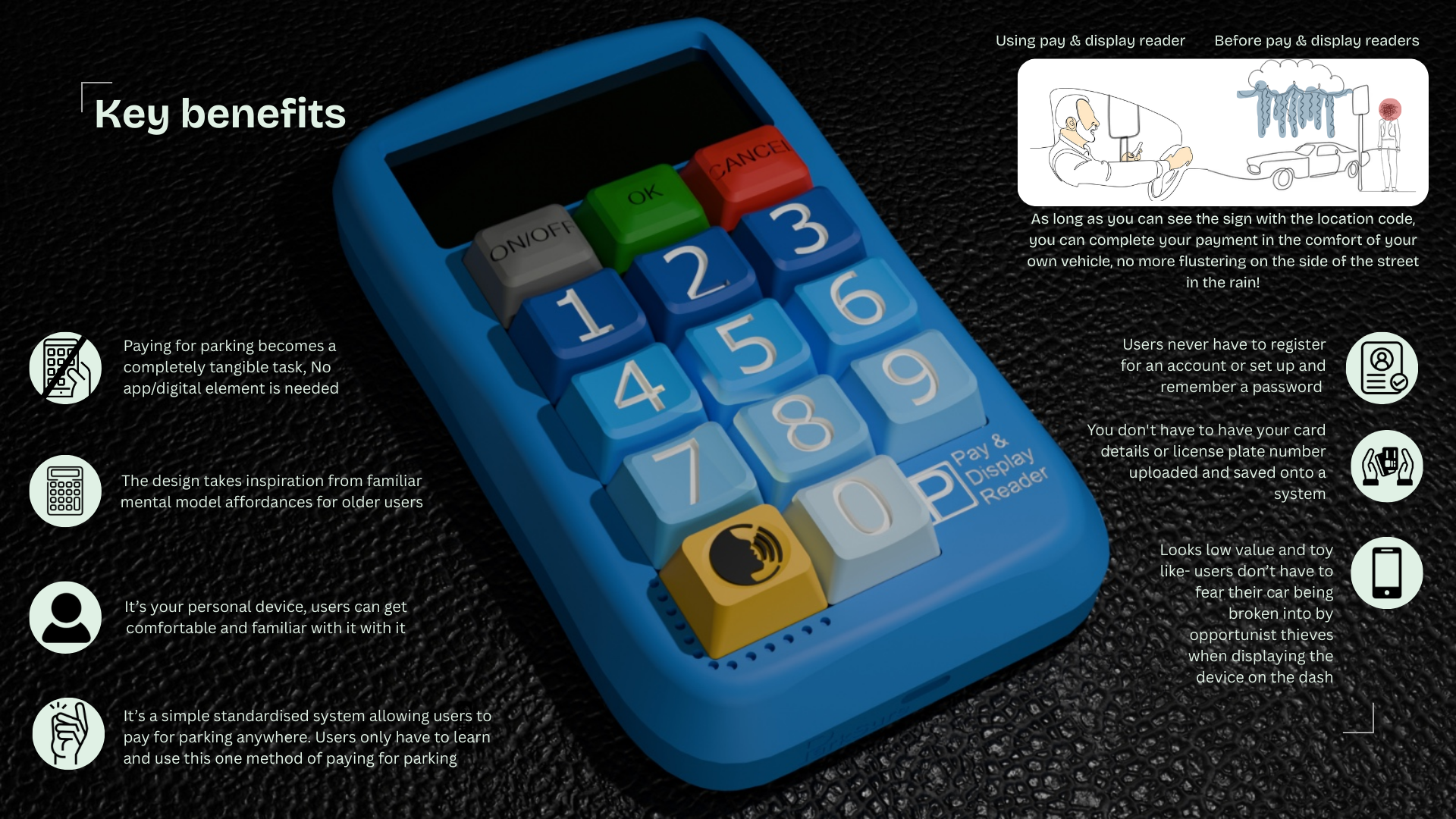
Key product benefits
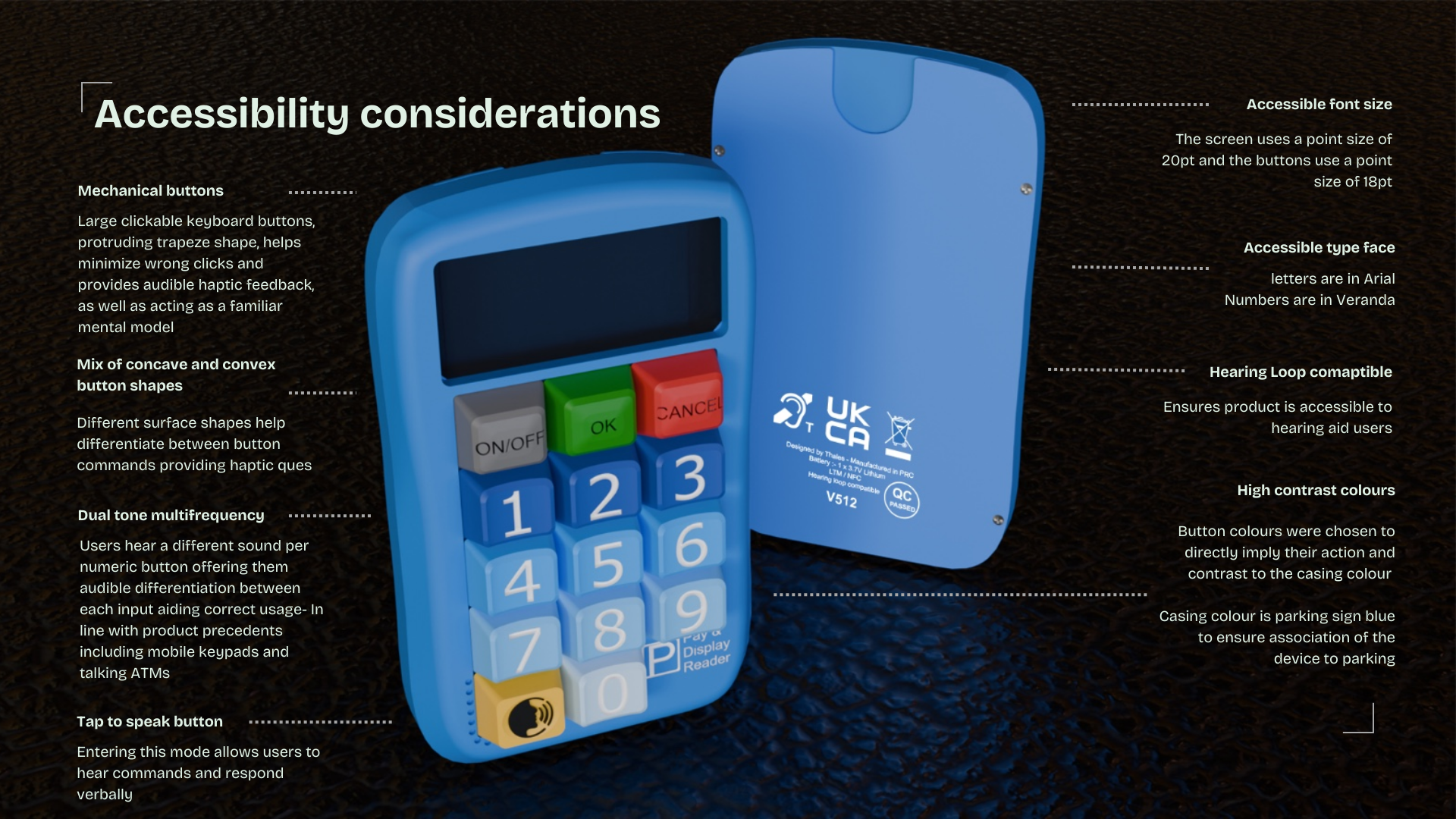
Key product accessibility features
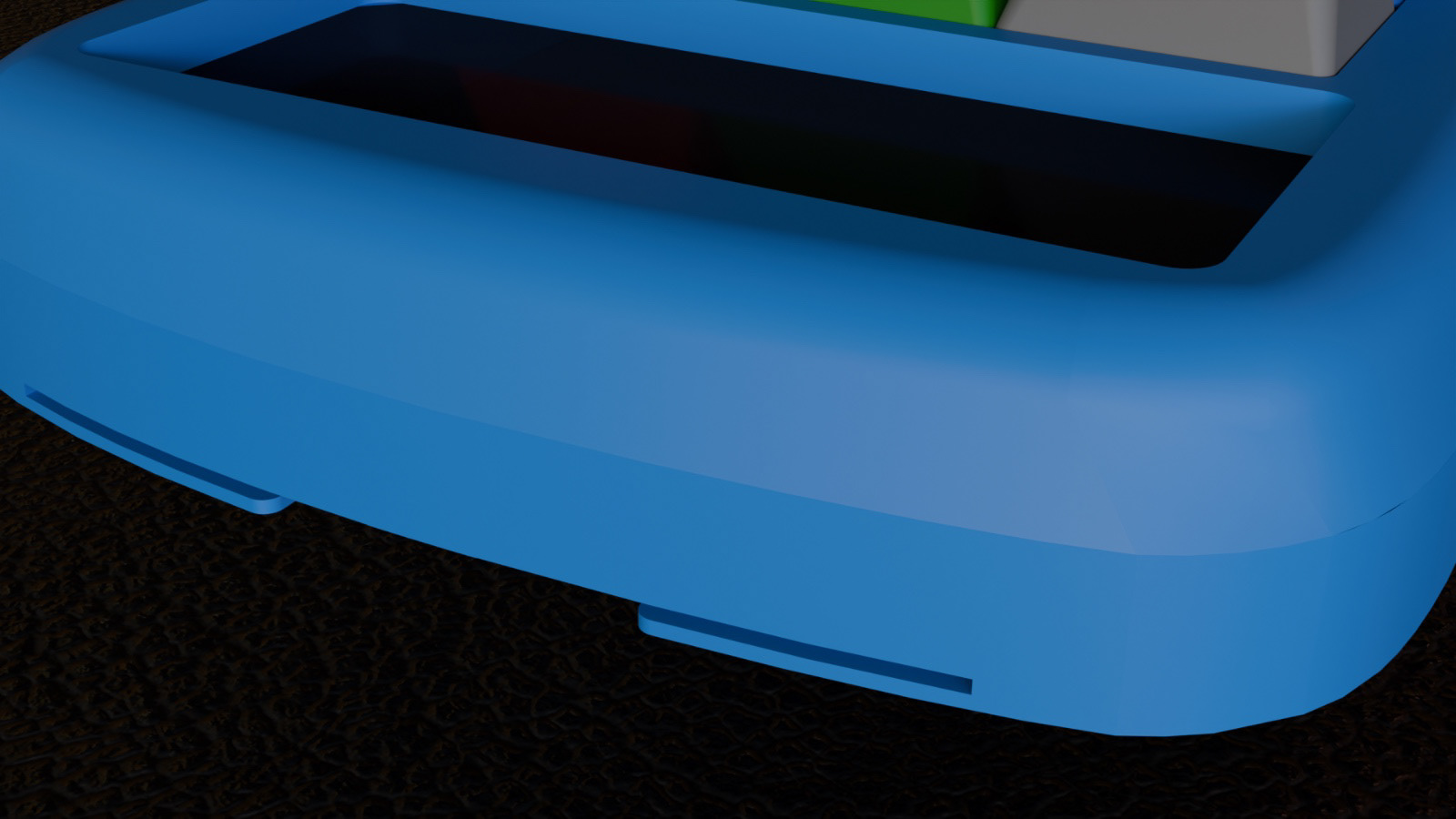
Card slot close up render
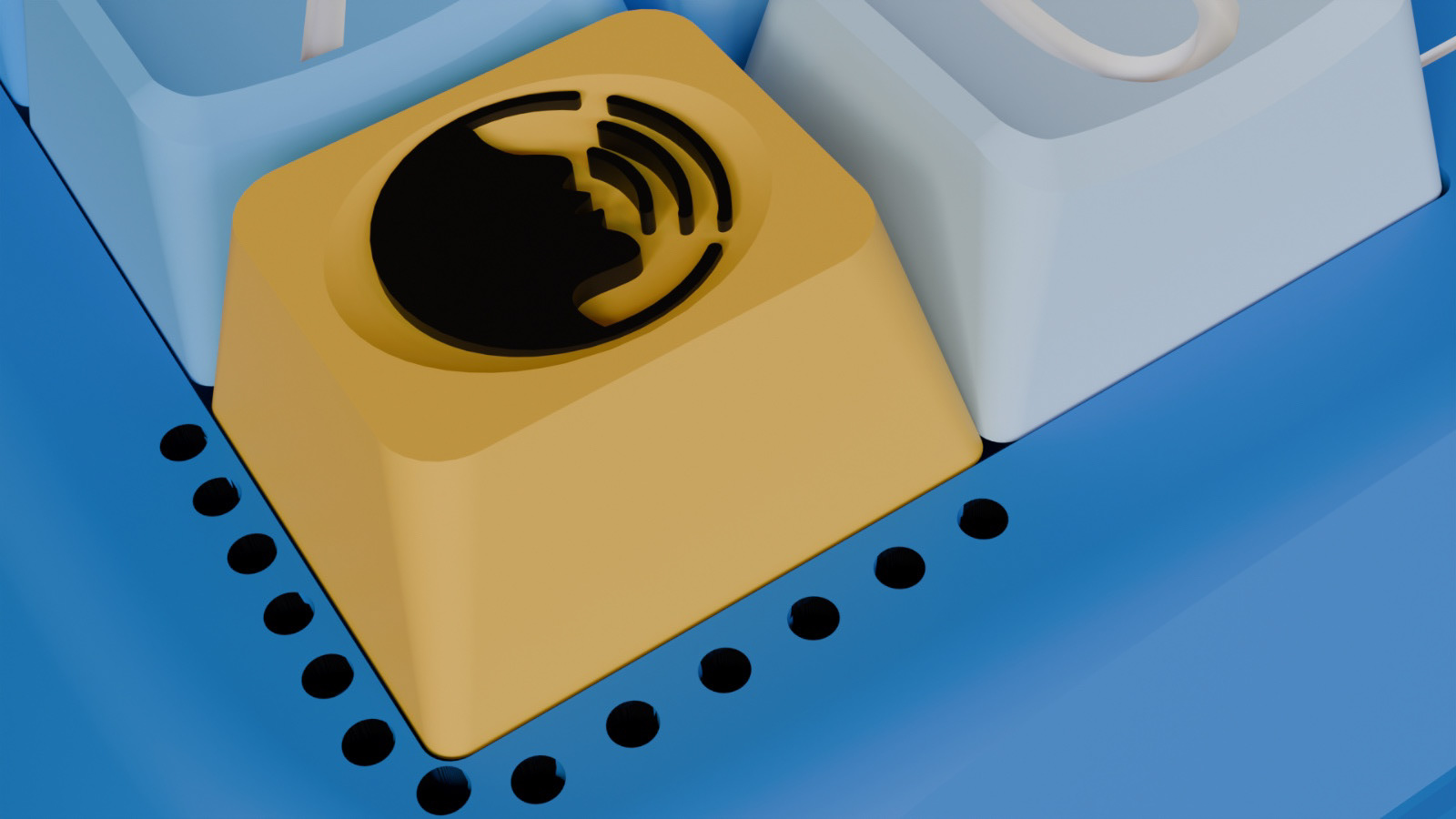
Tap to speak button close up render
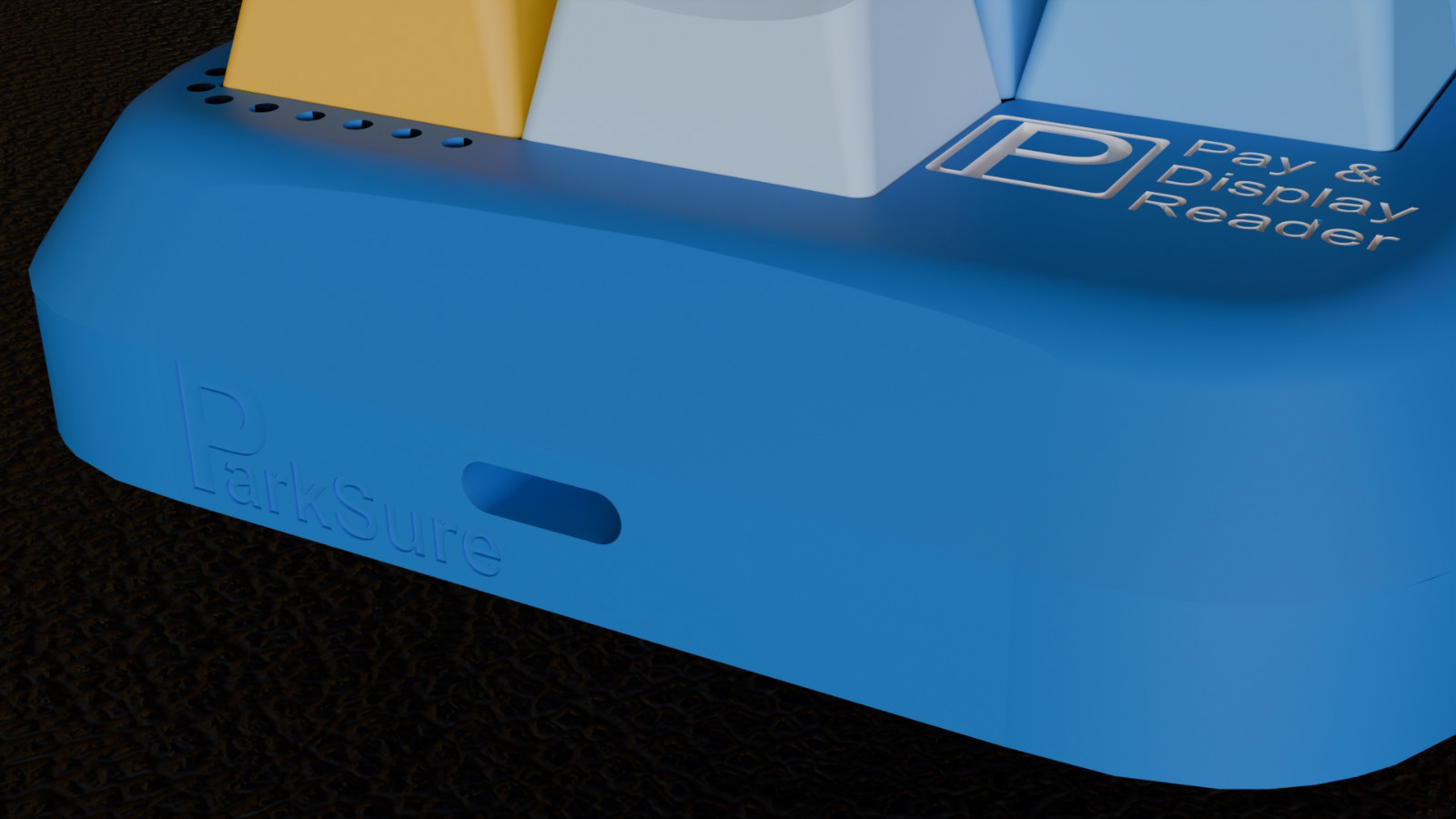
Charging port close up render
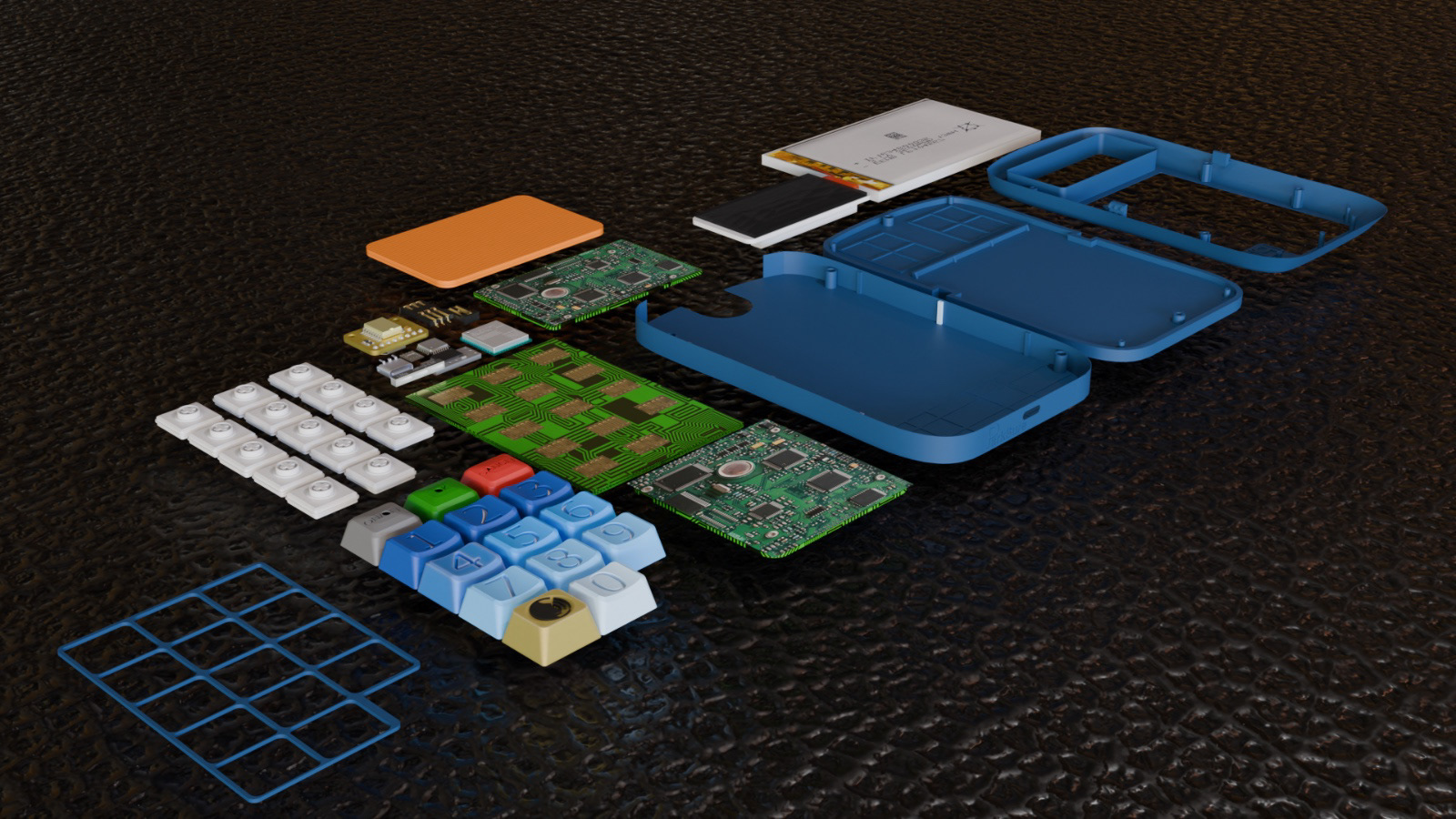
Close up renders of final Pay & Display Reader
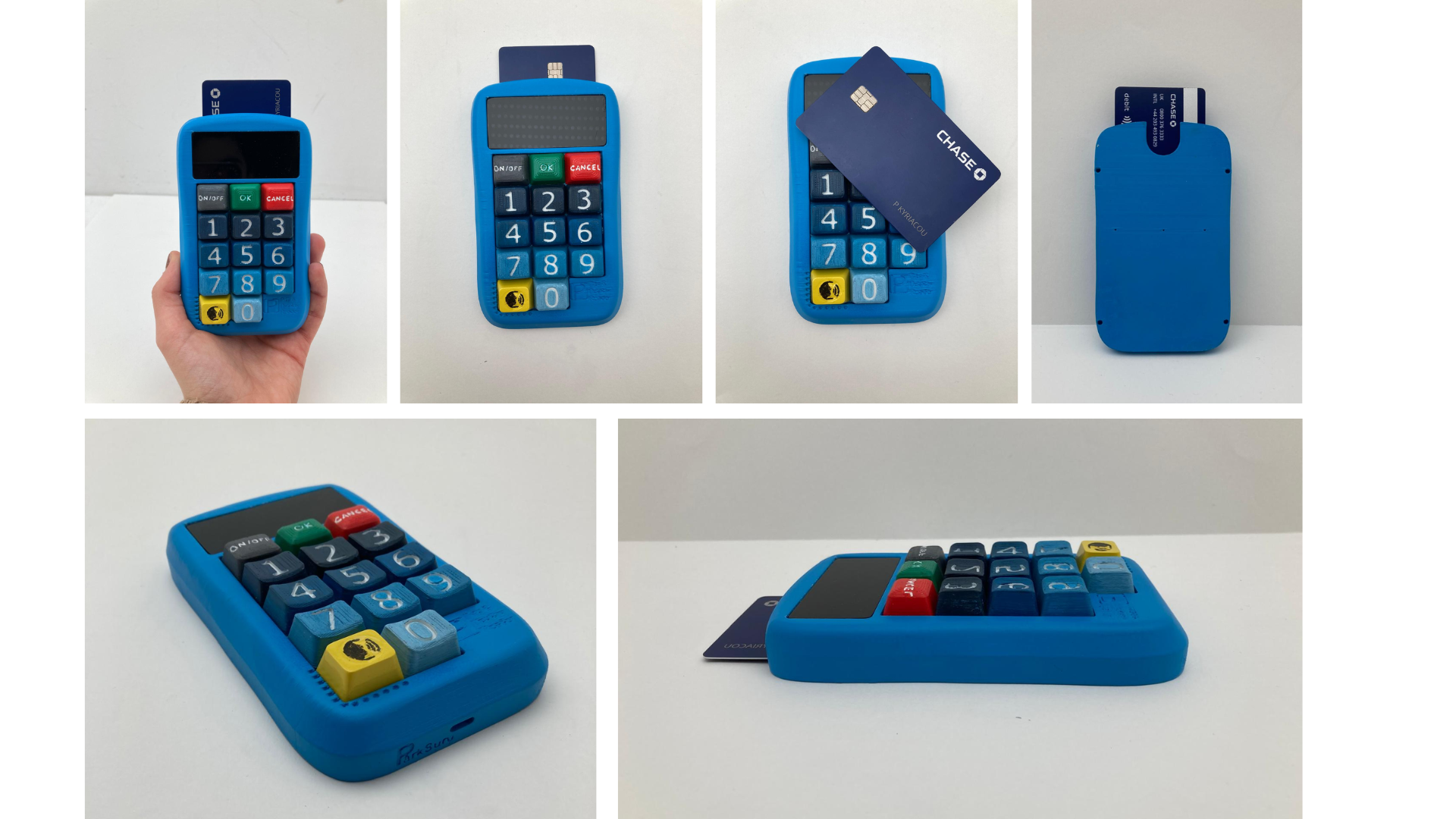
Pay & Display Reader final 3D printed model
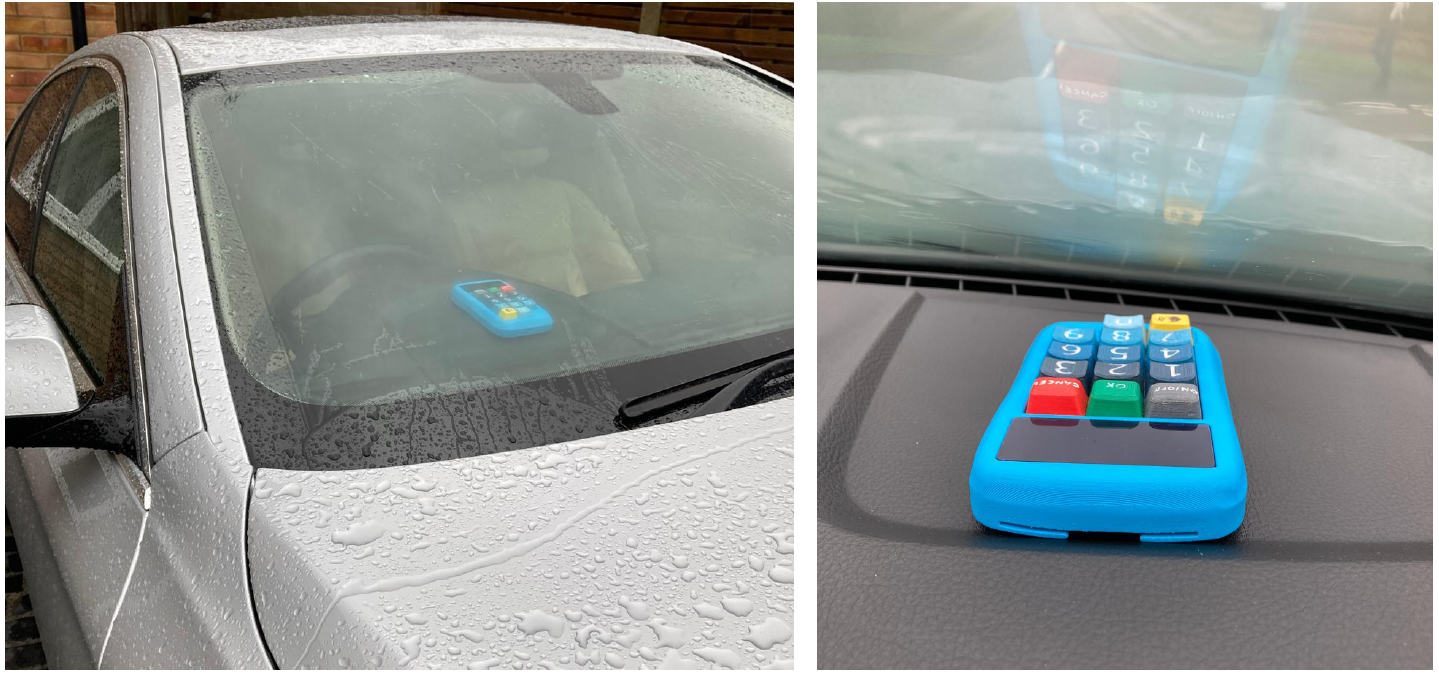
Final in context photos
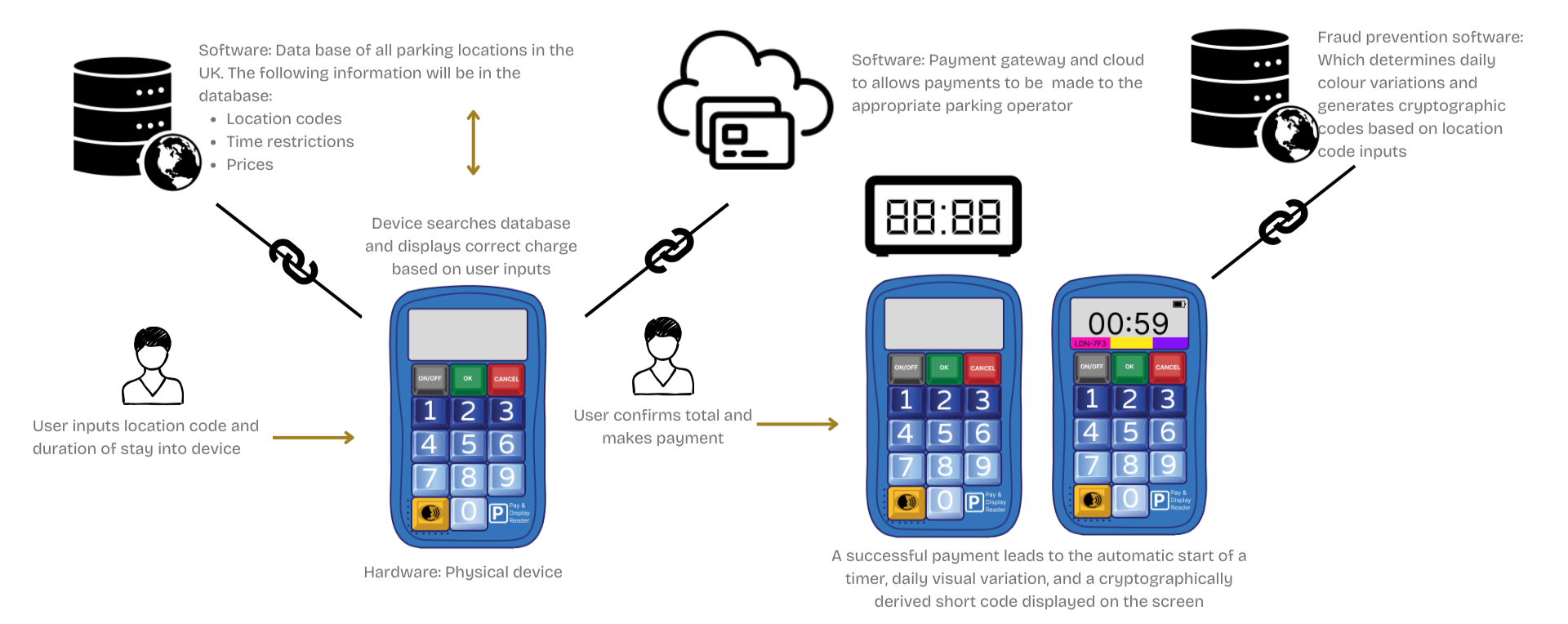
Product service system visualisation: The device is connected to a software database which has details of all streets with paid parking, their 4 digit location code, time restrictions and prices. When motorist enter their location code and duration of stay, the device searches the database bringing up the correct charge. When users present their card the device connects to the relevant Councils payment gateway and cloud contacting the users bank to authorise the payment.
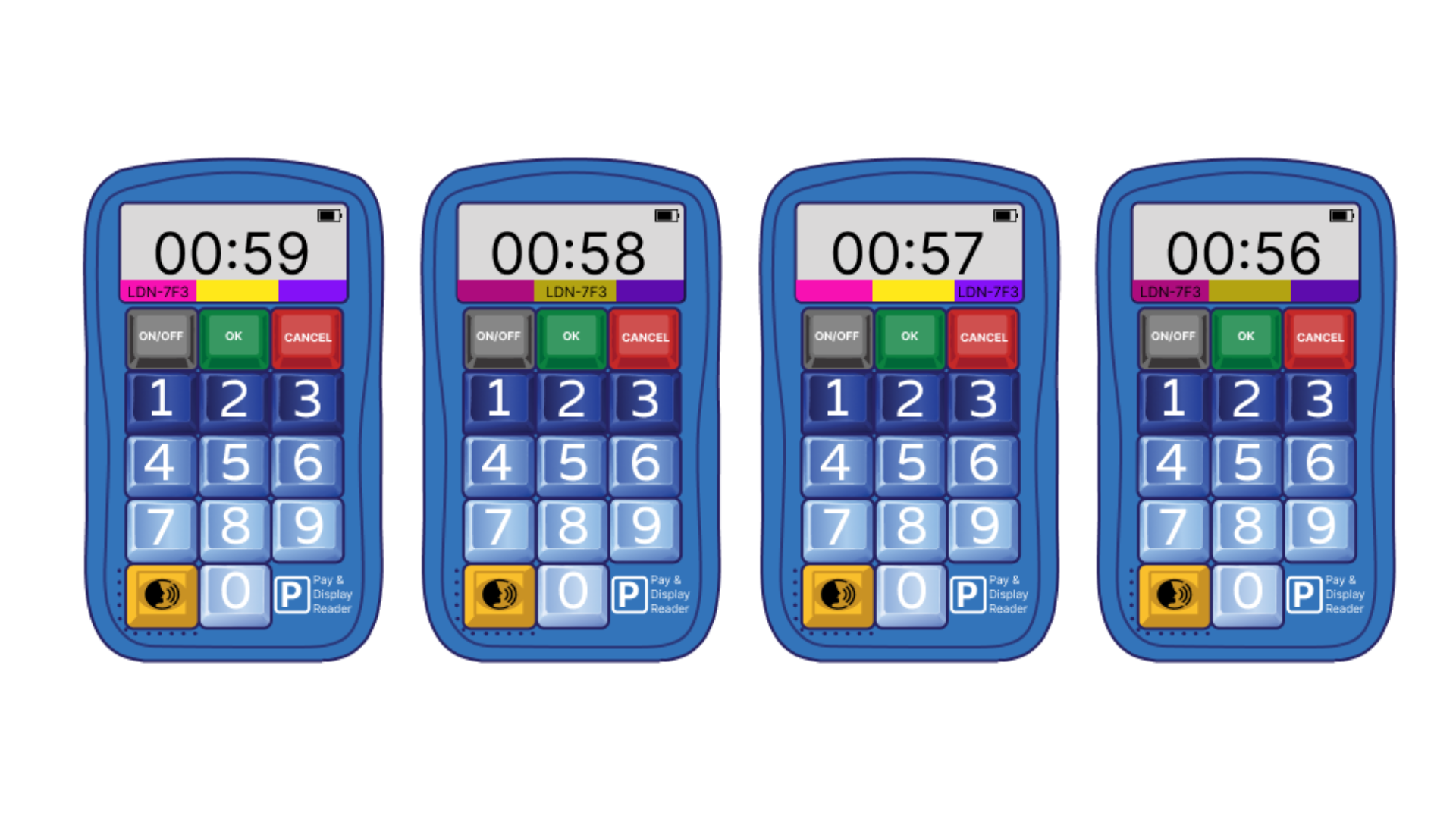
Fraud prevention visualisation: The countdown timer screen display a daily tri-colour changing strip that's animated going from bright to dull. This is coupled with a cryptographic code (generated from the users inputs) that moves across the strip from left to right. This ensures it is hard for criminals to make dummy devices that displaying fake timer without requiring a payment as they daily colours and cryptographic code can not be easily guessed. This strategy is modelled on design precedents used to prevent E-ticketing fraud.
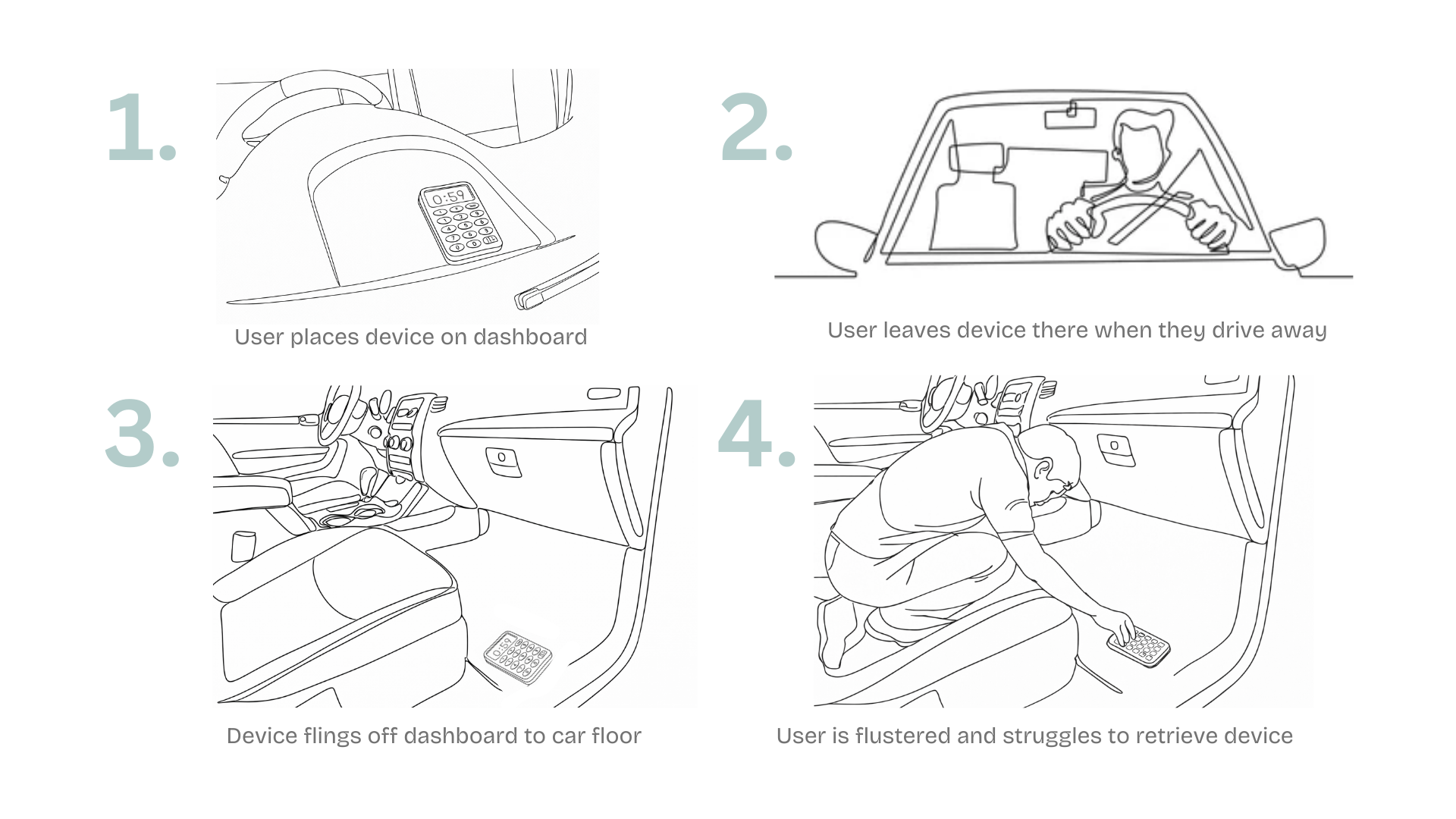
Edge case visualisation storyboard
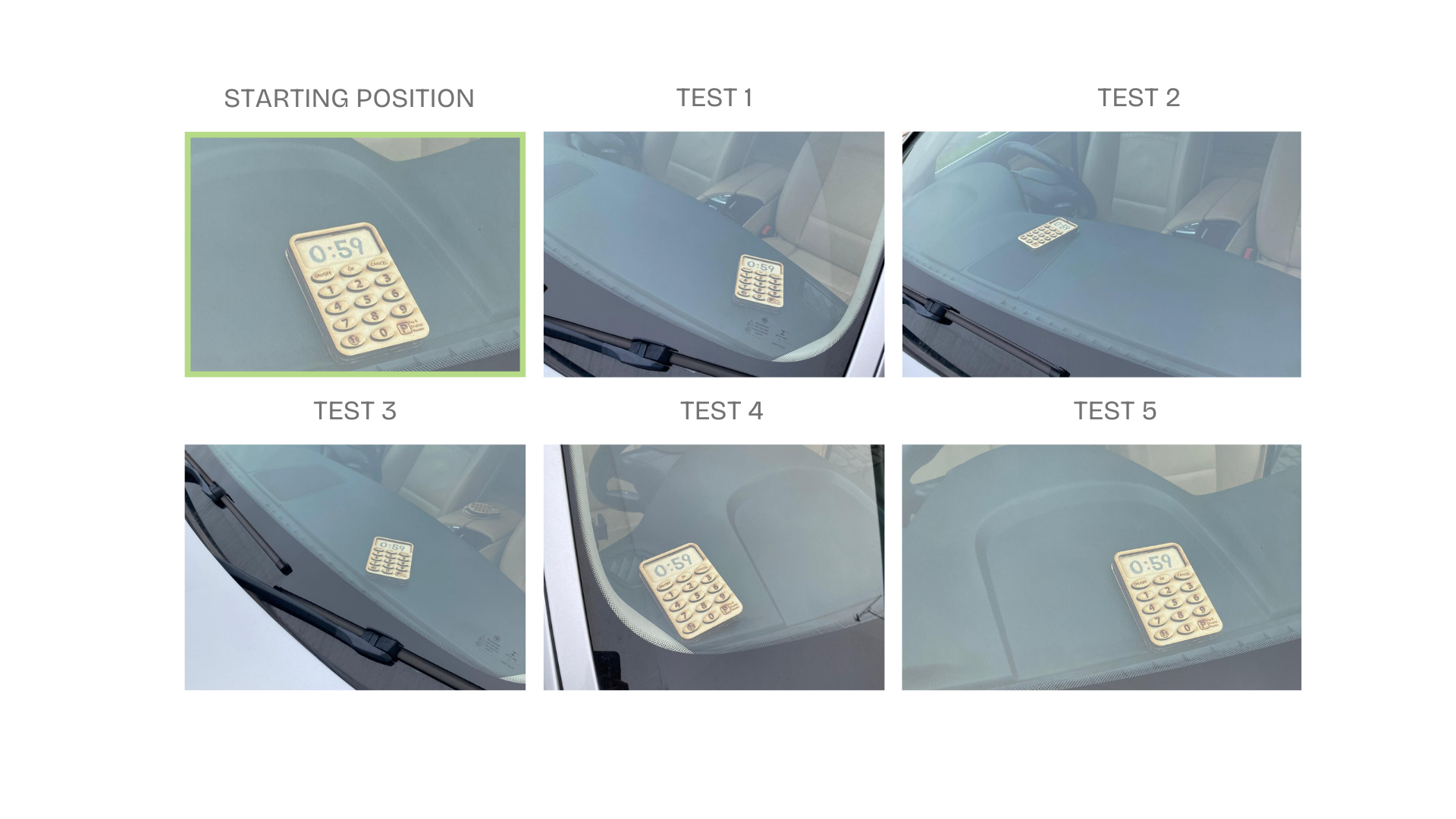
Testing of edge case scenario
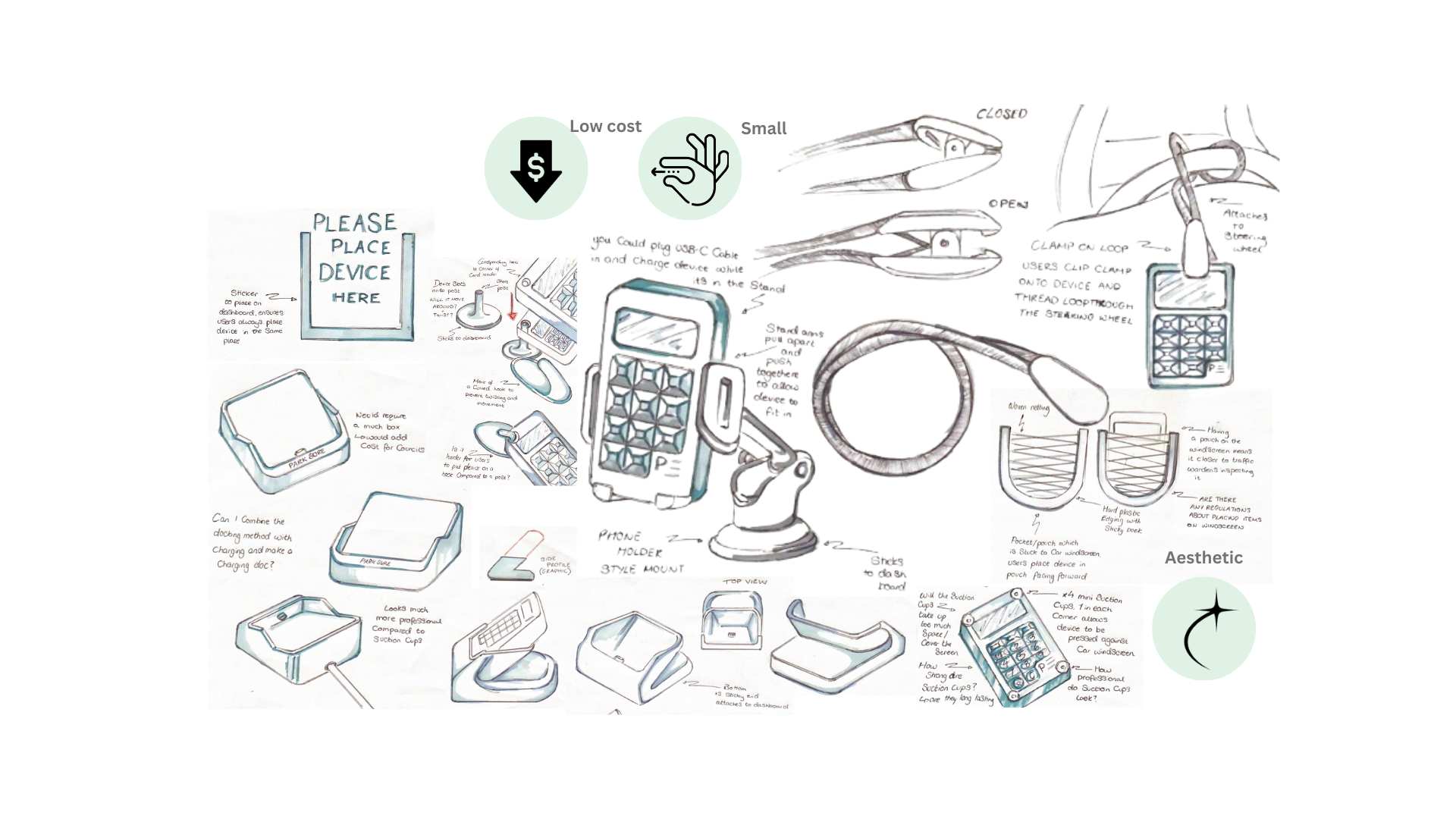
Sketch Ideation for a dashboard mount
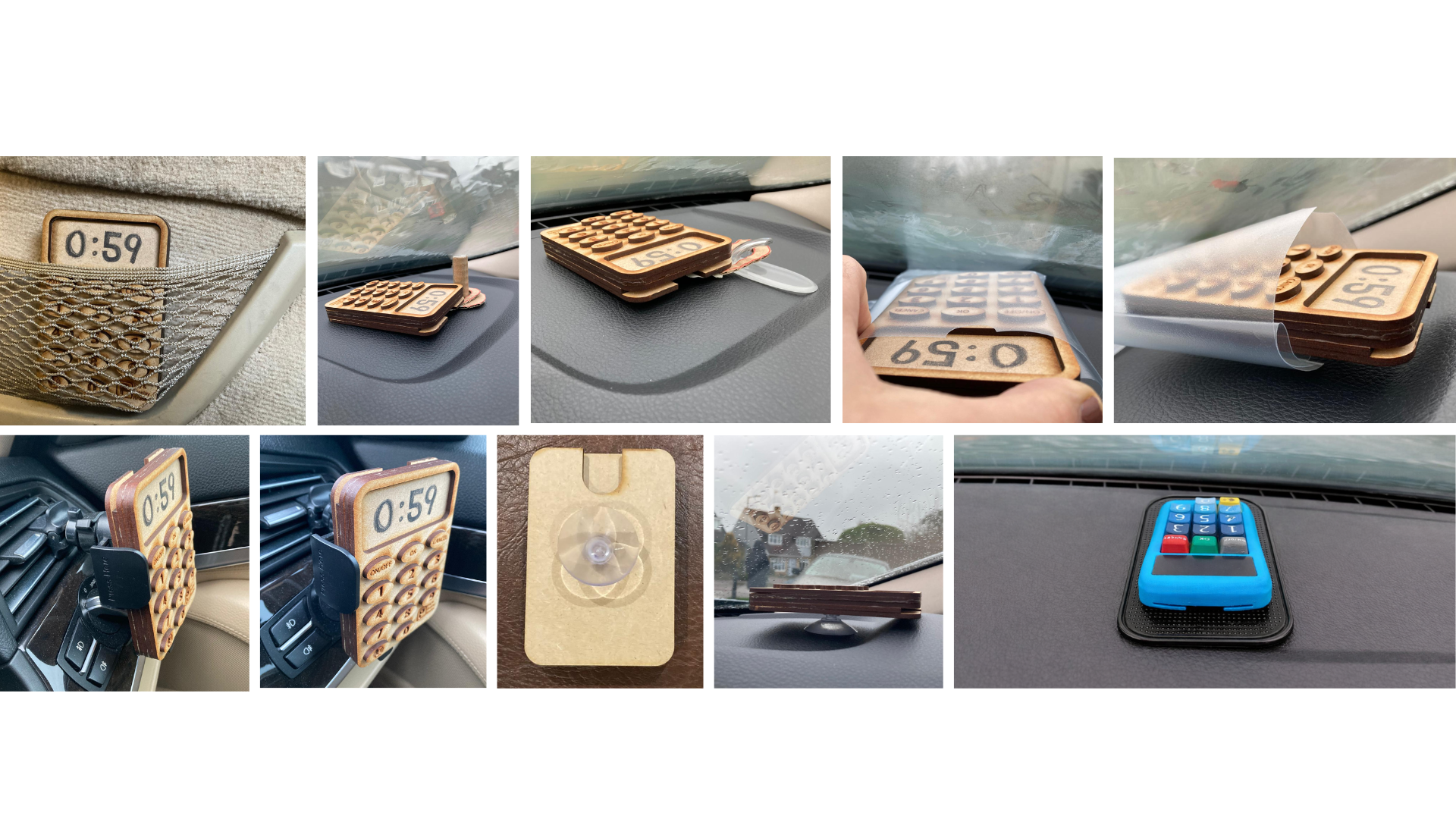
Sketch modelling and testing of dashboard mounts
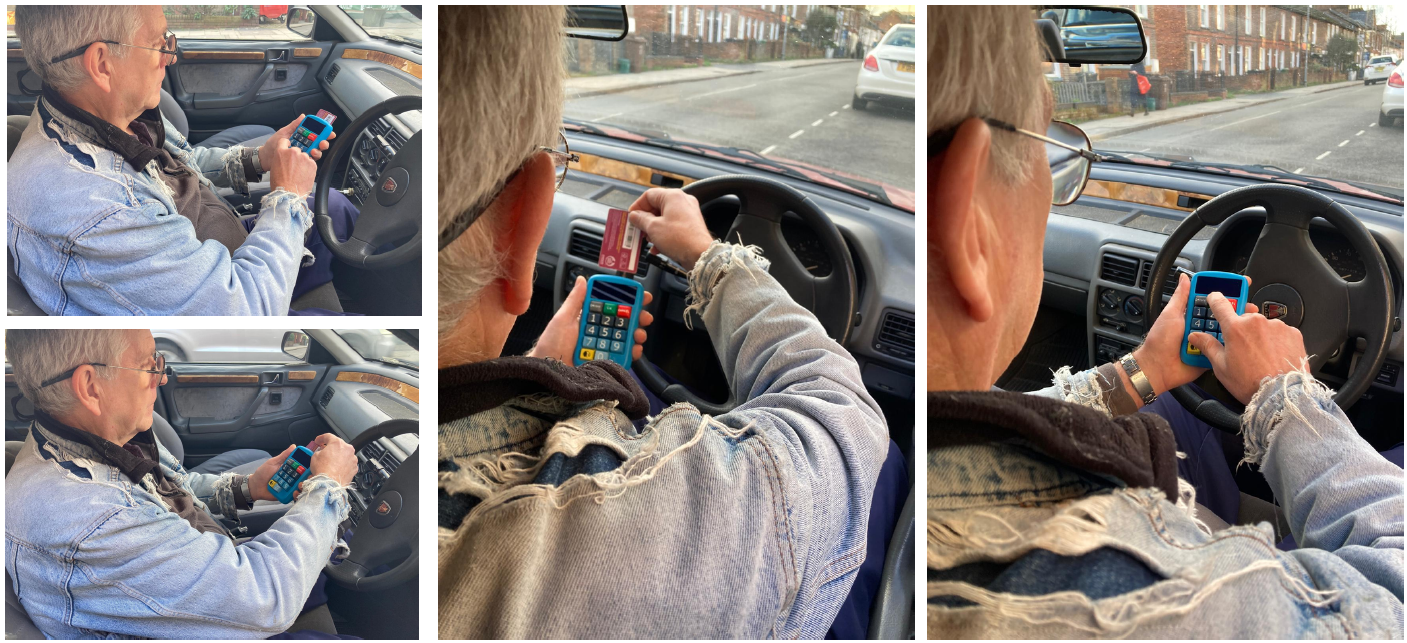
The device comes with a dashboard mount, a decision made after visualising an edge case scenario where users drive off with the device accidently left on the dashboard causing it to fall to the floor. This scenario was tested with a series of 20 minuets drives, to see if the sketch model remained in it's starting position. It didn't, justifying the need to incorporate a mount. I first explored ideas including docking stations and mechanical l phone holders which proved too large and expensive for councils to provide. I then looked into suction cups and clear pouches which whilst small and cheap didn't match the dashboard aesthetics or feel well considered. I decided that a textured silicone gummy matt was the best option striking a balance between function, aesthetics and cost.
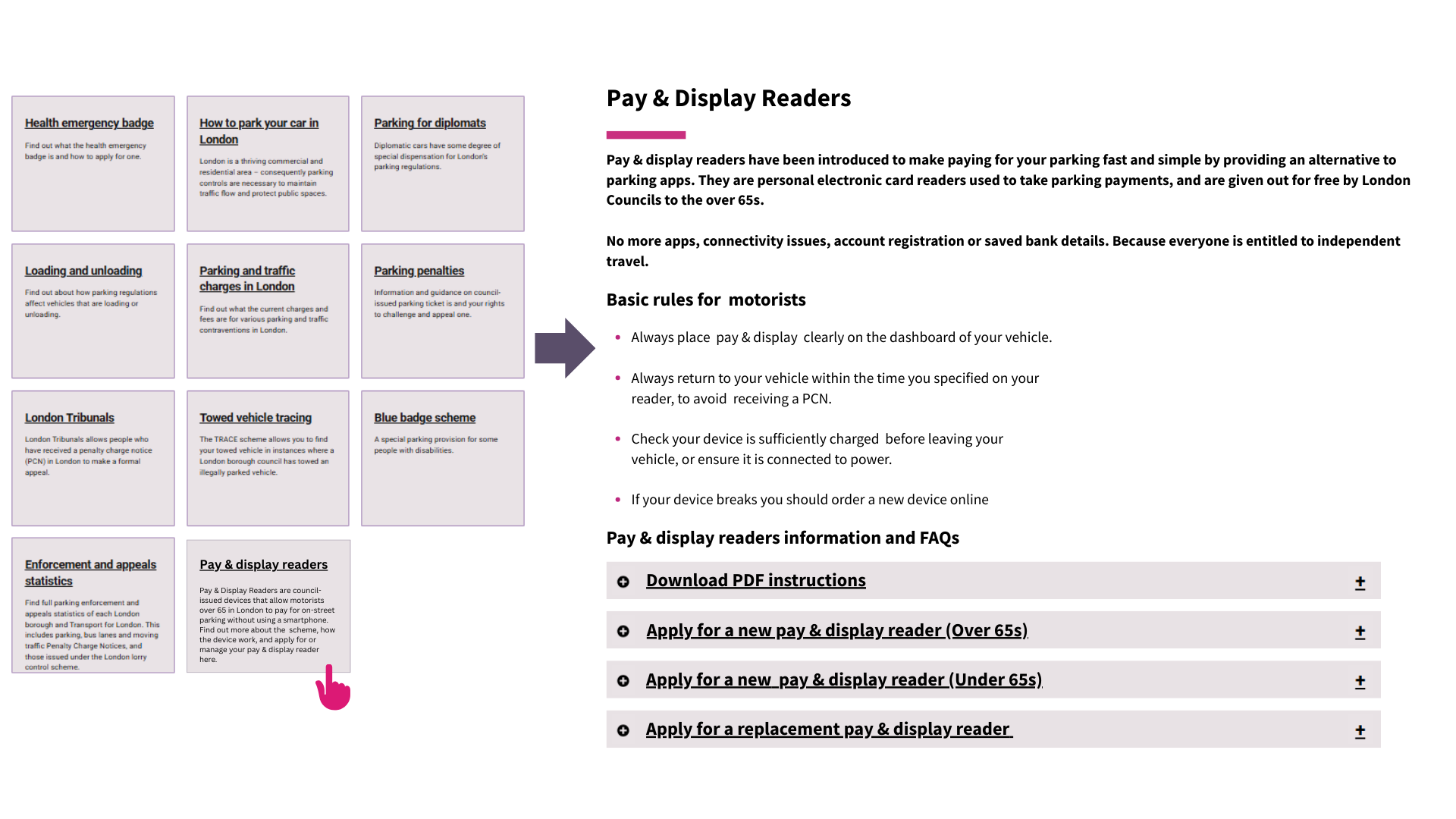
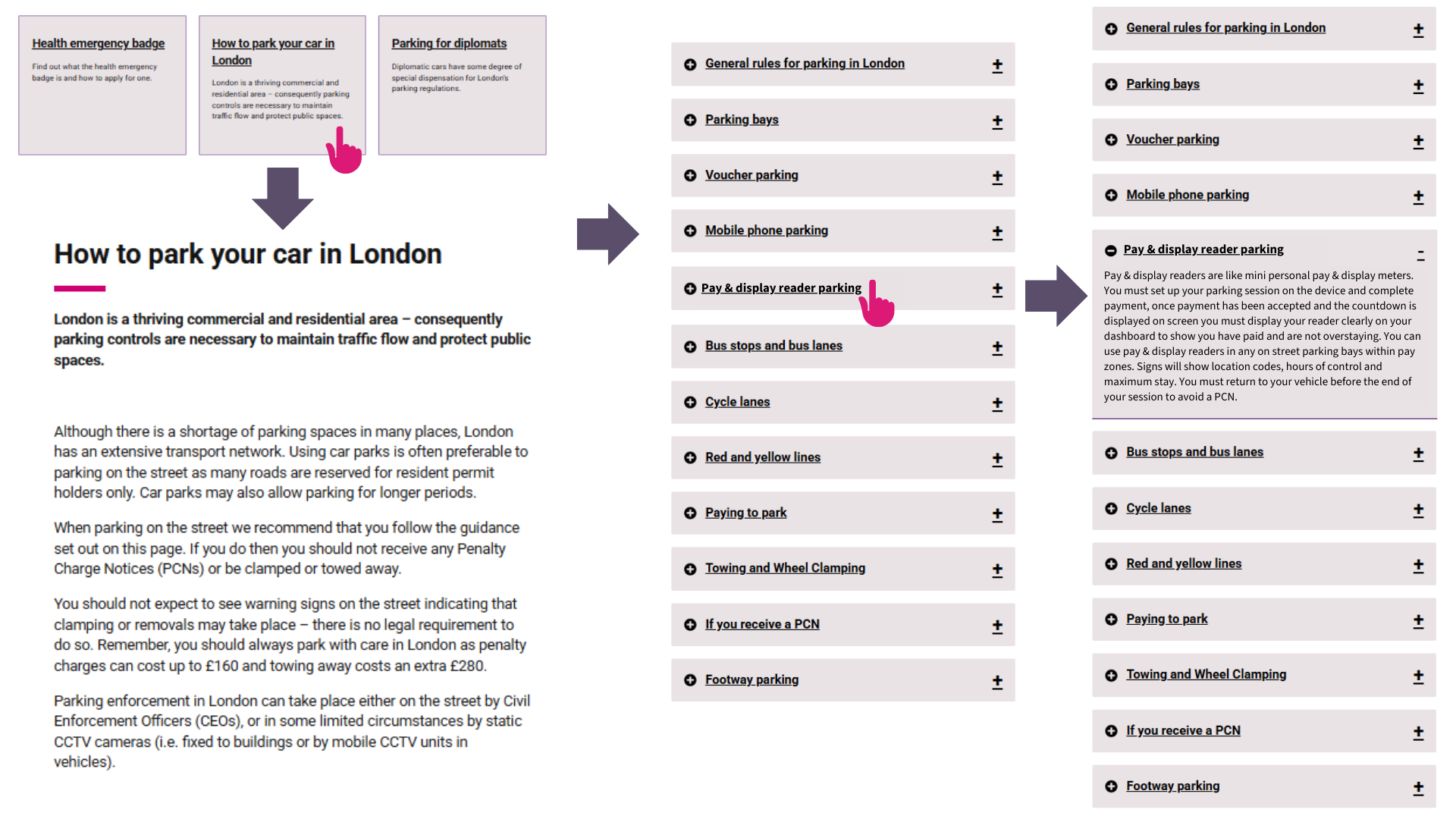
Mockups of the London Councils website where users can find all relevant information referring to Pay & display readers, including how to use, where to obtain and how to send back broken devices
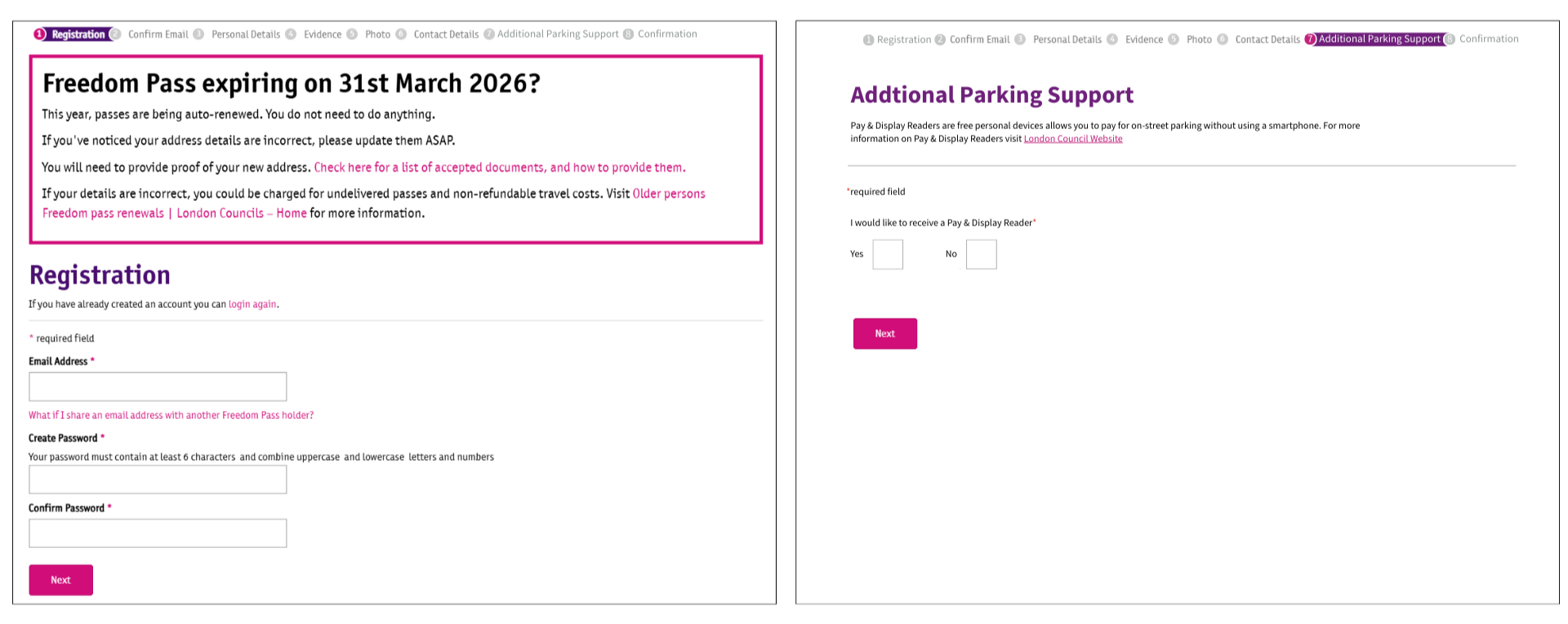
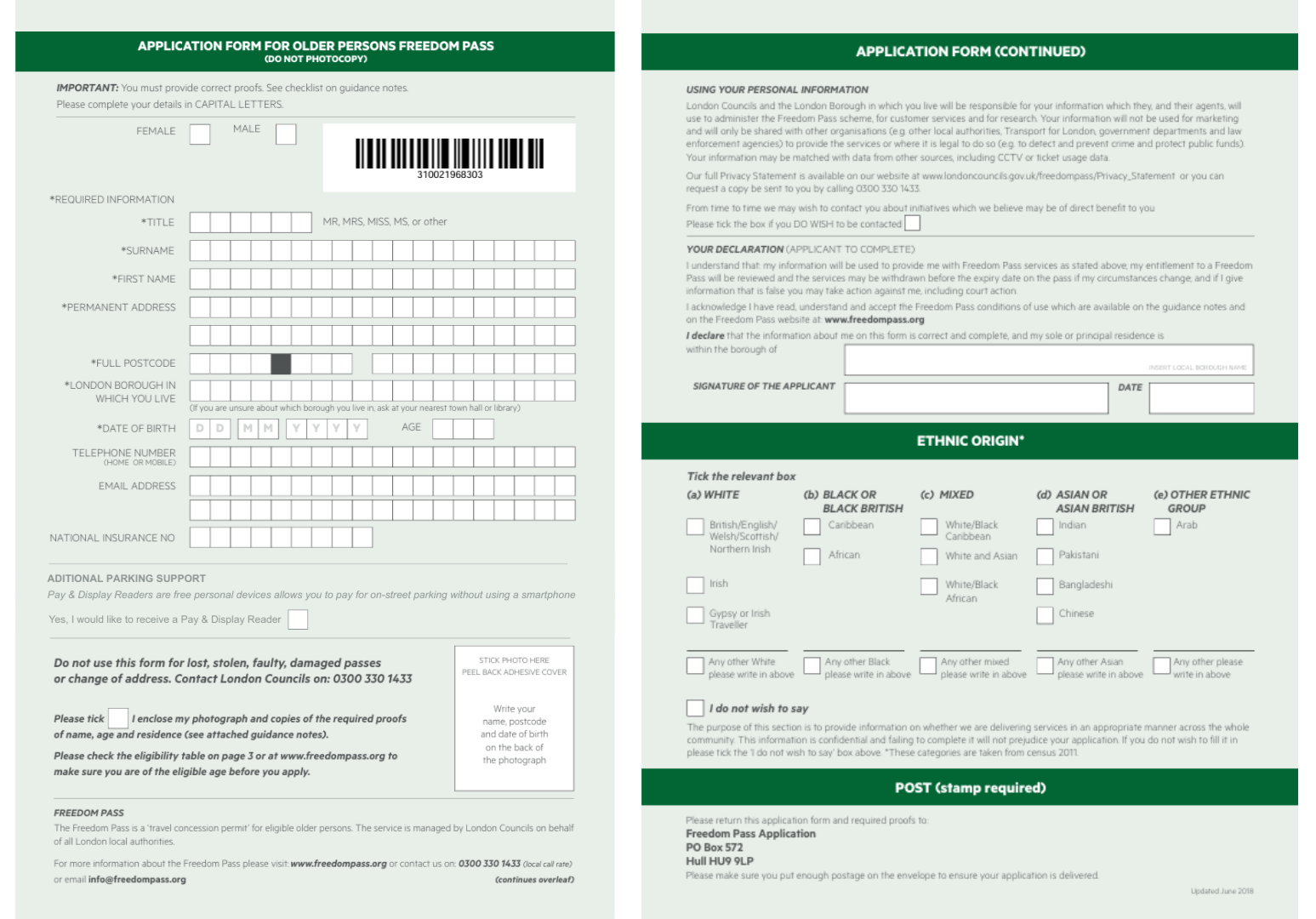
It was important to me that Pay & Display readers would be free to obtain, after all parking apps are free to download. The device is obtained from the London Councils website via an application from. For those over 66 I have bundled the application with that of the freedom pass in order to help combat form fatigue. As users are already filling out their personal details in the freedom pass application form, there is just a single additional section/checkbox asking users if they would also like to receive a Pay & Display reader and then the two items get delivered together.
Online application mockup | Paper application mockup
Model 1
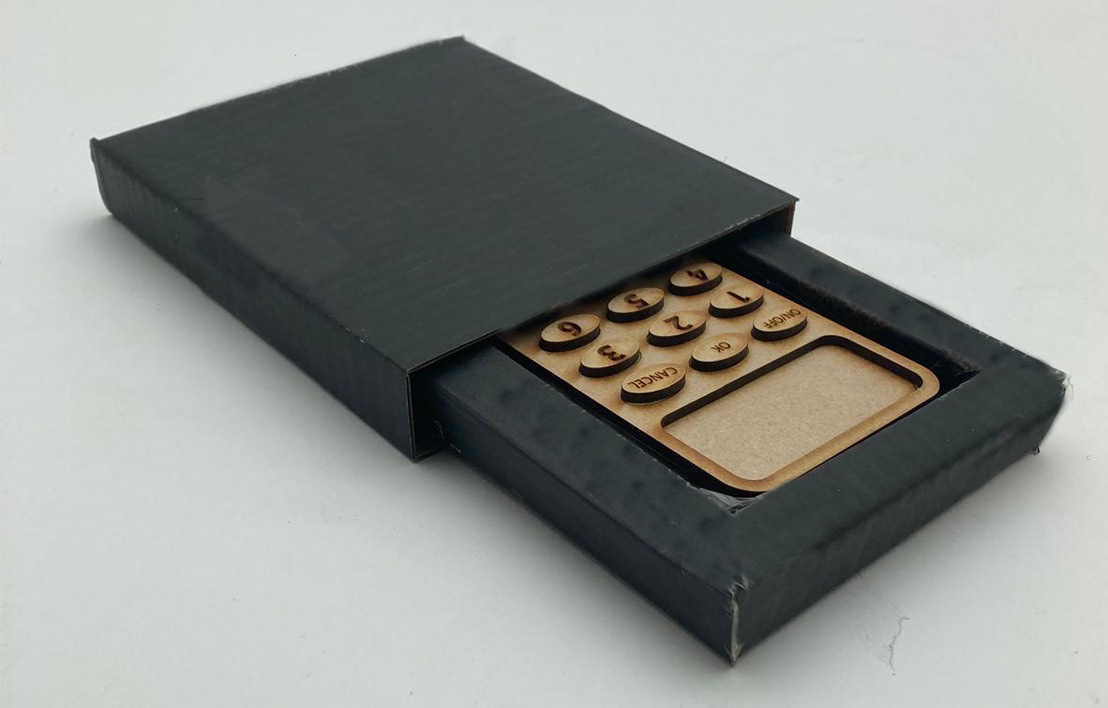
Model 1
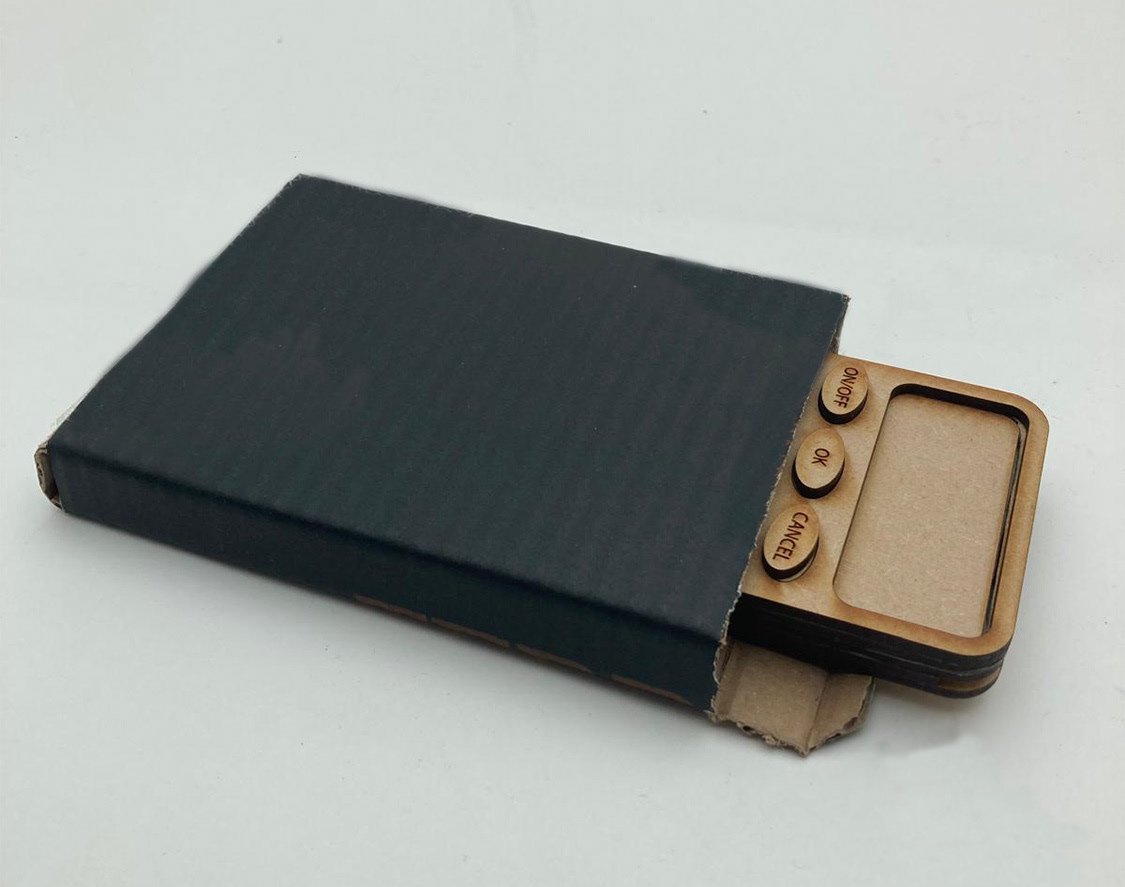
Model 2
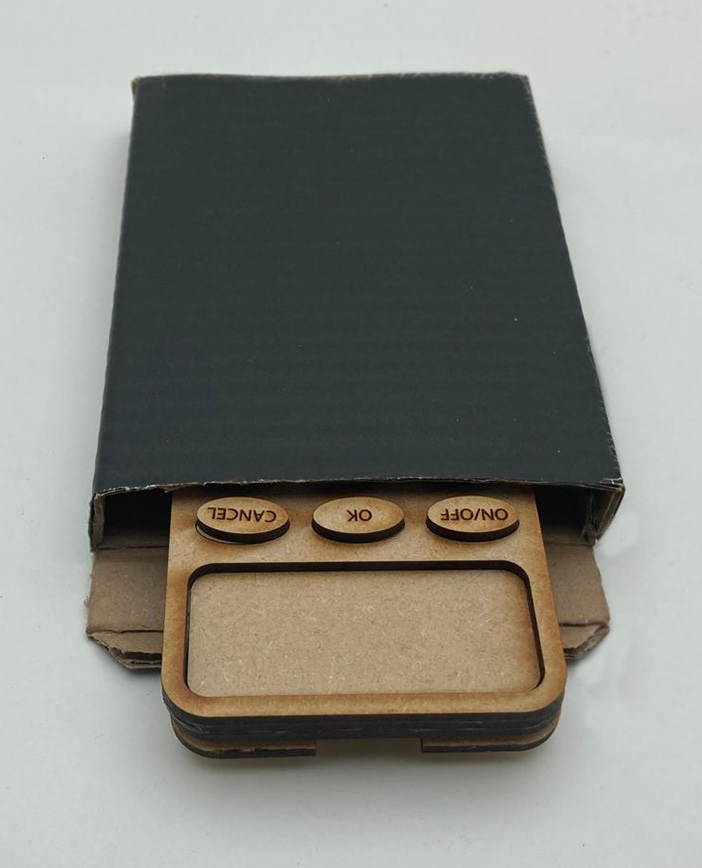
Model 2
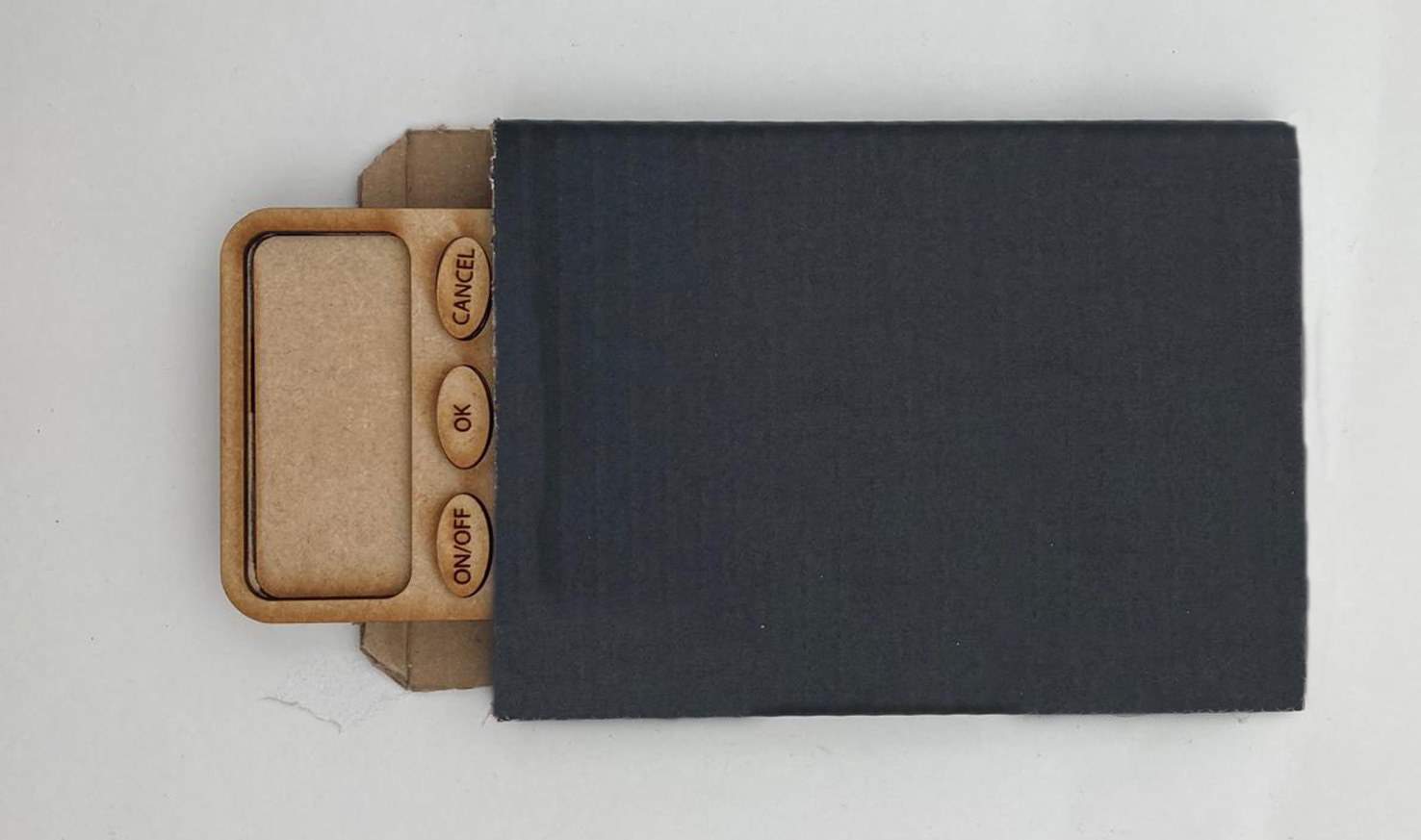
Model 2
Model 3
Model 3
Model 3
Model 3
Model 3
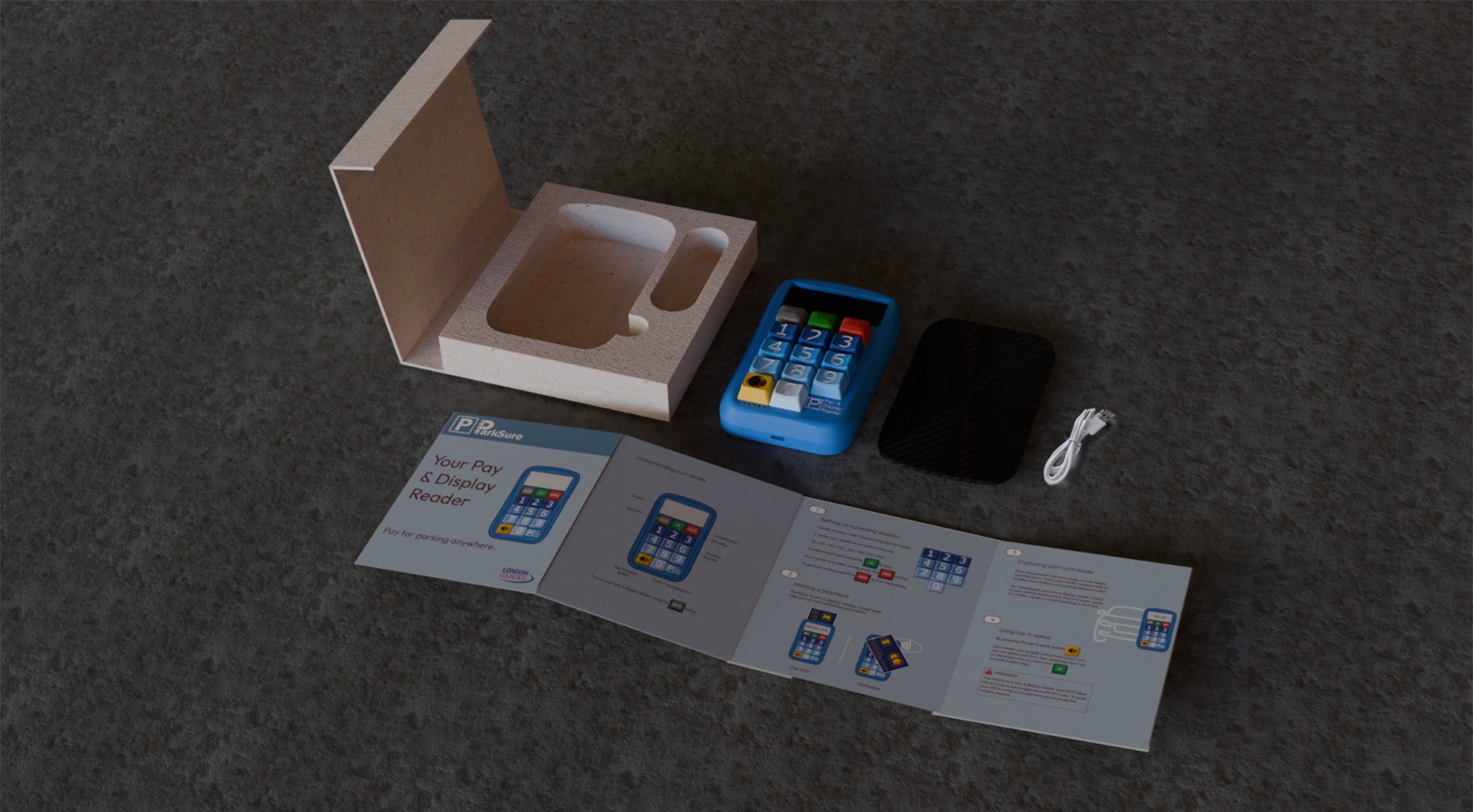
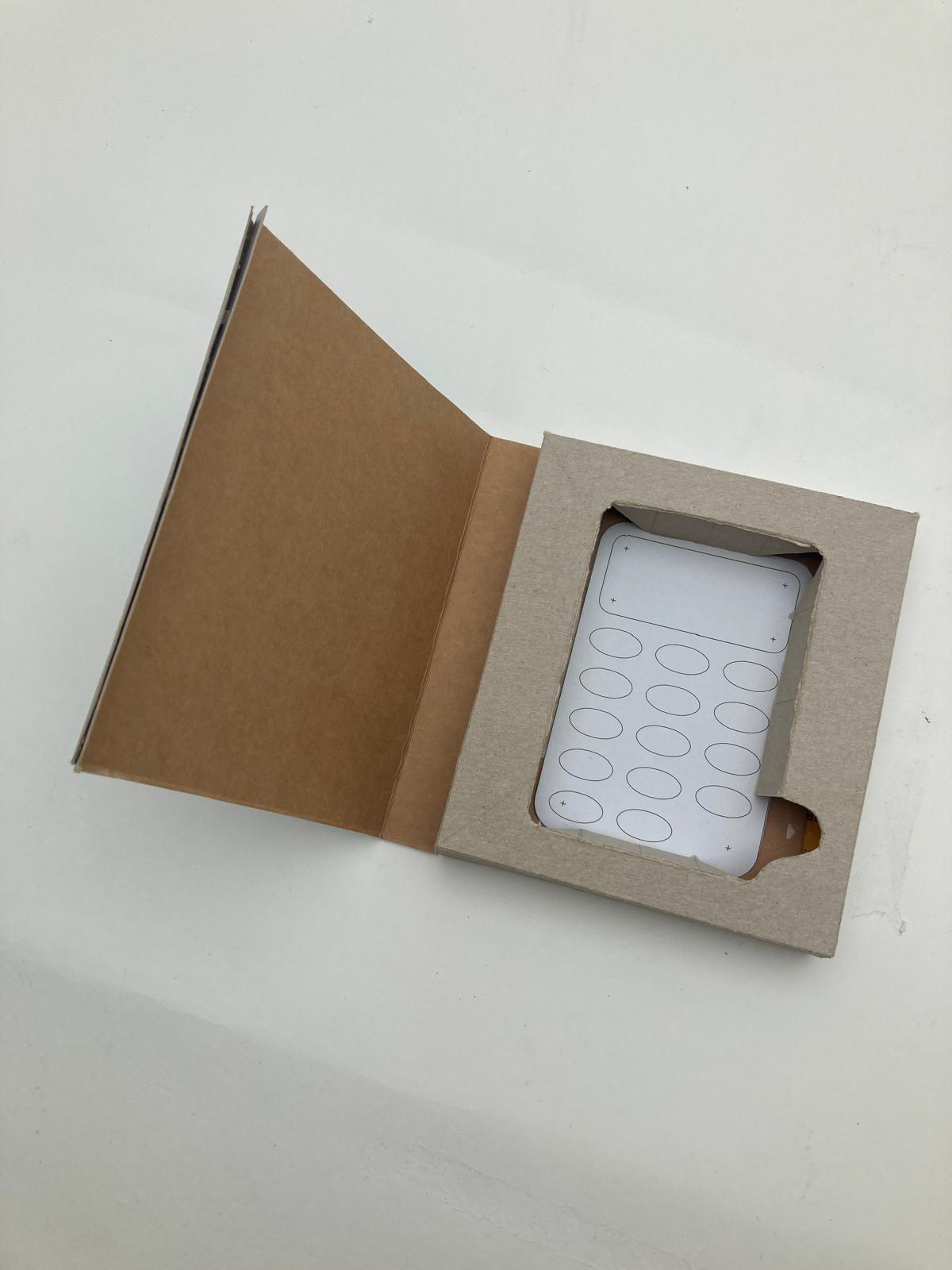
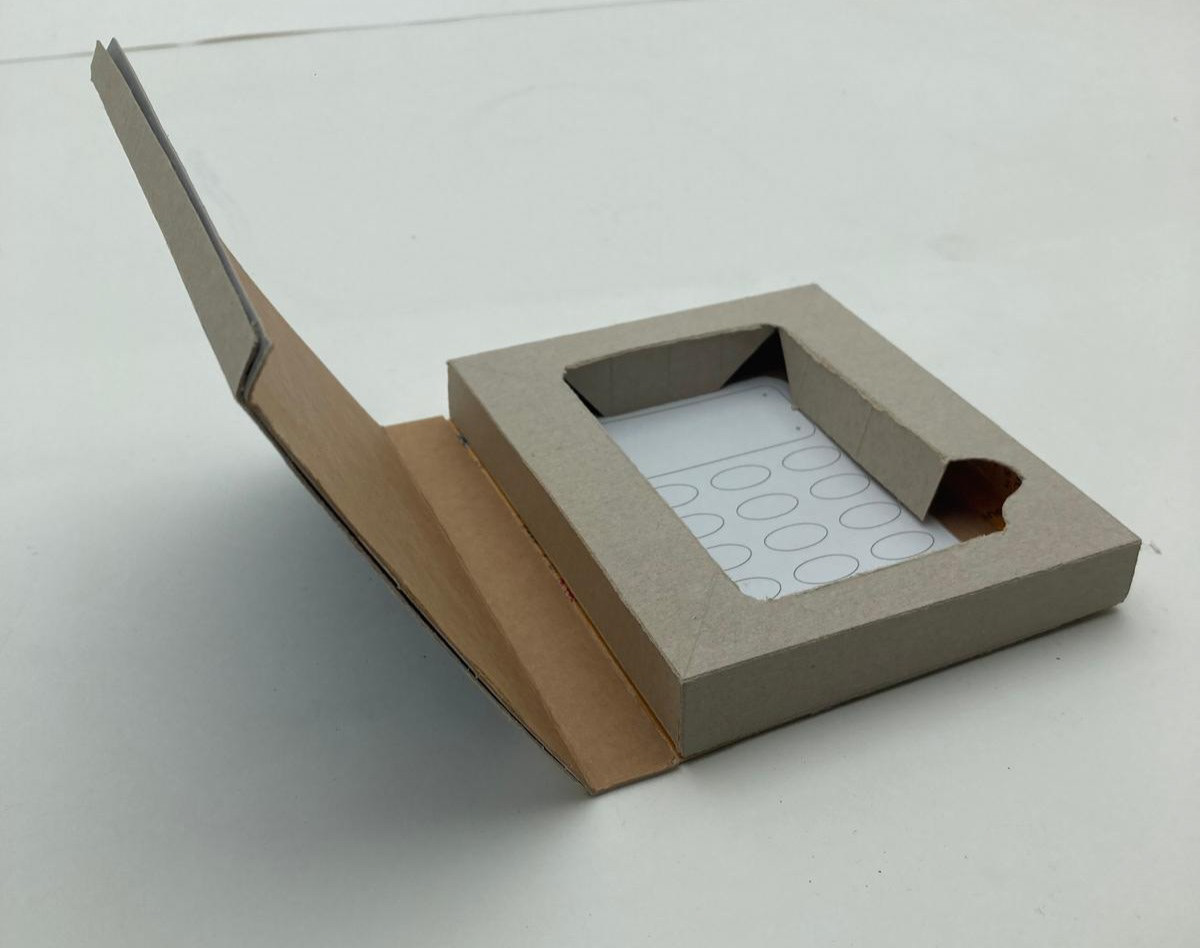
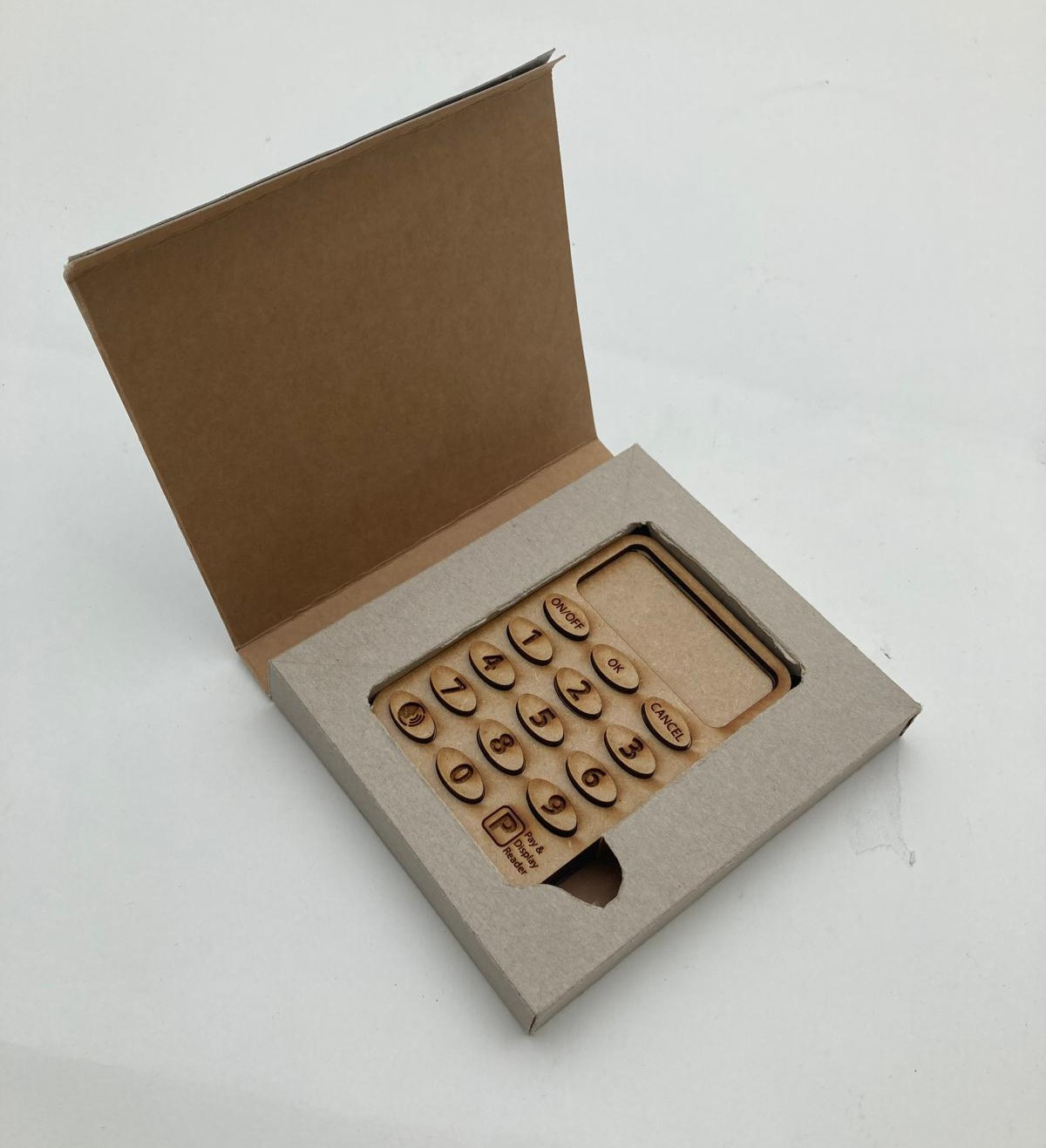
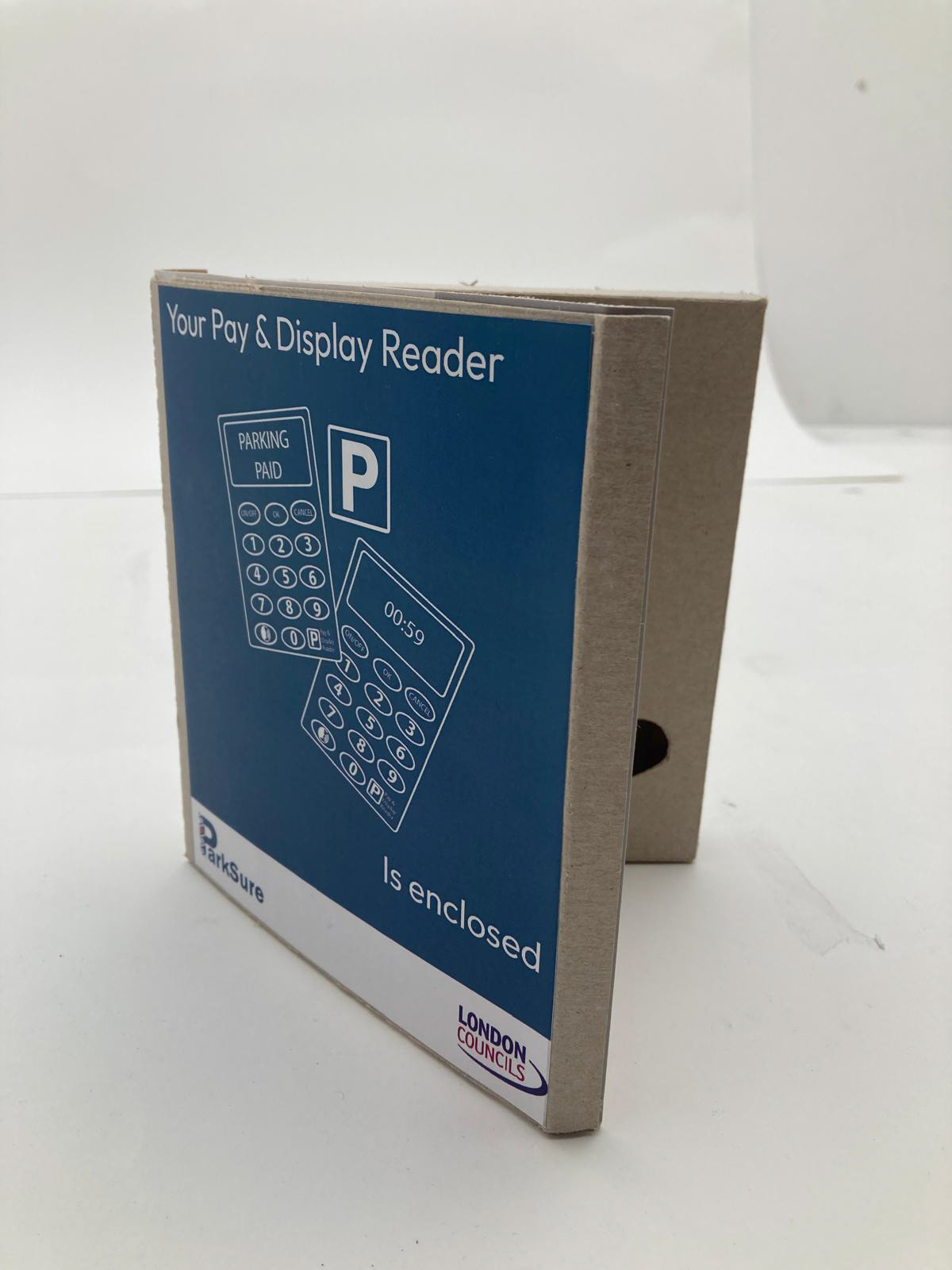
What's in the box
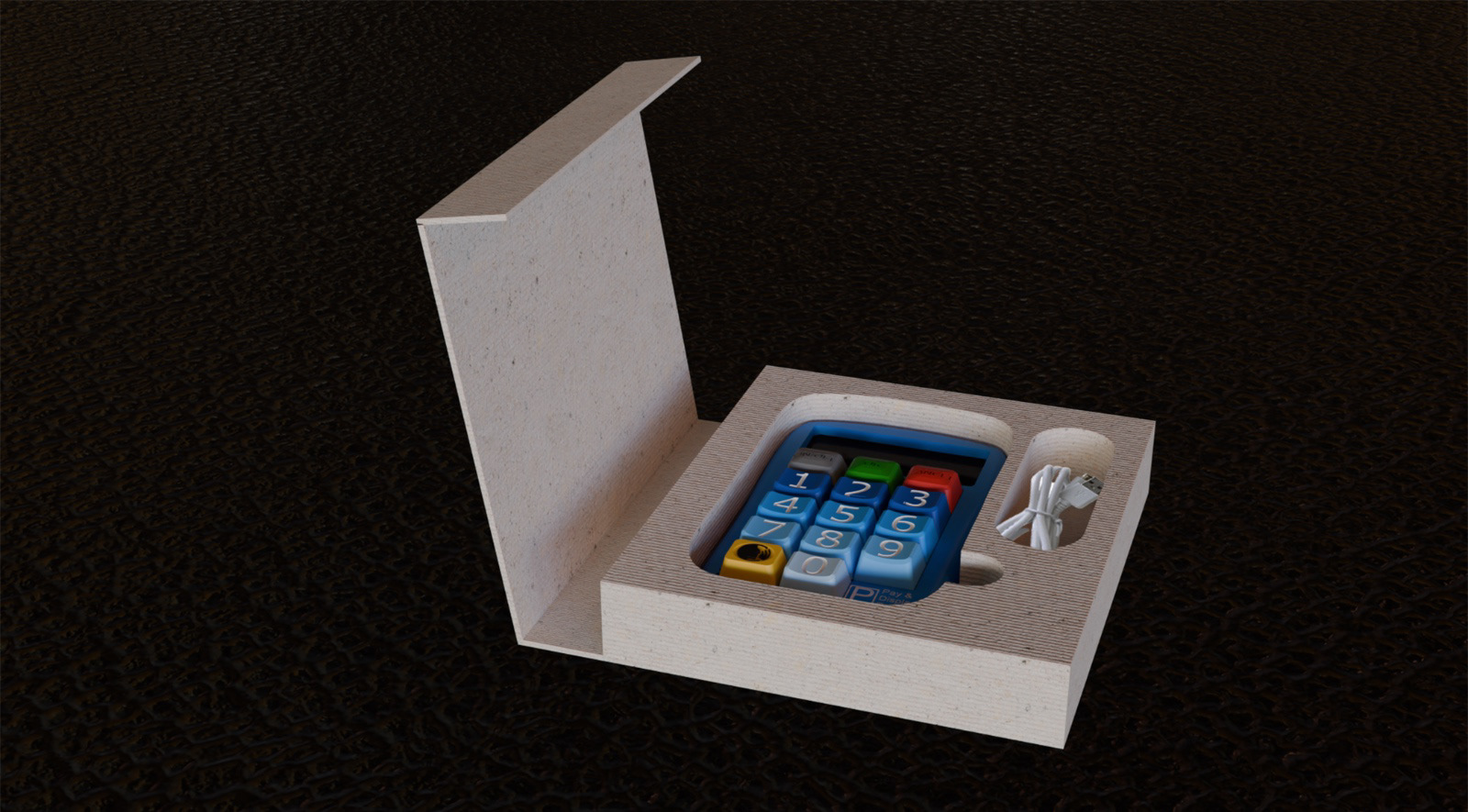
Final packaging render
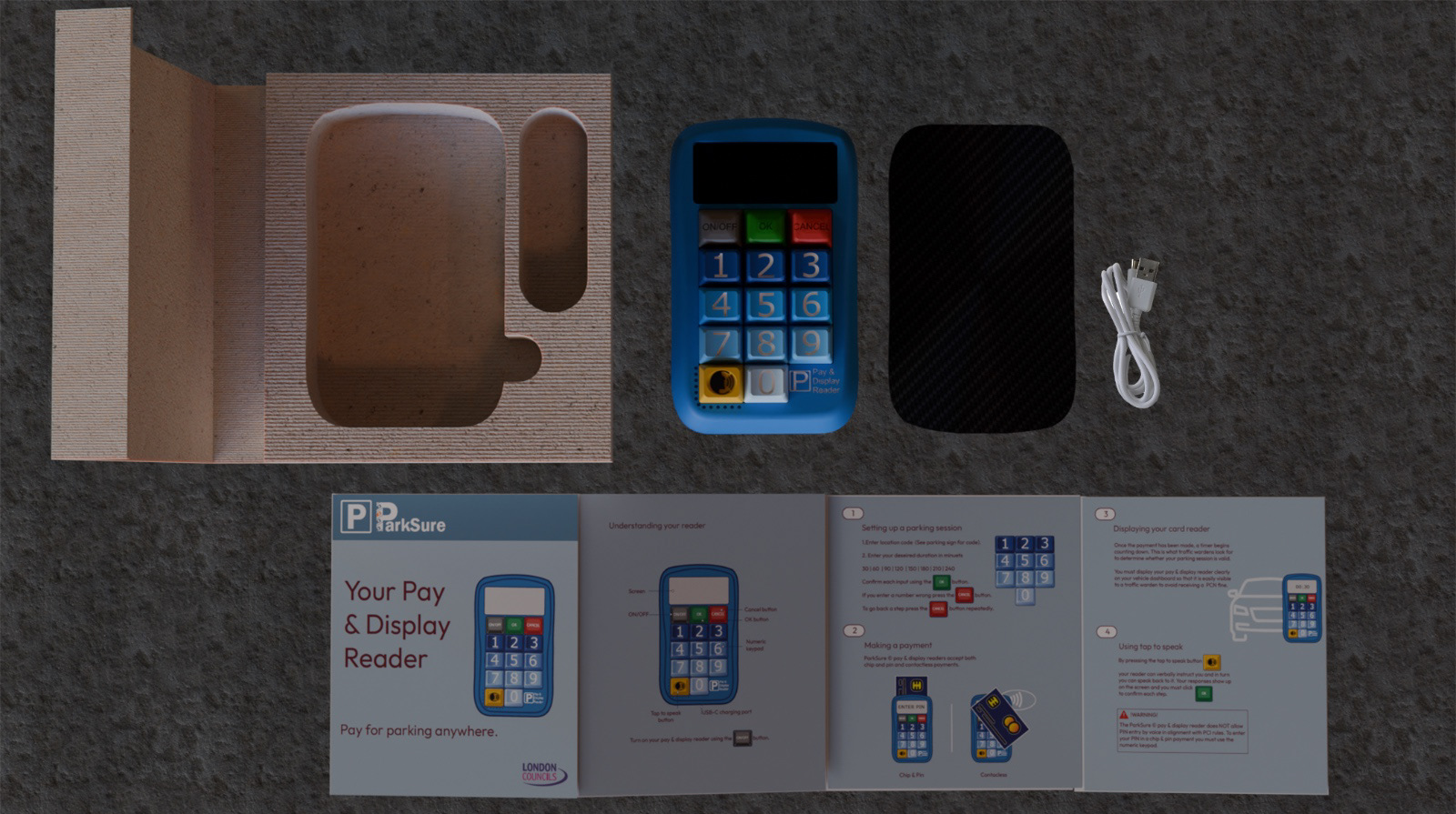
What's in the box
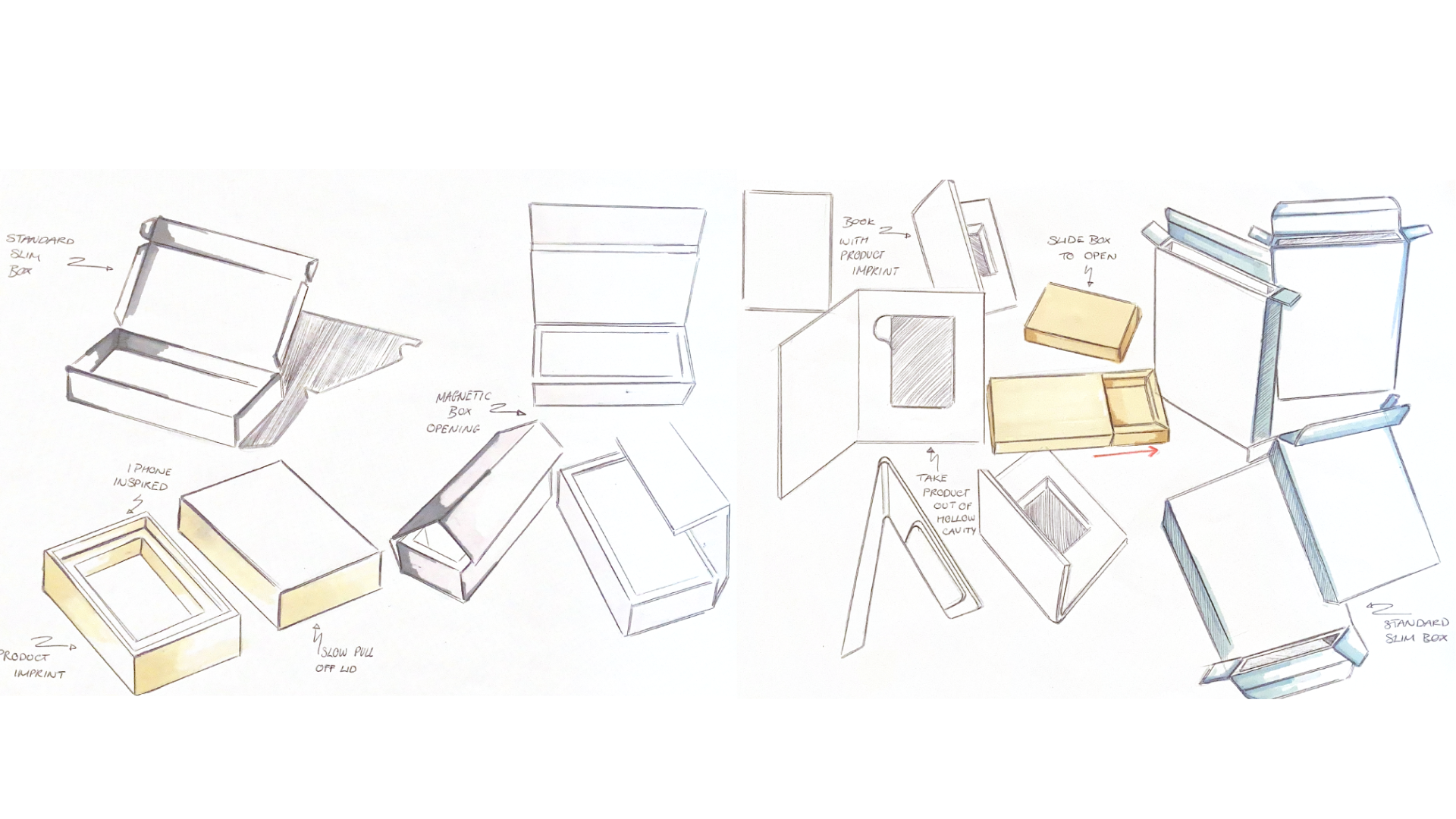
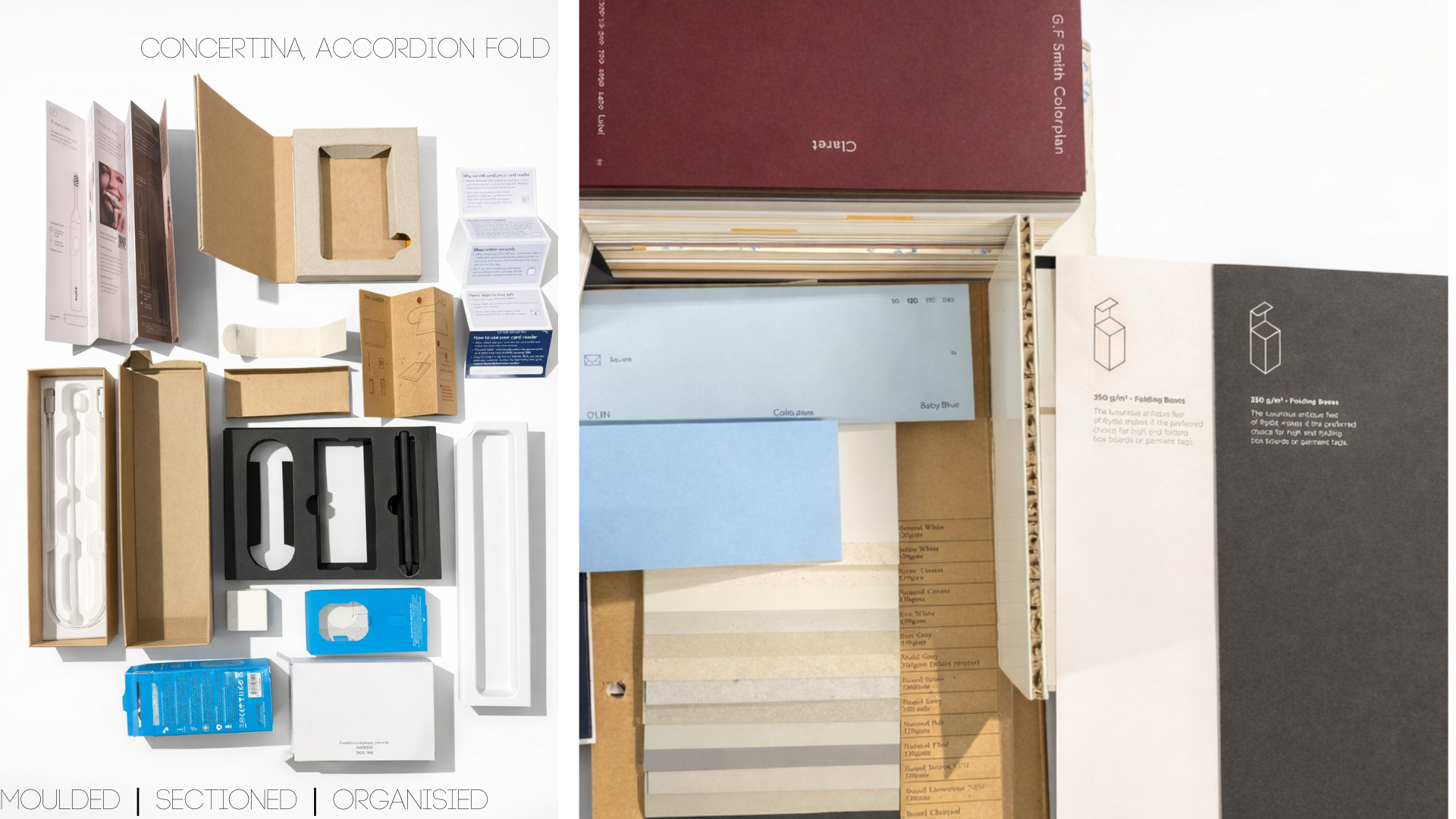
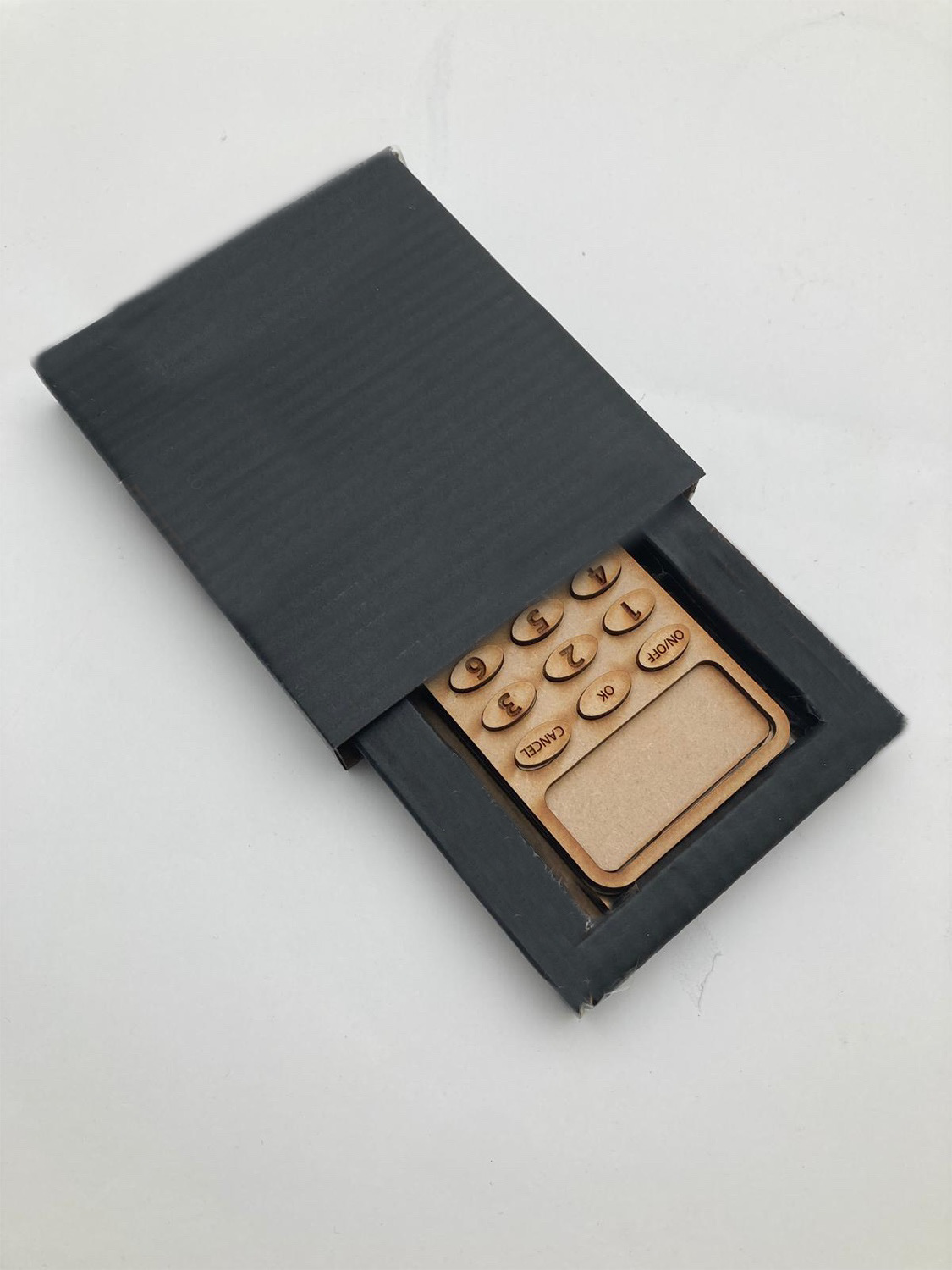
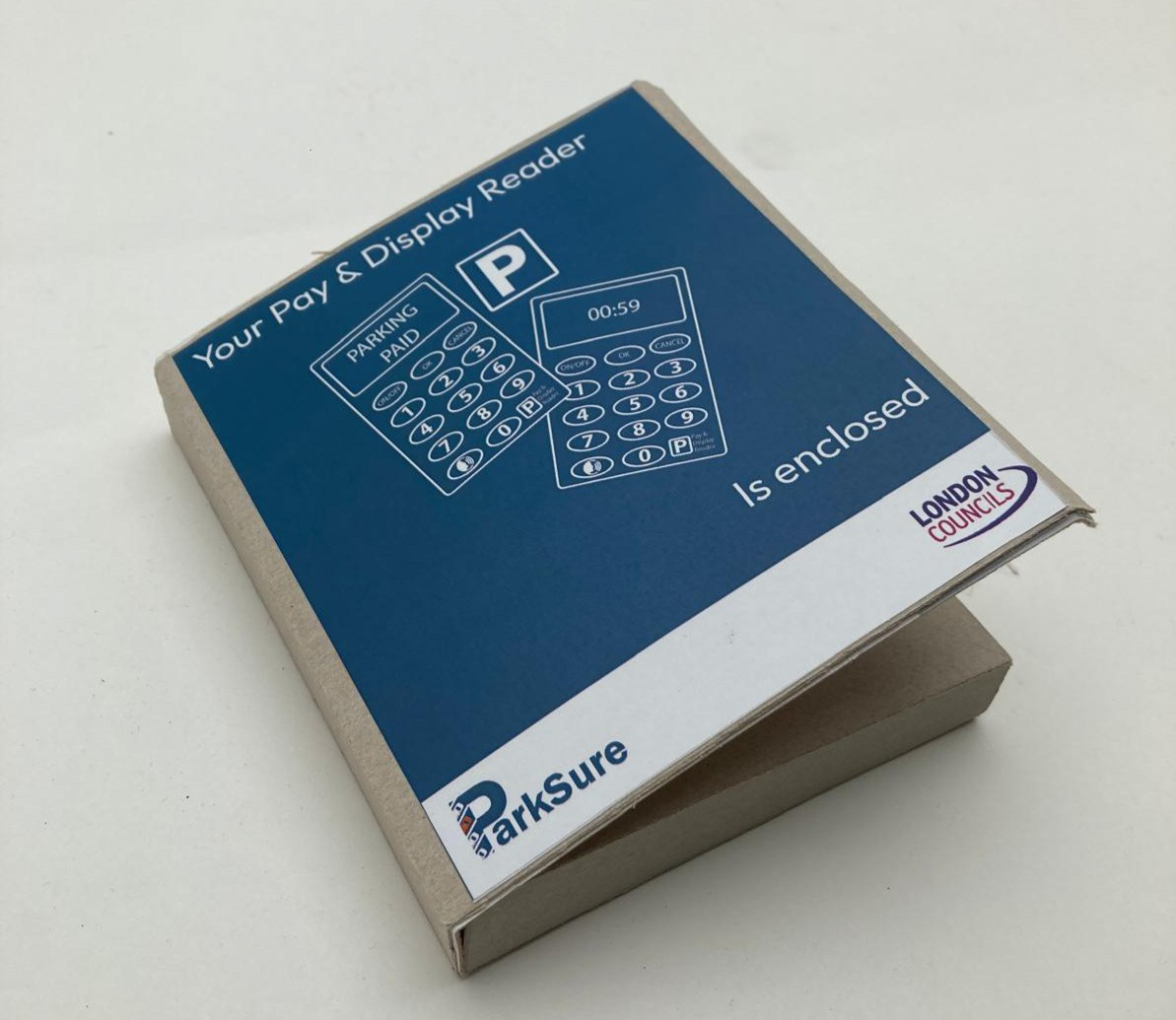
Packaging development: Initial sketches | CMF exploration | Sketch models | Final CAD renders
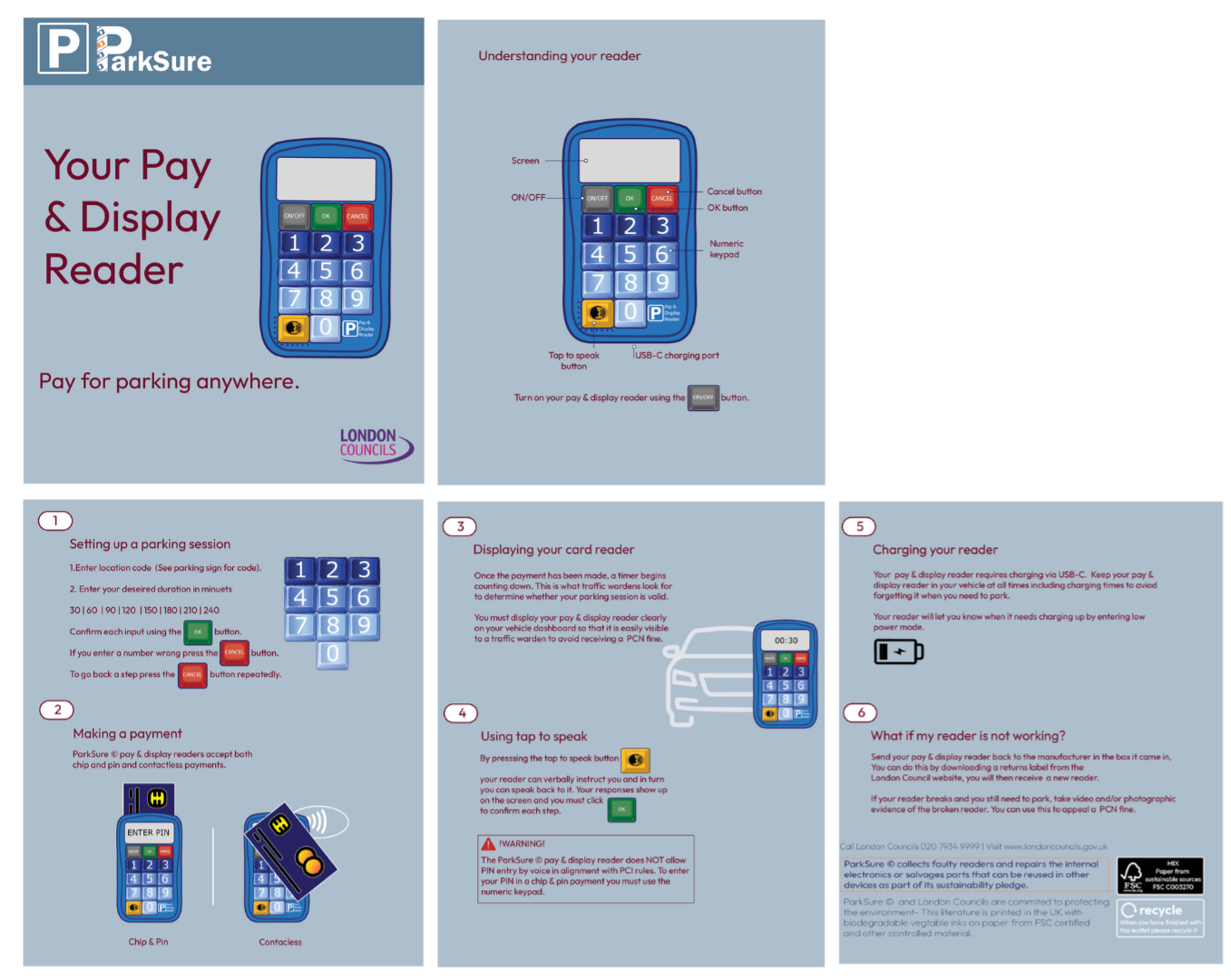
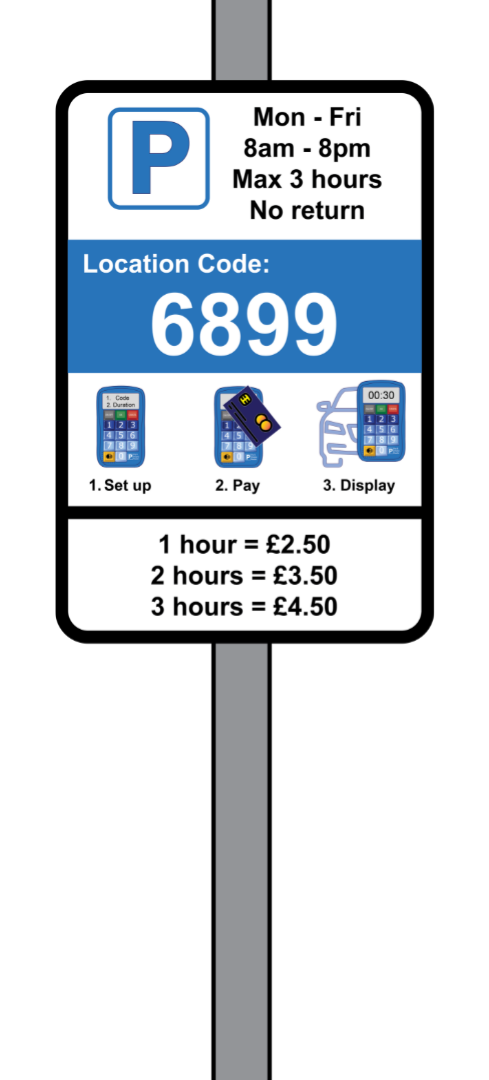
Pay & display reader instructions | Pay & display reader parking signs to be placed on streets
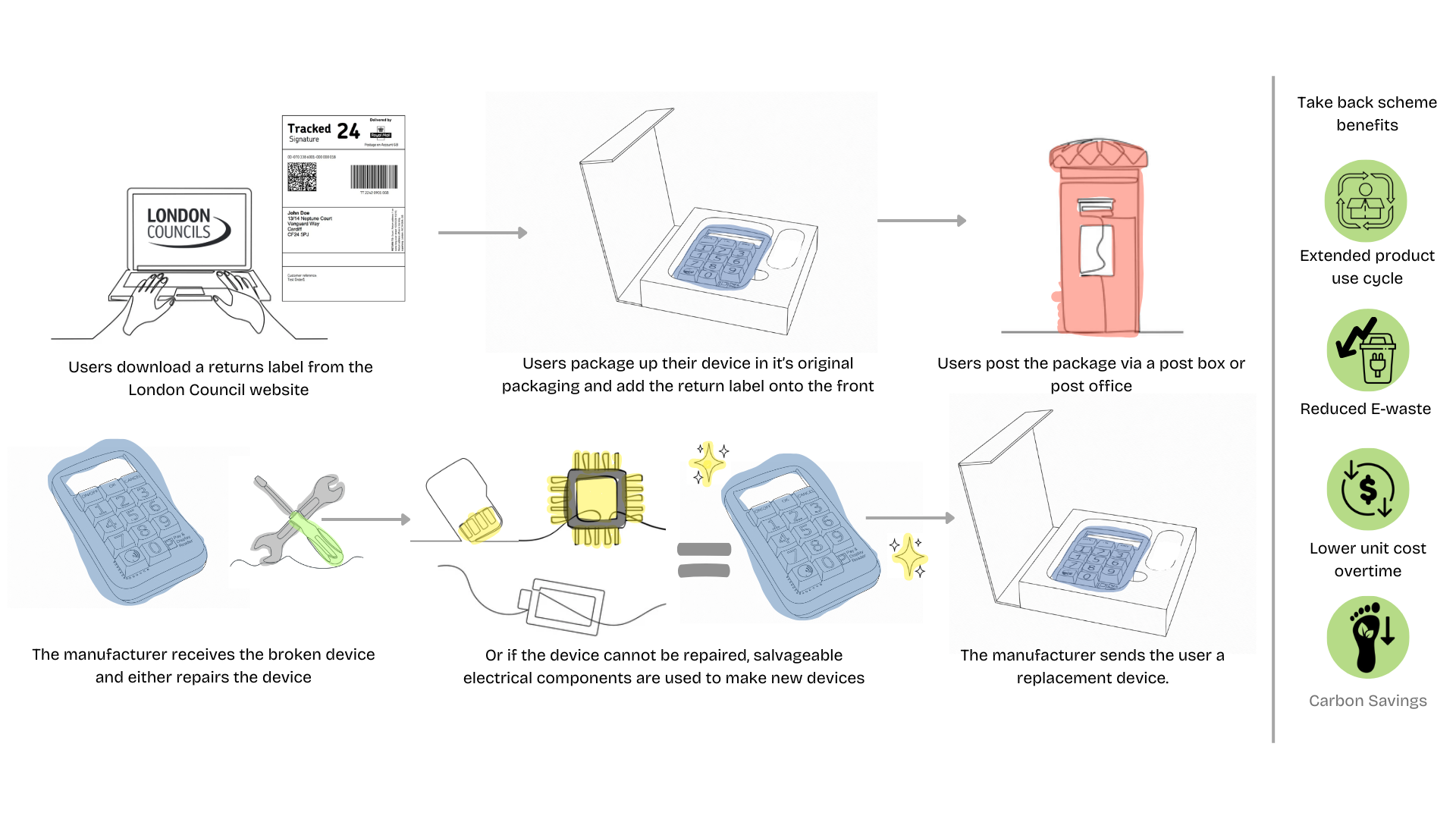
Pay & Display readers are part of a take back scheme managed by the device manufacture in partnership with London Councils in a relationship mirroring TFL and Cubic. London Councils will pay a contractual fee to the manufacturer to complete repairs and or salvage usable components to make new devices. From the users point of view if their device breaks they simply download a returns label from the London Councils website, package and post their broken reader in it's original packaging and wait for review a new reader.
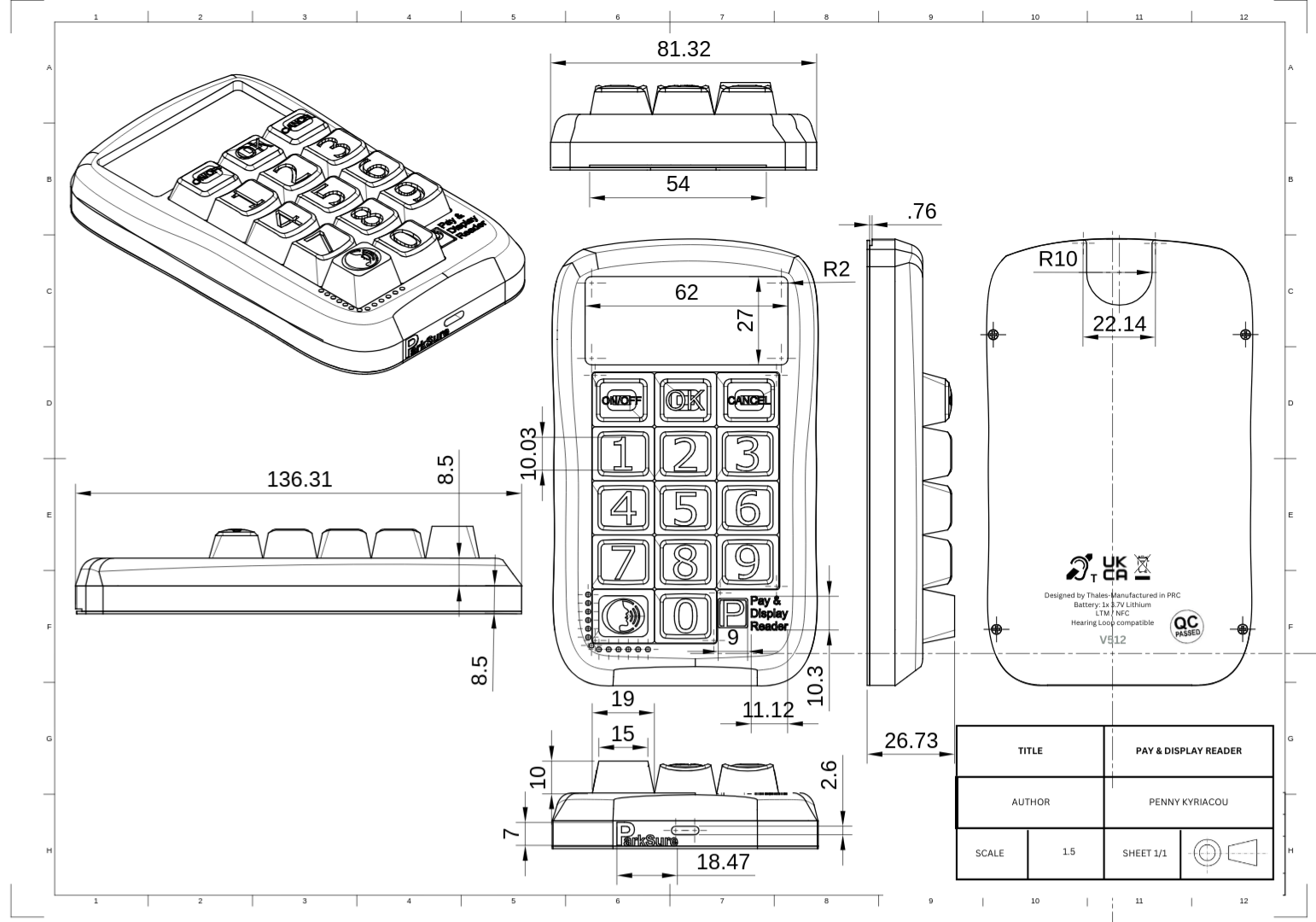
General arrangement drawing
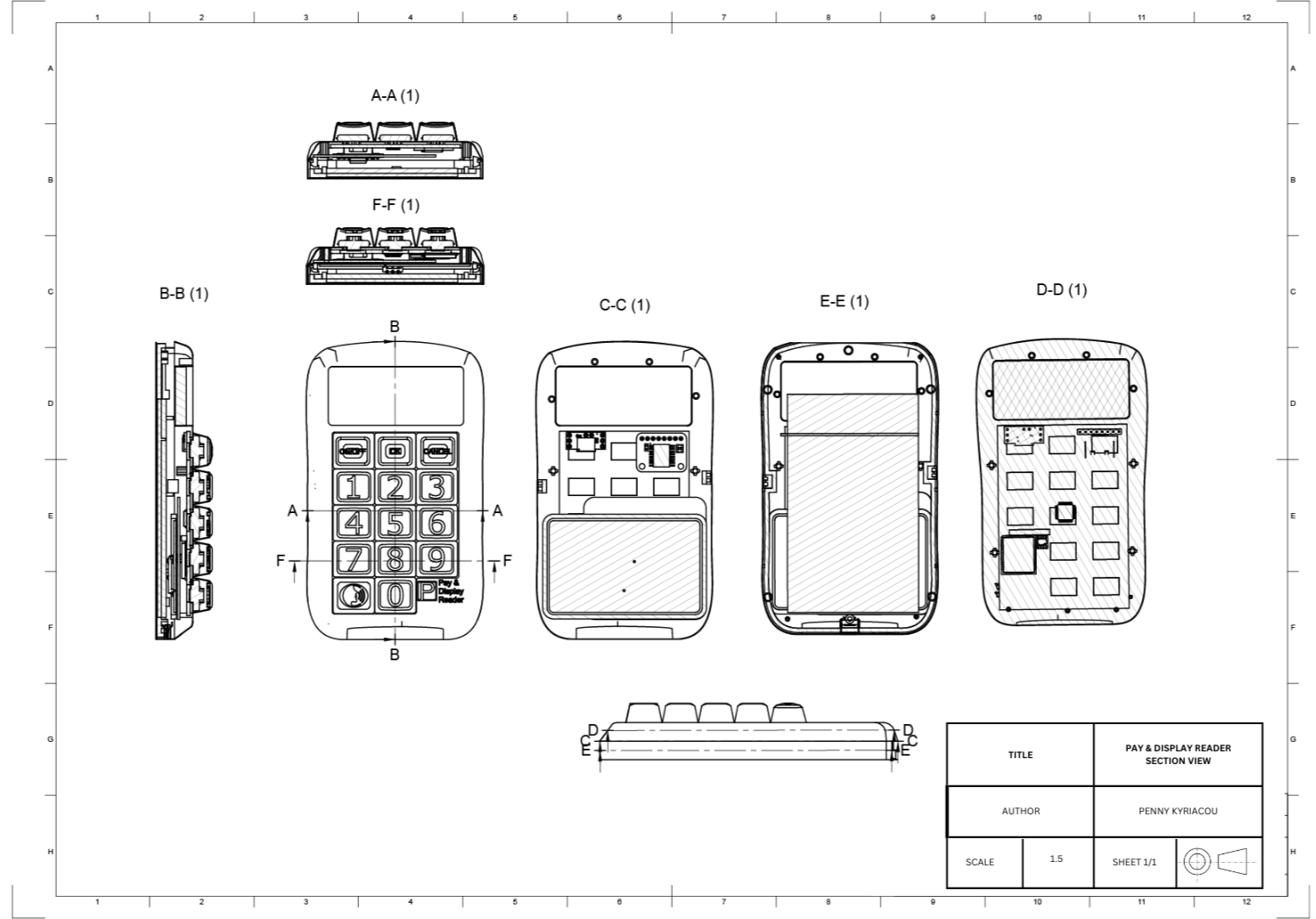
Section view drawing
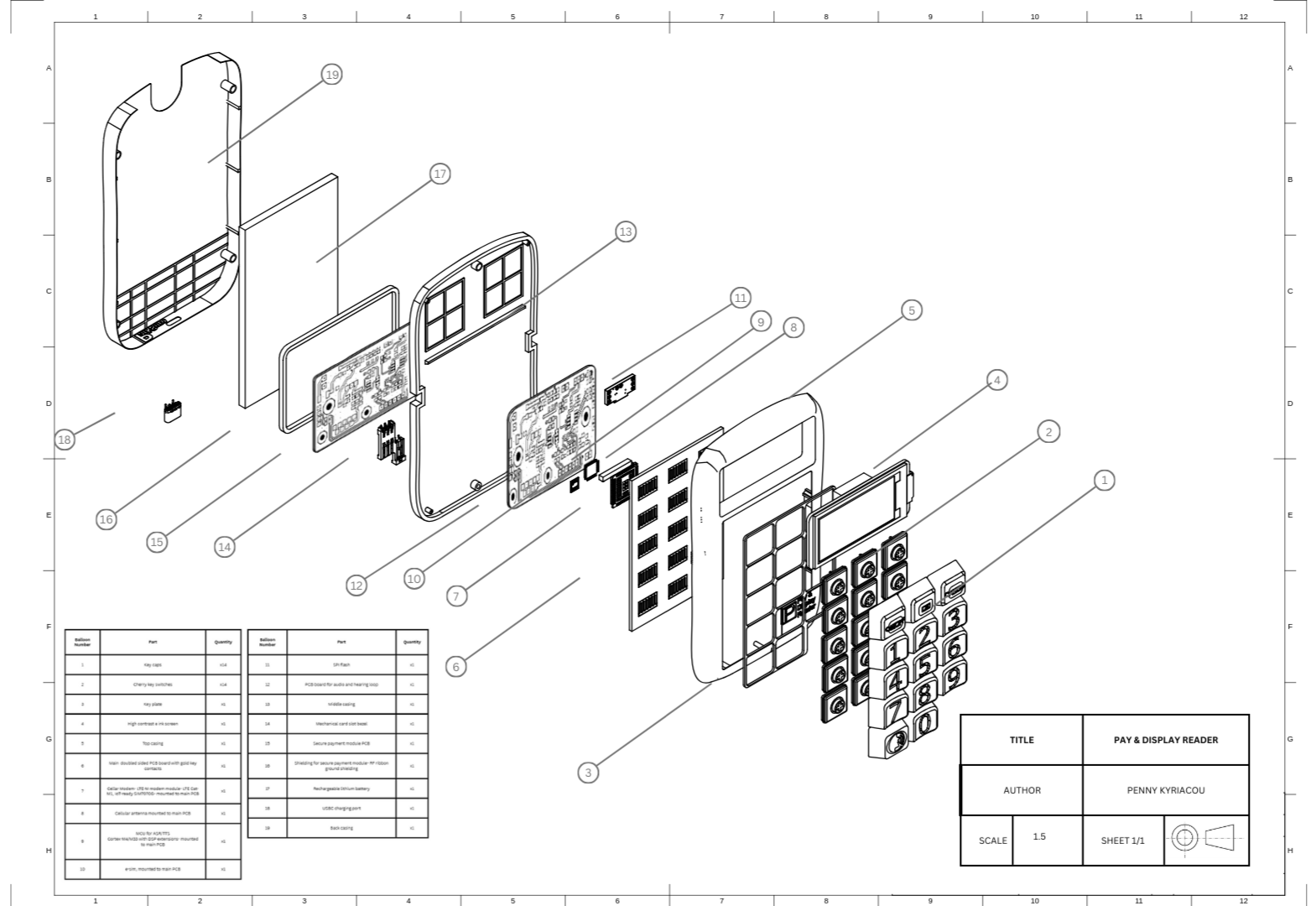
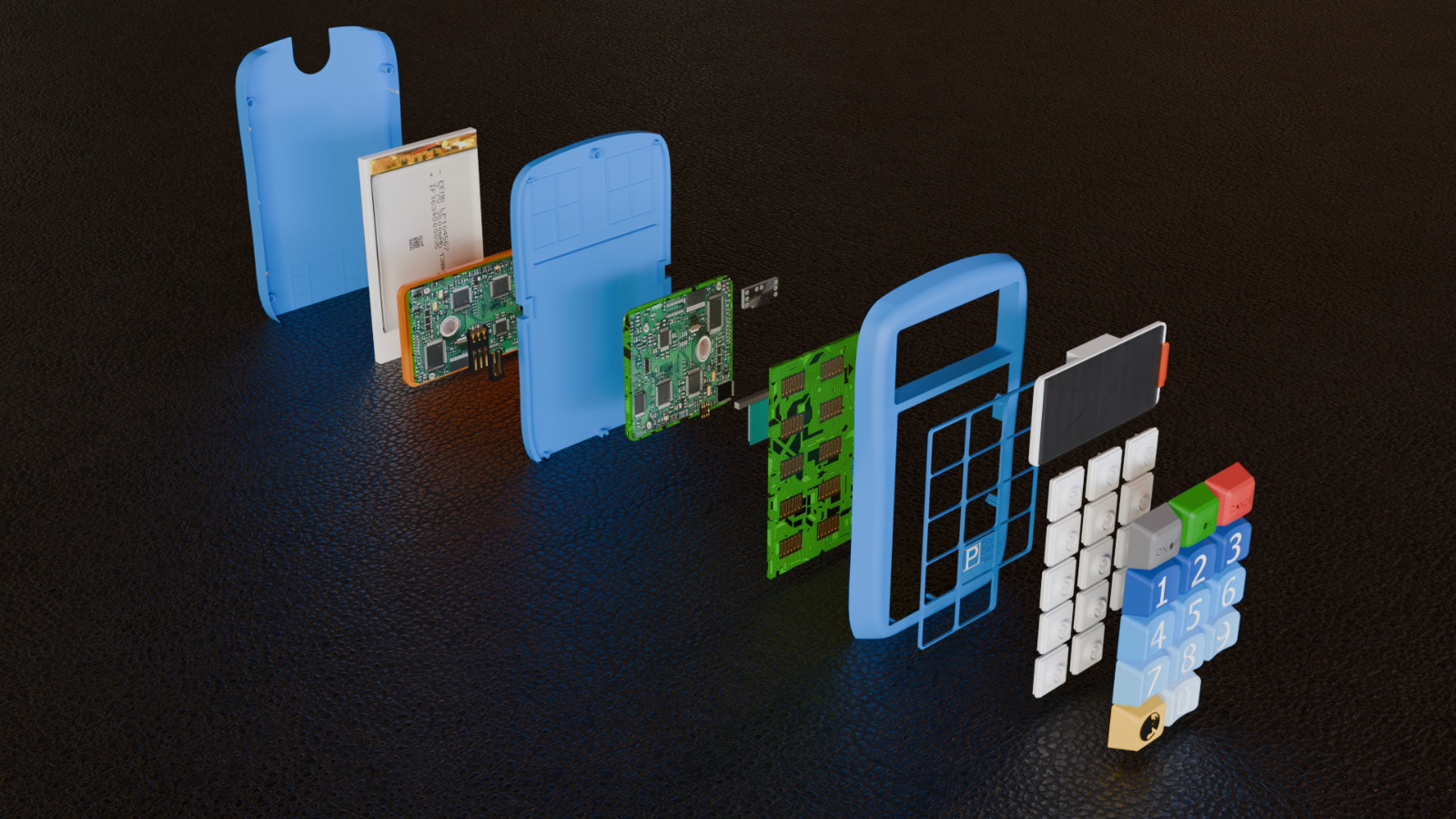
Exploded view drawing
Manufacturing details
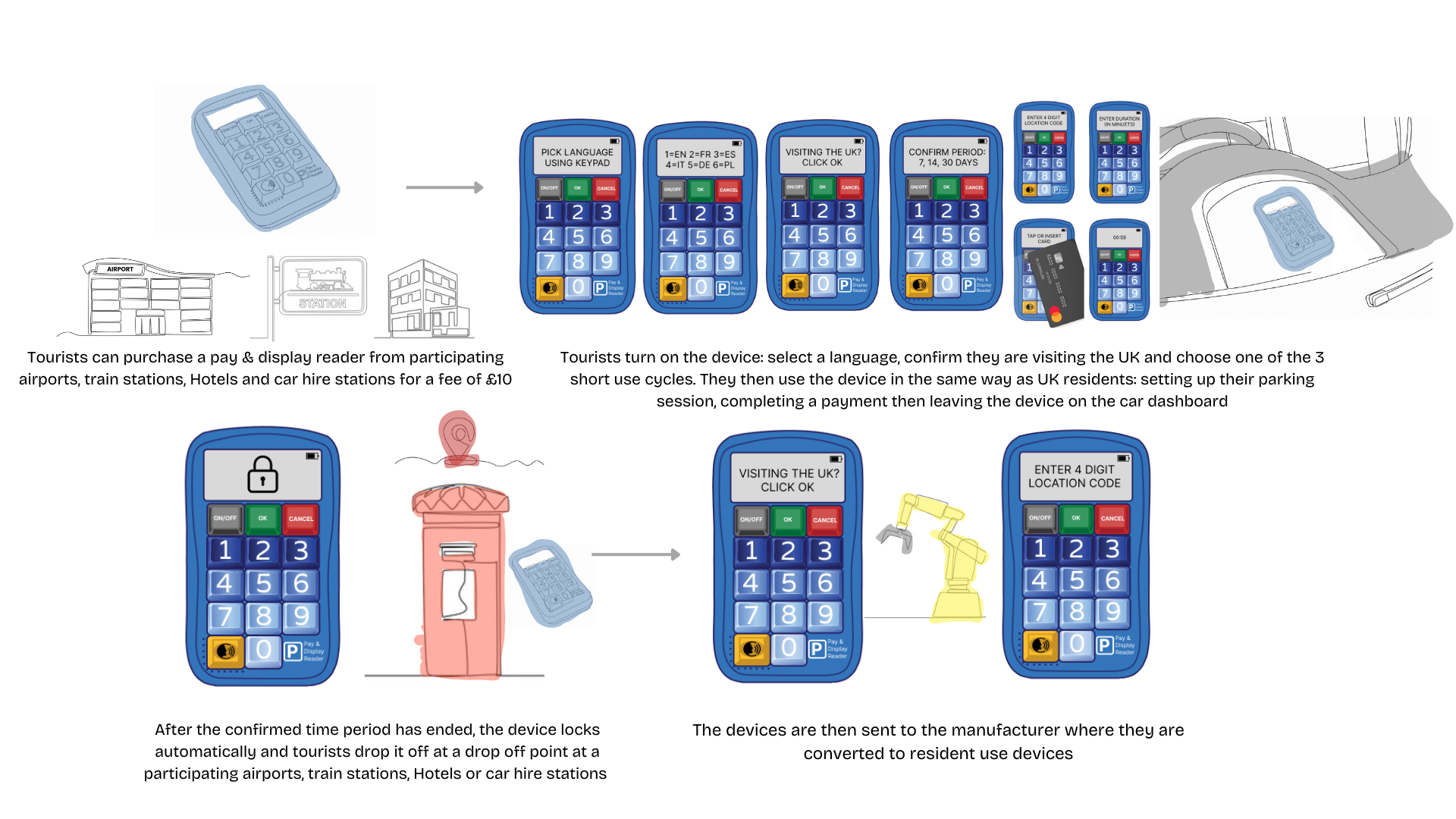
A secondary user group was identified for this project: Tourists. Taking visitor oyster cards as a design precedent. I designed visitor Pay & Display readers. Tourists purchase for £10 at participating airports, train stations, hotels and car hires. When powered on users: select a language, confirm they are visiting the UK and select a short use cycle. They then proceed to use the device in the same way as a UK resident before the device automatically locks after the use cycle ends. They then drop the device off at a drop off point in one of the aforementioned locations and the device gets sent back to the manufacturer.
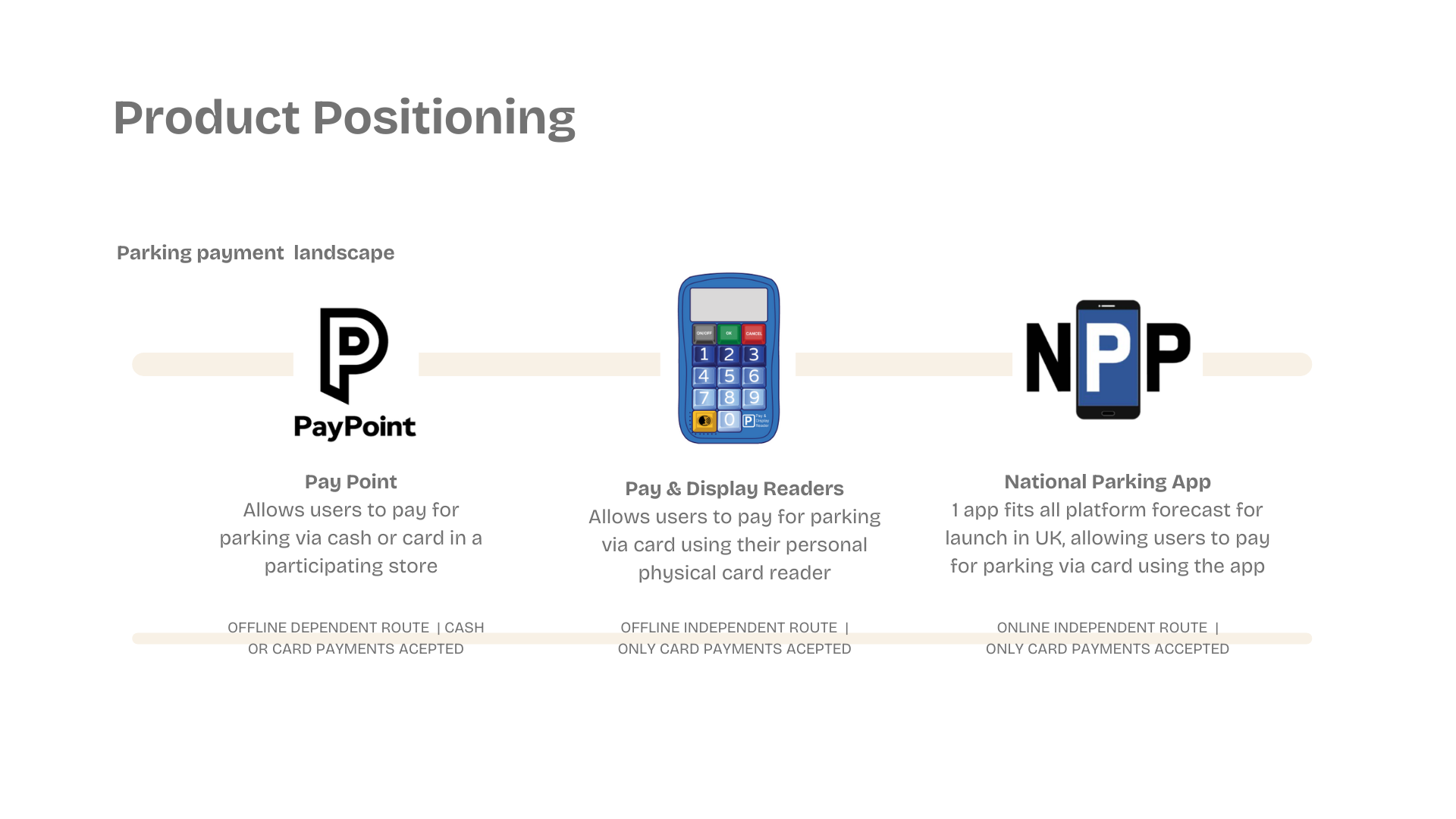
I am positioning my product alongside pay points and the National Parking app if and when it comes into fruition. This way the parking payment landscape can be fully inclusive and accessible to all providing adequate offline, online, cash and card payments methods.